
GoTo Player: Our Free IPTV Player for Every Screen
Updated
GoTo Player is a free IPTV player for Fire TV, Android TV, Google TV, Android phones and tablets, and Windows. Add your playlist or provider login, browse with a TV guide, save favourites and pick up where you left off. No ads, no tracking of what you watch, no subscription for the player.
Important: GoTo Player is a player only. It does not include, sell or host any channels, movies or series. You add your own authorized source, such as your GoToIPTV subscription.
 1129312Downloader codeNo adsno trackingFreeevery screen
On This Page
What Is GoTo Player? A Free IPTV Player, Not a Channel Service
GoTo Player is a modern free IPTV player for the sources you already use. Think of it as a smart TV guide for your own playlist.
What it does: plays an M3U playlist or a compatible provider login (the server URL, username and password your provider gives you), shows live TV in a TV guide, organises movies and series, and remembers where you stopped.
What it does not do: it does not come with channels, films or subscriptions. If you are a GoToIPTV customer, you log in with the details we email you. If you use another provider, you log in with theirs.
GoTo Player is made by the GoToIPTV team and has its own website, gotoplayer.app. It is the free IPTV player app we recommend to our own customers.
Phone, tablet and TV layouts, with full remote control.
Your own sources: M3U or provider login, several accounts.
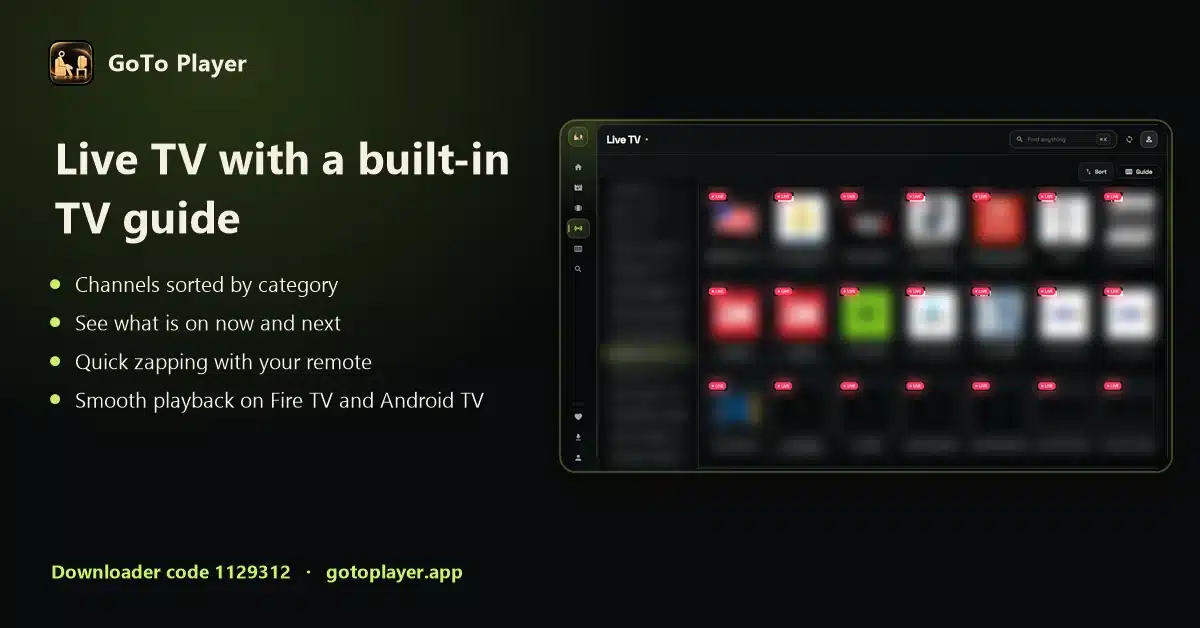
TV guide (EPG) with now and next.
No ads, no tracking of what you watch; logins encrypted on your device.
10 Things That Make GoTo Player Different
The short version of why this free IPTV player app stands out, checked against the app itself in October 2026:
1. Free on every screen
Fire TV, Android TV, Google TV, Android phones and tablets, and Windows. No ads and no subscription for the player. iPhone and iPad are coming soon.
2. Type your login with your phone
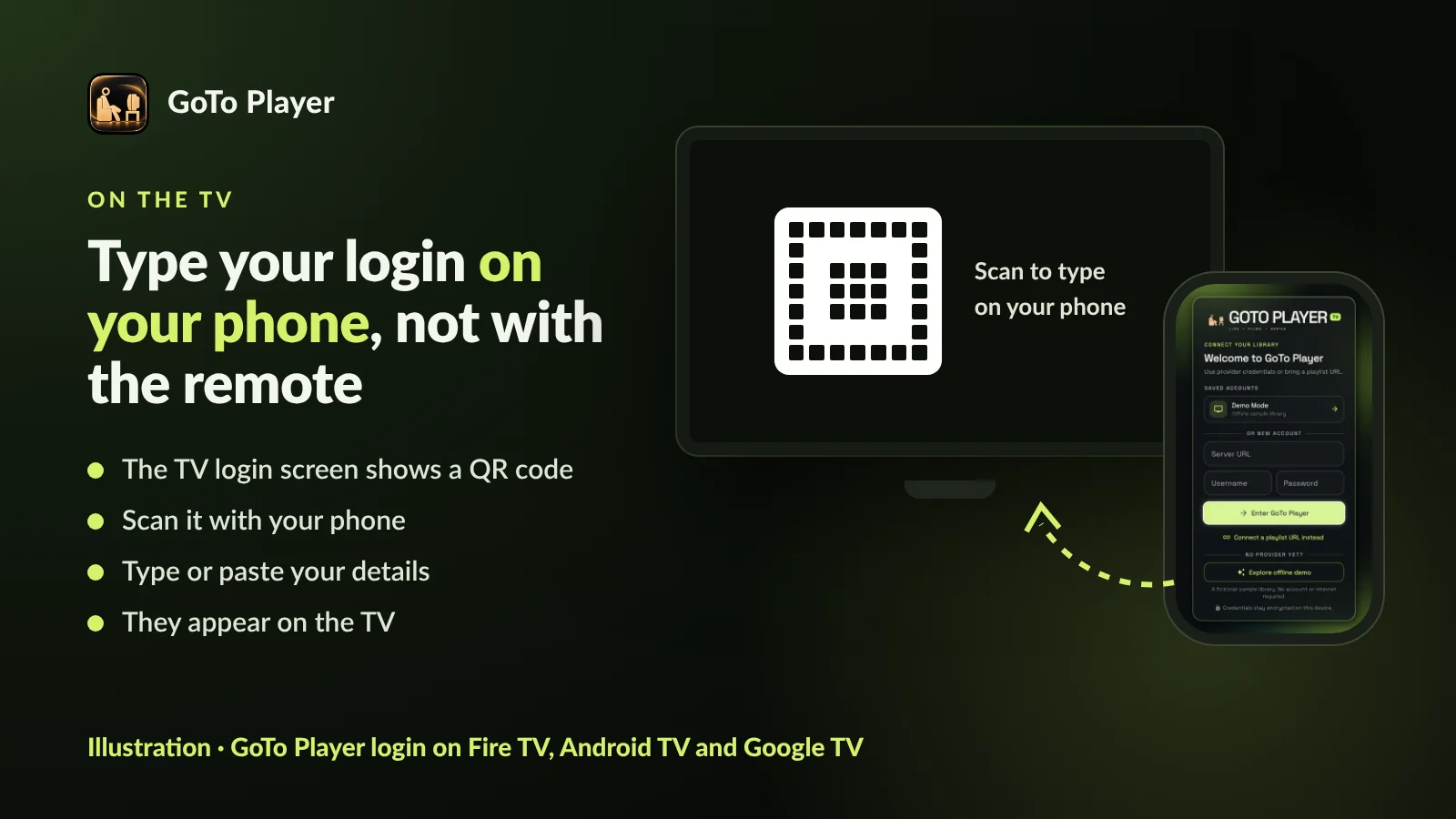
On the TV, the login screen shows a QR code. Scan it, type your server, username and password (or paste an M3U link) on your phone, and it appears on the TV. No more typing with the remote.
3. One code for every TV device
Type 1129312 in the free Downloader app on Fire TV, Android TV or Google TV, or open gotoplayer.app/apk. The latest version is 1.0.6, released on 21 October 2026.
4. In the Microsoft Store
GoTo Player has been in the Microsoft Store since 17 October 2026: free, about 47 MB, for Windows 10 and 11. Updates arrive through the Store.
5. A demo library to try first
Tap “Explore offline demo” on the welcome screen to try every screen with a fictional sample library. No account and no internet are needed.
6. Profiles for everyone at home
Create several viewer profiles, each with its own My List and viewing history, so nobody’s Continue Watching gets mixed up.
7. Offline downloads
Save films and episodes to watch without internet on Android phones and tablets and on Windows, where your content rights allow it. Not on TV devices or iPhone.
8. One-tap updates
The direct-download version shows an “Update available” message and installs the new version in one tap. Your playlists and settings stay.
9. Built for the remote
Every button works with a TV remote. Version 1.0.2 brought a big fix for Fire TV remotes, and the TV layout is made for the sofa, not stretched from a phone.
10. Private by design
Logins are stored encrypted on your device and sent only to the service you add. No advertising, no tracking of what you watch. The store versions collect no data.
See GoTo Player in Action
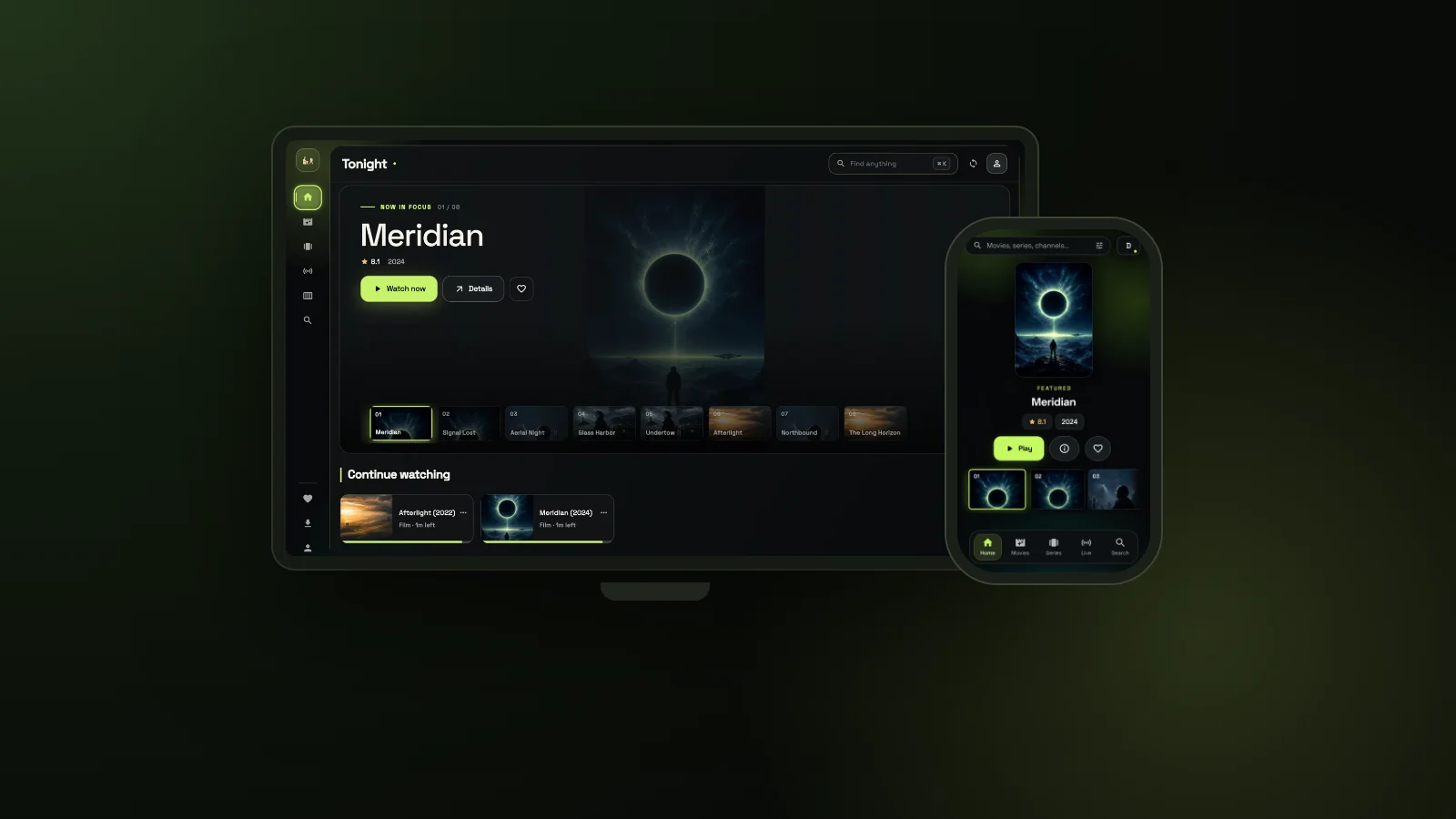
Every picture on this page comes from the built-in demo library of our free IPTV player, with invented films and channels, so you see the real app without any real content:
A home screen that knows what you were watching
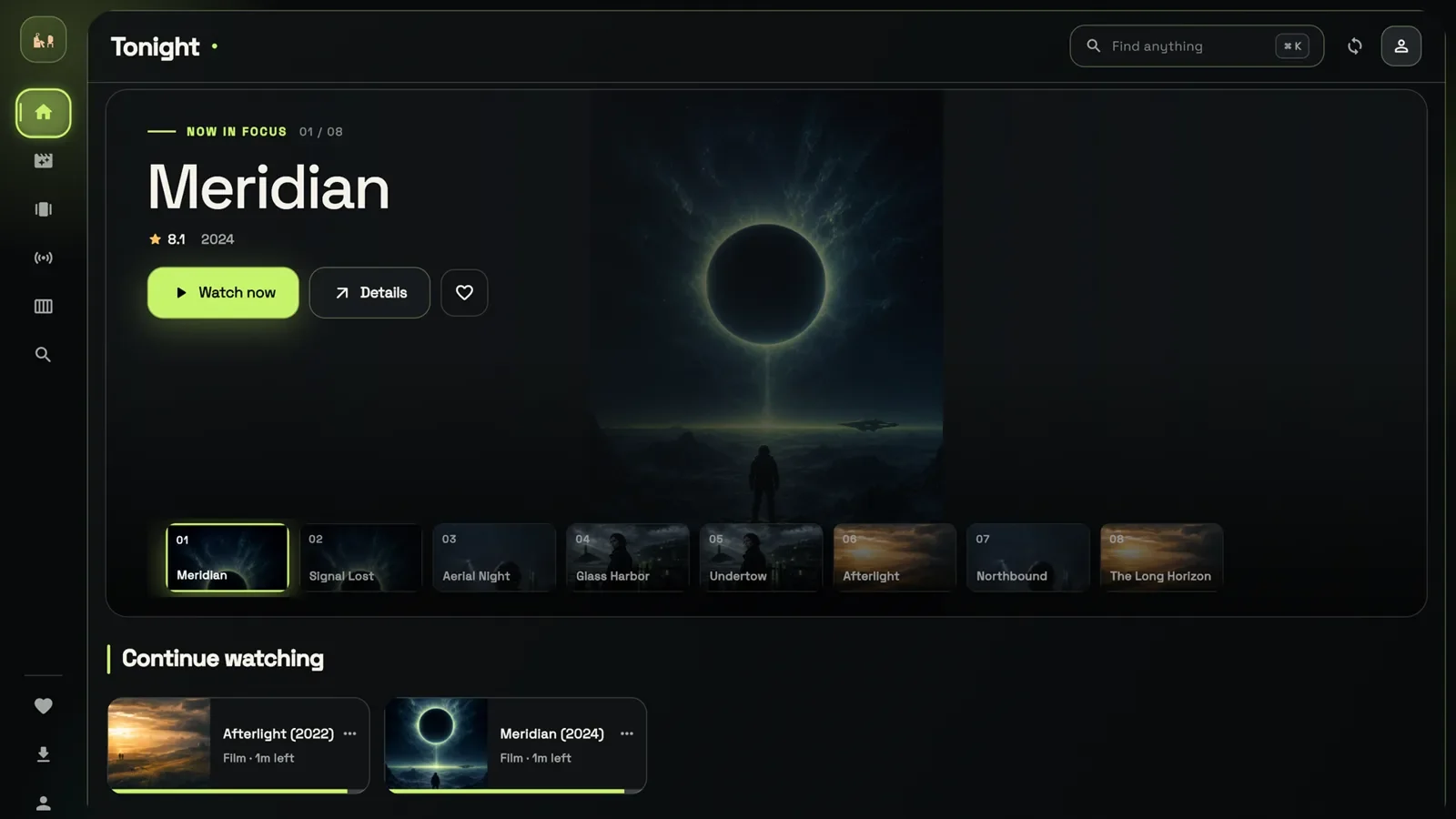
In this free IPTV player, “Tonight” opens with a large Now in focus carousel and, below it, Continue watching with a progress bar on every film and episode. One click and you are back where you stopped.
Film pages with Resume, Offline and My list
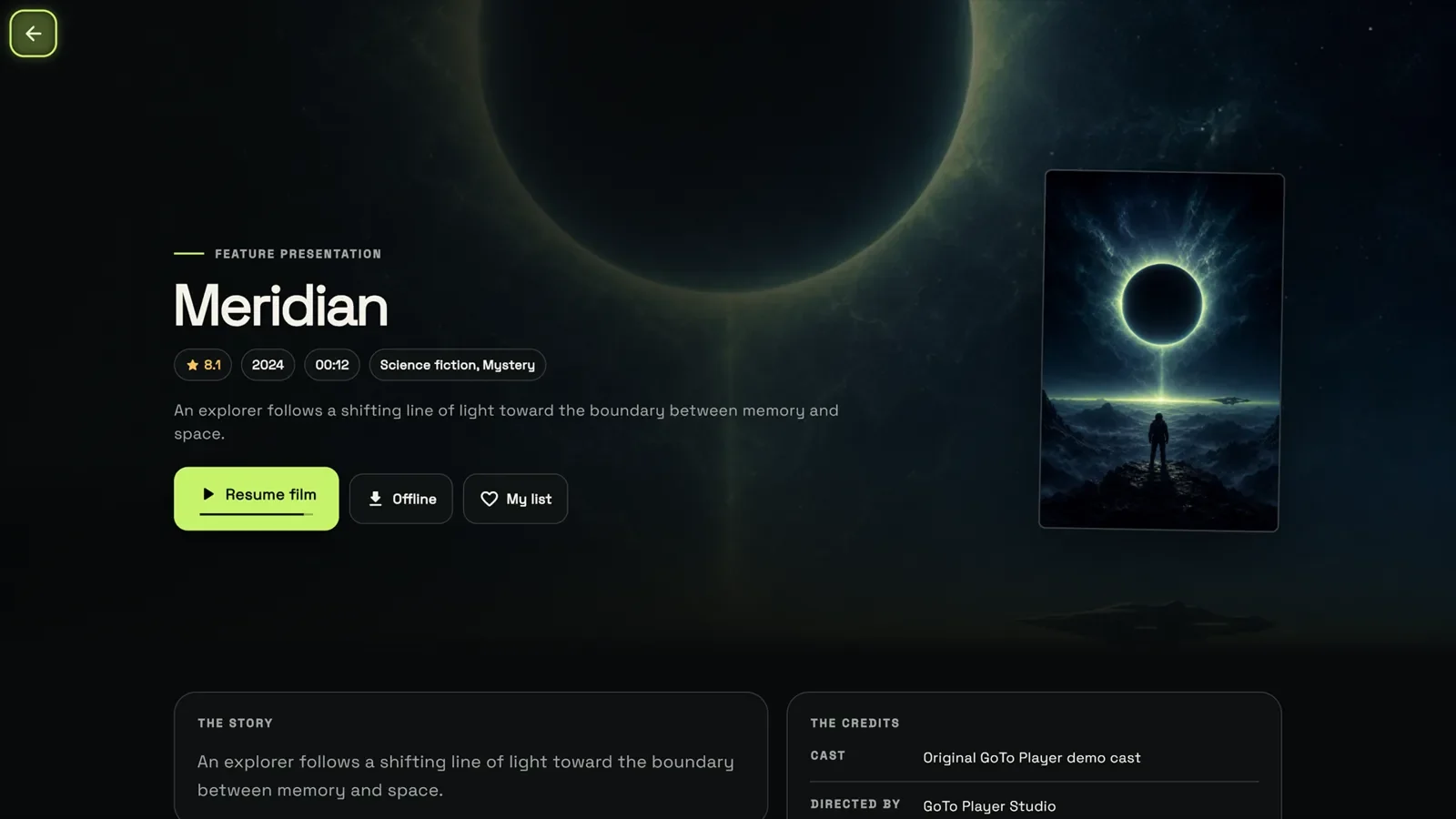
Each film shows its rating, year, length and genres, a short story and the credits. Resume where you left off, add it to My list, or save it offline on Android phones, tablets and Windows.
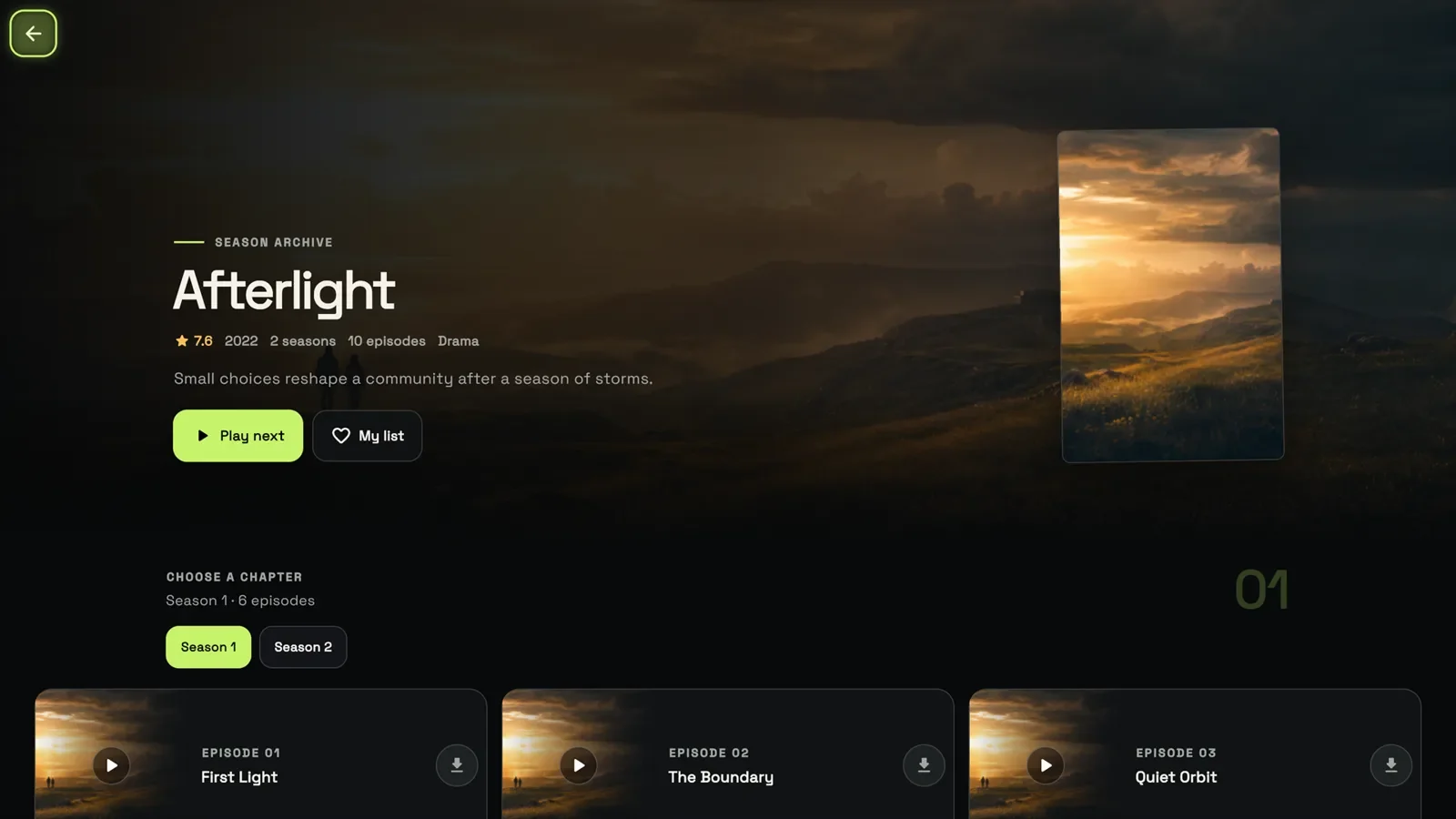
Series with seasons and episodes
Pick a season, see every episode, press Play next to keep going, or download an episode for the train on a phone, tablet or PC.
On the TV: a real TV guide
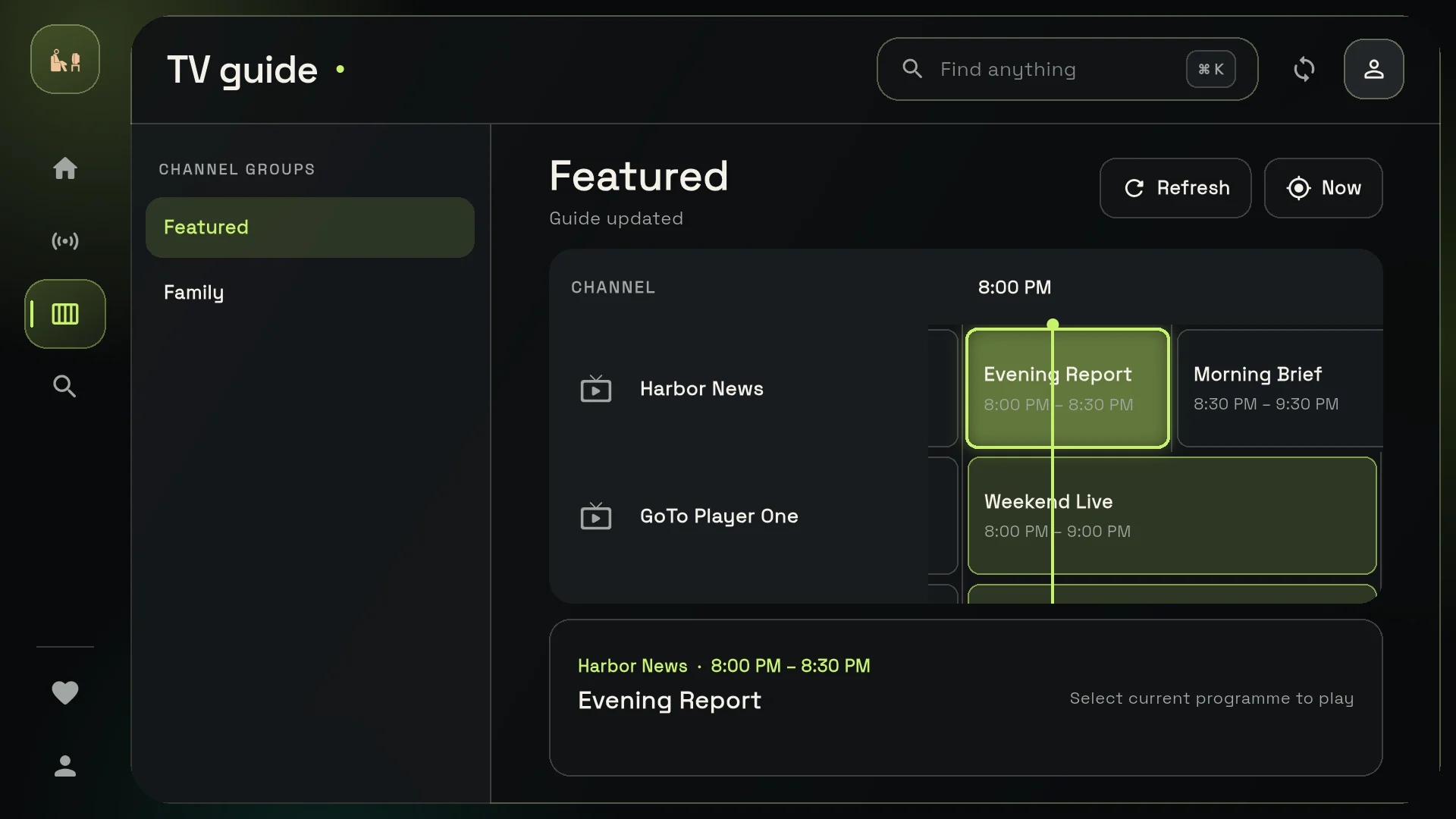
On Fire TV, Android TV and Google TV, GoTo Player has its own TV layout. The TV guide shows channel groups on a timeline with a now line, and every button works with the remote. Logging in? Scan the QR code on the TV and type on your phone.
Made for phones too
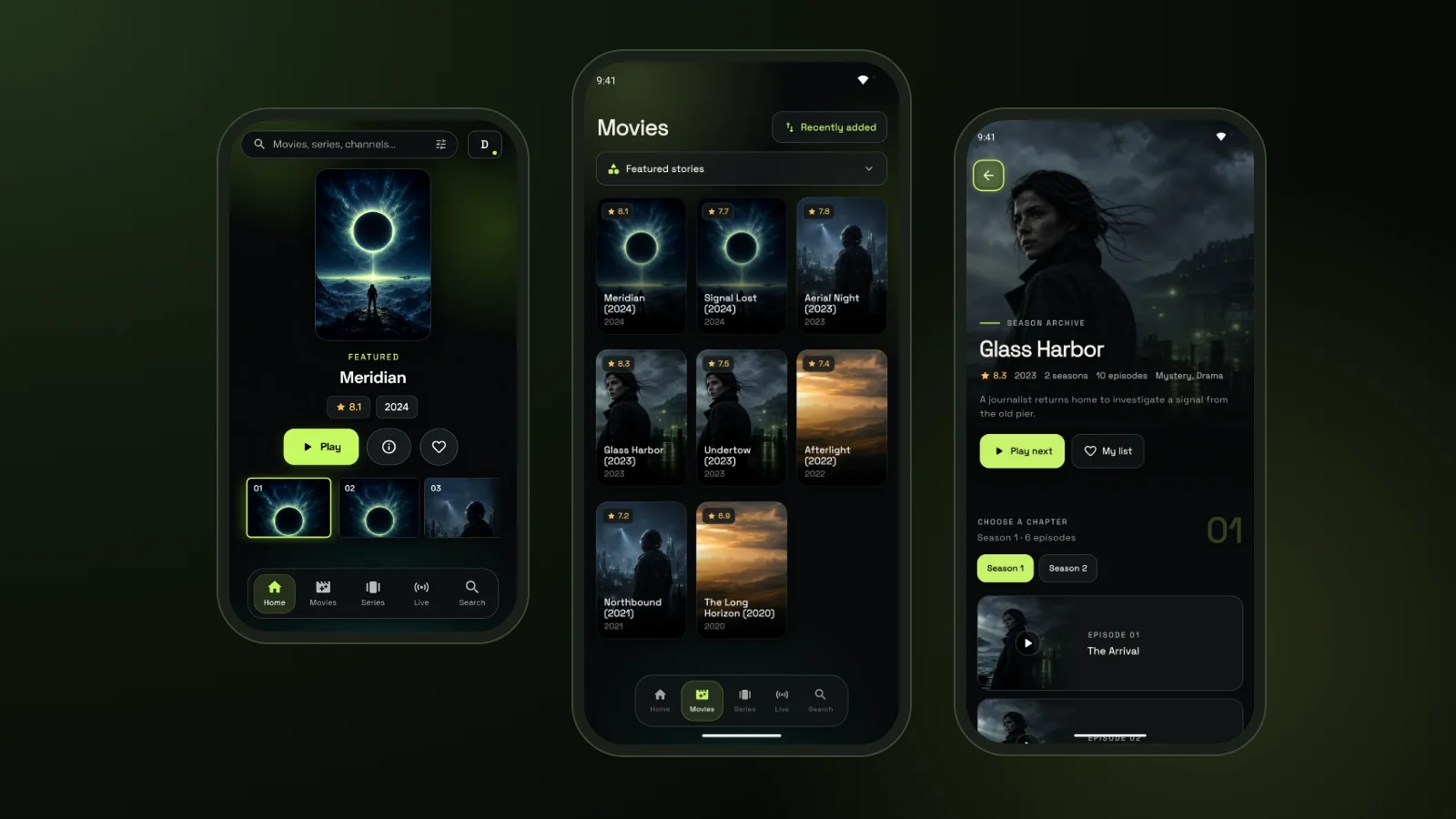
On a phone, the free IPTV player app keeps the same library under one thumb: Home, Movies, Series, Live and Search along the bottom, with picture-in-picture on Android.
Why a Free IPTV Player With No Ads Matters
Many players are “free” but show adverts, push upgrades or follow what you watch. GoTo Player is a free IPTV player app that works differently:
- No ads between channels or in the menus.
- No advertising and no tracking of what you watch.
- Logins stored encrypted on your device, sent only to the service you choose.
- No subscription for the player itself.
- An offline demo so you can try it before adding a source.
Free IPTV Player for Firestick: Downloader Code 1129312
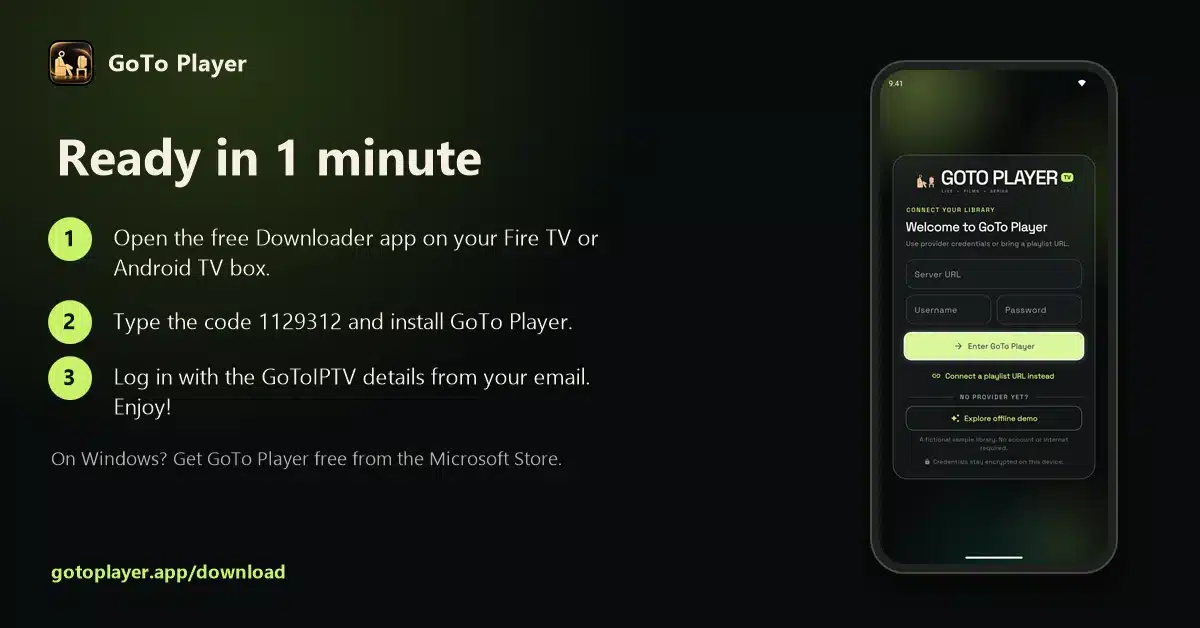
GoTo Player is the easiest free IPTV player for Firestick and Fire TV: one short code and you are done.
- 1
Install Downloader from the Amazon Appstore (search “Downloader”).
- 2
Allow unknown apps: Settings, My Fire TV, Developer Options, Install Unknown Apps, Downloader: On.
- 3
Open Downloader and type 1129312, then press Go.
- 4
Install GoTo Player and open it.
- 5
Log in by scanning the QR code with your phone, or with the remote.
No Developer Options? Go to My Fire TV, About, and click the device name seven times. Some newer Fire TV models only allow Appstore apps; on those, use a Google TV device.
Full step-by-step guide with tips for the Firestick 4K: IPTV player for Firestick.
Install on Android TV, Google TV and Android Phones
GoTo Player, our free IPTV player, runs on Android phones and tablets (Android 7.0 or newer) and on Android TV and Google TV devices.
- 1
Android TV or Google TV: use Downloader with code 1129312, as on Fire TV.
- 2
Phones and tablets: download the app from gotoplayer.app/apk and allow installation when asked.
- 3
Google Play: GoTo Player is in closed testing. You can join the tester group; the public release comes after Google’s test period.
Download only from gotoplayer.app or the Downloader code above, never from APK mirror sites.
Set-up for TVs and boxes: IPTV player for Android TV and Google TV.
Best Free IPTV Player for Windows
Looking for a free IPTV player for Windows? GoTo Player is in the Microsoft Store, so it installs and updates like any other Windows app.
- 1
Open the Microsoft Store link and click Get.
- 2
Open GoTo Player from the Start menu.
- 3
Add your source: M3U link or provider login.
- 4
Connect to a TV with an HDMI cable for the big screen.
It needs Windows 10 version 1809 (build 17763) or newer, 64-bit and takes about 47 MB. Full-screen playback, keyboard shortcuts, fast search and offline downloads are all included.
iPhone and iPad: coming soon. Mac: not available yet. Roku: cannot install it; add a Fire TV or Google TV stick to the HDMI port.
More: our IPTV player for Windows guide and IPTV on PC and Mac.
Xtream Codes Player or M3U: How to Log In
GoTo Player works as an Xtream Codes player and as an M3U player. Use whichever your provider gives you:
The provider login loads live TV, the TV guide and on-demand content together, so it is usually the best choice. GoToIPTV customers receive these details by email and can see them in My Account.
Step by step: the Xtream player guide and the M3U player guide. Login refused? The same fixes as in our failed to authorize guide apply.
TV Guide, Profiles, Resume and More
Everything you need in a free IPTV player, built for touch screens and TV remotes alike:
TV guide (EPG)
See what is on now and next, with programme guides from your source.
Favourites, My List and resume
Keep your favourite channels close and continue films and episodes where you stopped.
Viewer profiles
Several profiles, each with its own list and history.
Movies and series
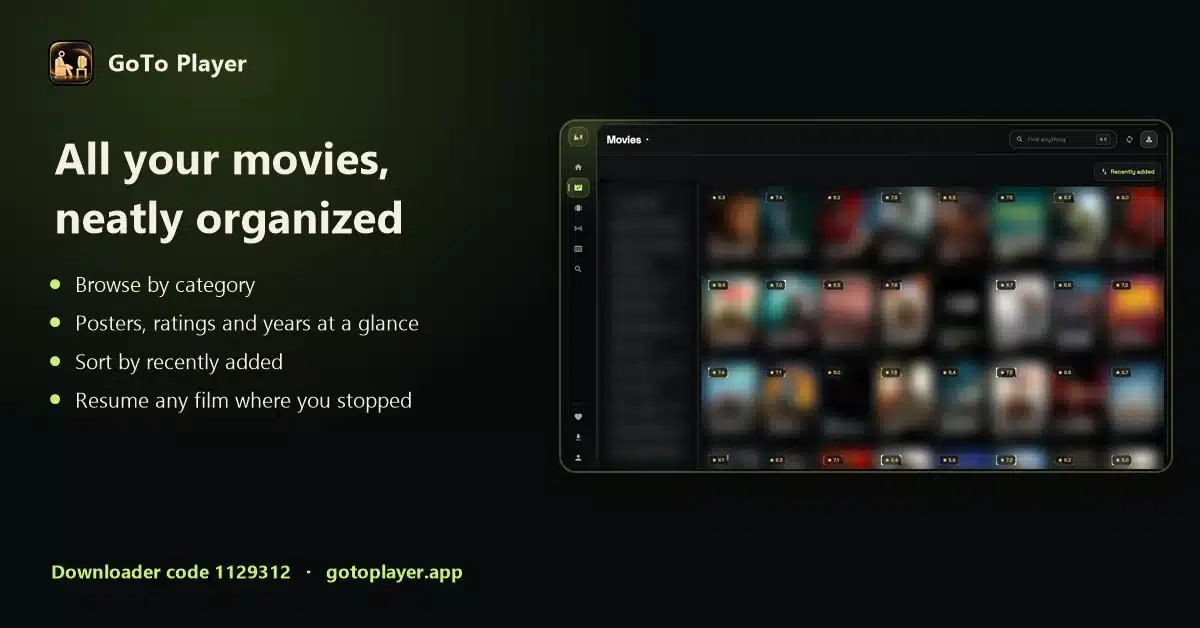
Browse by category, see ratings and years, sort by recently added, search everything fast.
Subtitles and audio
Switch audio tracks and subtitles, adjust size and sync; picture-in-picture on Android.
Offline downloads
Save titles to watch later on Android phones, tablets and Windows, where your content rights allow it.
How to Choose a Free IPTV Player: 6 Checks
Not every free IPTV player is worth installing. Before you pick one, ours included, check these six points:
- Really free: no adverts, no locked basic features, no trial that expires.
- A trusted source: an app store, the developer’s own website or a published Downloader code.
- Provider login and M3U support, so live TV, the guide and VOD load together.
- A proper TV guide that you can read from the sofa.
- Built for remotes: big buttons and simple menus on the TV, not just a phone app stretched to fit.
- Privacy: no tracking of what you watch.
The best free IPTV player for you is the one that passes all six on your own device. GoTo Player was built to do exactly that.
GoToIPTV Customers: Start in 3 Minutes
If you have a GoToIPTV plan, setting up our free IPTV player takes three minutes:
- 1
Open My Account on gotoiptv.com and go to Downloads. You will find GoTo Player, the code and the links there.
- 2
Install GoTo Player with Downloader code 1129312 on Fire TV or Android TV, or from the Microsoft Store on Windows.
- 3
Log in with the GoToIPTV username and password from your email; on a TV, scan the QR code and type them on your phone.
- 4
Add favourites and set your time zone.
Need help? Tap the chat button on gotoiptv.com or message us on WhatsApp, and we will guide you step by step.
In the USA, set the device to your time zone (Eastern to Hawaii). In the UK, set it to London so the guide follows GMT and BST.
GoTo Player vs Other IPTV Players
How does our free IPTV player compare with popular alternatives? An honest overview (check each app’s store page for the latest details):
For a wider comparison, see our best IPTV player guide, the Hot Player guide and the best IPTV app for each device.
GoTo Player on Every Device at a Glance
Where you can use this free IPTV player today, and how to install it:
One source can be used on several devices, but how many can play at the same time depends on your IPTV subscription: usually one screen per line.
Get the Best Picture From Your Free IPTV Player
A free IPTV player is only as good as the connection behind it. Five habits make GoTo Player look its best:
- Use a cable or 5 GHz Wi-Fi for the TV you watch most.
- Check your speed: about 10 Mbps per screen for HD, 25 Mbps for 4K.
- Restart the device and router once a week.
- Keep the app updated: tap “Update available” when you see it, or let the store update it.
- Set your time zone so the TV guide matches your evening.
Test your connection on Speedtest from the device you watch on. If the picture still pauses, follow our IPTV not working guide.
GoTo Player Not Working? Quick Fixes
Most problems with any free IPTV player come from the source or the network, not the app itself. Work through this list in order:
Still stuck? Email [email protected] for the app, or message GoToIPTV on WhatsApp at +1 (917) 924-8236 for your subscription.
Privacy by Design
A free IPTV player should not make money from your data. GoTo Player does not:
No ads and no advertising ID.
No tracking of what you watch.
Encrypted logins, stored on your device only.
Your choice: anonymous counts in the download version can be switched off.
In detail: your logins go only to the service you add. The direct-download Android version sends anonymous counts, such as daily opens and crash types, so the app can be improved; switch it off in Profile, “Anonymous usage stats”. The Microsoft Store and Google Play versions collect no data. Read the full privacy policy on gotoplayer.app.
Who GoTo Player Is For
This free IPTV player suits most homes, from first-timers to families:
Beginners
One Downloader code, a simple welcome screen, phone typing on the TV and an offline demo. You will be watching in minutes.
Families
Viewer profiles with their own lists and history, favourites for each person and easy browsing by category.
Film and series fans
A tidy library with posters, ratings and resume, plus subtitles and audio tracks.
Travellers
Download films and episodes on a phone, tablet or laptop before you go, or take a Firestick with you; it works wherever your source works.
IPTV Player Words, Explained Simply
New to IPTV? These are the words you will see in any free IPTV player, including GoTo Player:
IPTV player
An app that plays TV and films from a source you add. It has no content of its own.
Provider login (Xtream Codes)
A server URL, username and password from your IPTV provider. It loads live TV, the guide and on-demand titles together.
M3U playlist
A single link or file listing channels. Simple, but the TV guide depends on your provider.
EPG
Electronic programme guide: the TV guide that shows what is on now and next.
VOD
Video on demand: films and series you start whenever you like.
Downloader code
A short number that the Downloader app on Fire TV and Android TV turns into a download link. GoTo Player uses 1129312.
GoTo Player Guides for Every Device
Step-by-step help to set up our free IPTV player on the device you watch on, and for the login your provider gives you:
Use GoTo Player With GoToIPTV
GoTo Player is our recommended free player for GoToIPTV customers. Your GoToIPTV subscription provides the channels; GoTo Player plays them.
Free IPTV Player FAQ
Which IPTV player is completely free?
GoTo Player is free on every platform, with no ads and no subscription for the player. It plays your own playlist or provider login; channels come from your IPTV provider, not from the app.
What is the best free IPTV player without ads?
Look for a player with no ads, a full TV guide and support for both provider logins and M3U playlists. GoTo Player, our recommended free player, has no ads and no tracking of what you watch, and works on Fire TV, Android TV, Google TV, Android phones and Windows.
Does Firestick have an IPTV player?
Not built in. You install one: for GoTo Player, install Downloader from the Amazon Appstore and type the code 1129312. Our IPTV player for Firestick guide shows every step.
What are the best free IPTV apps for Firestick?
GoTo Player (Downloader code 1129312) is a free, ad-free option. TiviMate has a free version with a paid Premium, and IPTV Smarters is also widely used.
What is the best free IPTV player for Windows?
GoTo Player is free in the Microsoft Store for Windows 10 and 11. Log in with your M3U link or provider details. See our IPTV player for Windows guide.
How do I play an M3U file?
Open your player, choose to add a playlist, paste the M3U link from your provider and wait for the channels to load. In GoTo Player, tap “Connect a playlist URL instead” on the welcome screen. More in our M3U player guide.
What are IPTV Xtream codes?
A login made of three parts from your IPTV provider: a server URL, a username and a password. Players use it to load live TV, the TV guide and on-demand content together. Our Xtream player guide explains each field.
What is the best IPTV player for Xtream Codes?
Any player that supports provider logins and shows a full guide. GoTo Player, TiviMate and IPTV Smarters all do; GoTo Player is free with no ads.
Can I type my login with my phone instead of the TV remote?
Yes. On Fire TV, Android TV and Google TV, the GoTo Player login screen shows a QR code. Scan it with your phone, type the server, username and password (or paste the M3U link) on the phone keyboard, and it appears on the TV.
What are Firestick Downloader codes?
Short numbers that the Downloader app turns into a download link, so you do not have to type a long address with the remote. GoTo Player’s code is 1129312.
Is GoTo Player legal?
Yes. GoTo Player is a media player only. It does not include, sell or host any channels, movies or series: you add your own authorized sources.
Does GoTo Player work on iPhone or Roku?
Not yet on iPhone and iPad: version 1.0.0 is in Apple’s review, so it is coming soon. Roku cannot install Android apps, so it cannot run GoTo Player; add a Fire TV or Google TV stick to a spare HDMI port on the Roku TV instead, and install the player there with code 1129312.
Can I download films and episodes to watch offline?
Yes, on Android phones and tablets and on Windows, where your content rights allow it. Offline downloads are not available on TV devices or in the iPhone version.
Does GoTo Player collect any data?
Your logins stay encrypted on your device and go only to the service you add, and there is no advertising or tracking of what you watch. The direct-download Android version sends anonymous counts, such as daily opens and crash types, to help improve the app; you can switch this off in Profile, “Anonymous usage stats”. The store versions collect no data.
Is a free IPTV player safe?
Yes, if you install it from a trusted source: an app store, the developer’s own website or a published Downloader code such as 1129312. Avoid modified copies from APK mirror sites.
Do I need a VPN for a free IPTV player?
No. A VPN is not needed to use GoTo Player. Some people use one for privacy; it does not change what is legal to watch.
Can one free IPTV player hold several playlists?
Yes. In GoTo Player you can save several accounts, for example one per provider, and create viewer profiles, each with its own list and history.
Can I try GoTo Player without a subscription?
Yes. Tap “Explore offline demo” on the welcome screen to try the app with a fictional sample library. No account or internet is needed for the demo.
Install GoTo Player Now
Free, no ads, one Downloader code. Add your playlist or provider login, set your time zone and start watching on the TV you already own, today.
