Blog – iPTV Tips
Best IPTV for Firestick in 2026: Service, Apps and Setup

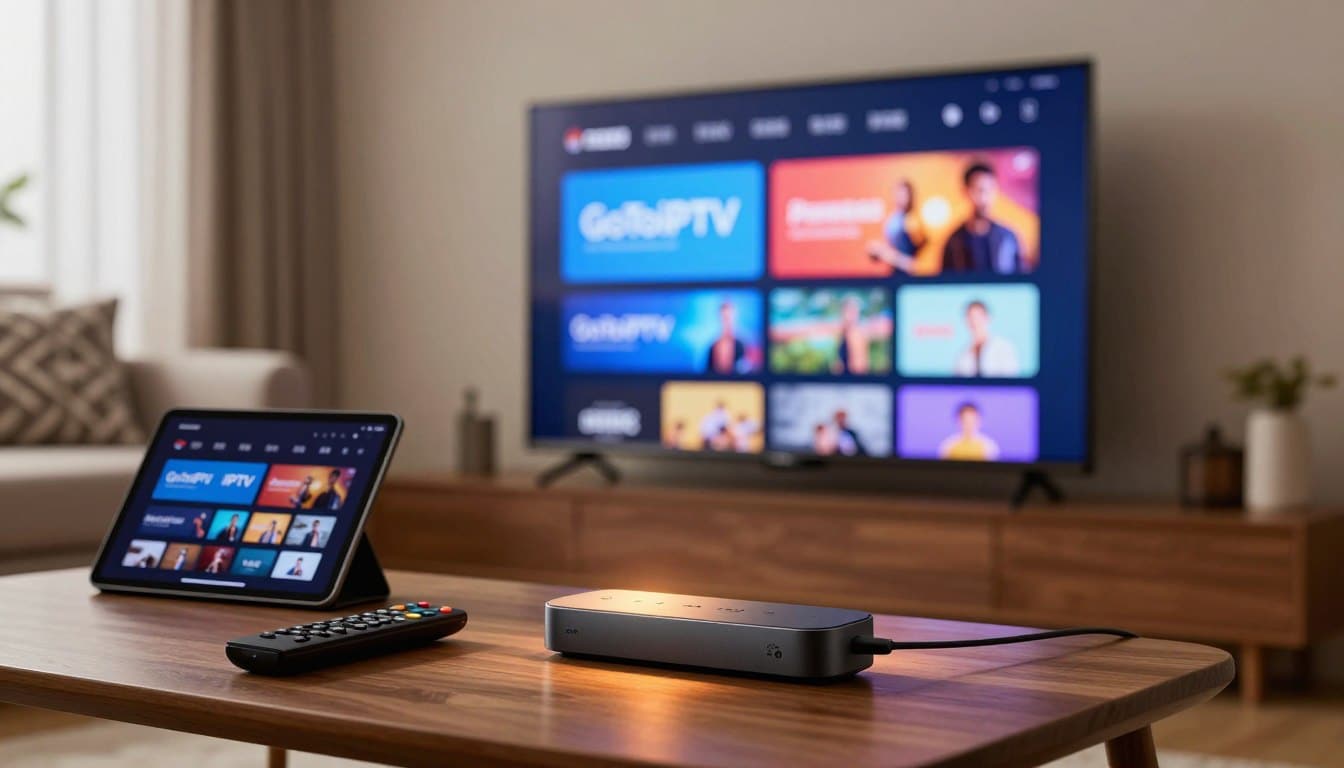
The Amazon Firestick is the most popular way to watch IPTV, and for good reason: it is cheap, small and plugs into any TV. But the stick is only half of the story. To get a smooth picture you need the best IPTV for Firestick: a reliable service, a good player app and the right settings. This guide covers all three.
Set aside ten minutes, follow the steps below and you will be watching your favourite channels tonight.
Table of Contents
What Makes the Best IPTV for Firestick?
A Firestick has less memory than a big TV box, so the service and the app need to be light and efficient. Look for:
- Stable streams at peak times, with HD versions of channels for busy evenings
- A clear channel list and TV guide that load quickly on a small device
- Support for popular Firestick player apps from the Amazon Appstore
- A free trial, so you can test on your own stick before paying
- Support that answers fast when something does not work
Which Firestick Should You Use?
| Device | 4K | Our view |
|---|---|---|
| Fire TV Stick (basic) | No | Fine for HD channels |
| Fire TV Stick 4K | Yes | Best value for most homes |
| Fire TV Stick 4K Max | Yes | Fastest stick, Wi-Fi 6, great for busy evenings |
| Fire TV Cube | Yes | Most powerful, with an Ethernet port |
If you are buying a new device, the 4K or 4K Max will give you the smoothest experience and last longer.
Choosing the Service: Our 6-Point Test
Before you pick the best IPTV for Firestick in your home, test any service on these six points:
- Free trial on your own stick. Ours lasts 24 hours and only needs your email.
- Evening stability. Watch between 7pm and 11pm.
- Channel switching speed. A good service opens channels in one or two seconds.
- TV guide. It should load fully and show the correct times.
- Movies and series. Open a film in 4K and a series episode.
- Support. Ask a question and see how fast you get a clear answer.
For a wider checklist, read our guide to the best IPTV service.
Best Player Apps for Firestick
The player is the app that shows your channels. Choose one from the official Amazon Appstore that is updated regularly, supports Xtream login and M3U playlists, and includes a TV guide.
- Hot Player: clean, simple and remote-friendly. See Hot Player on Firestick. With a GoToIPTV login, you can send your playlist straight to Hot Player using the MAC address shown in the app.
- Other popular players: search “IPTV player” in the Appstore and compare recent reviews.
Avoid installing apps from unknown websites. They can contain unwanted software, and you never need them for a good setup.
How to Set Up IPTV on Firestick in 10 Minutes
- Update your Firestick: Settings, My Fire TV, About, Check for updates.
- Install a player app from the Amazon Appstore.
- Start your free trial or choose a plan. Your login arrives by email.
- Add your account in the app, copying the details exactly.
- Let the channels load, then add your favourites.
Our full IPTV on Firestick guide has screenshots and extra tips for every step.
Best Settings for a Smooth Picture
| Setting | Where | Recommended |
|---|---|---|
| Video decoder | In the player | Hardware first, software if a channel freezes |
| Buffer size | In the player | Medium |
| Display resolution | Settings, Display and Sounds | Auto or your TV’s resolution |
| Match frame rate | Display and Sounds | On (4K models) |
| Storage | Settings, Applications | Keep at least 1 GB free |
How to Stop Buffering on Firestick
- Restart the Firestick weekly: hold Select and Play for five seconds.
- Clear the app cache: Settings, Applications, Manage Installed Applications, your player, Clear cache.
- Uninstall apps you never use to free memory.
- Use Amazon’s Ethernet adapter if your Wi-Fi is weak.
- Choose the HD version of a channel during very busy events.
Check your speed on Speedtest in the Silk browser: about 10 to 15 Mbps for HD and 25 Mbps for 4K. More fixes are in our IPTV buffering guide.
5 Mistakes to Avoid
- Installing apps from unknown websites. Stick to the Amazon Appstore.
- Filling the stick with apps. A full Firestick slows down and buffers more.
- Using weak Wi-Fi far from the router. Move the router or add Ethernet.
- Sharing one line across the house. Each screen watching at the same time needs its own line.
- Choosing on price alone. The best IPTV for Firestick is the one that stays smooth on a Saturday night, not the cheapest offer.
Best IPTV for Firestick for Families
Families usually have more than one TV and very different tastes. Give each TV its own Firestick and its own line, then create favourites for each person: cartoons for the kids, news and sports for the parents, series for the teenagers. Turn on parental controls in the Firestick settings and set a PIN for adult categories inside the player. With a 2-line or 3-line plan, everyone watches what they want at the same time, without “too many connections” messages.
Best IPTV for Firestick When Travelling
A Firestick fits in your pocket, which makes it perfect for holidays, cottages and hotel rooms. Pack the stick, its power adapter and the remote, plug it into the TV’s HDMI port and connect to the Wi-Fi. Hotel networks are sometimes slow or block devices, so a phone hotspot can be a good backup. Your plan works wherever you have a stable connection, one screen per line at a time.
GoToIPTV on Firestick
GoToIPTV is built to run well on Fire TV devices:
- 56,000+ live channels and 150,000+ movies and series
- HD, Full HD and 4K where available, with HD backups for many channels
- Works with popular Firestick players, including Hot Player
- 24/7 support to help you set it up
| Plan | Price | Best for |
|---|---|---|
| 1 Month + 1 Free | $12 | Trying it out |
| 3 Months + 1 Free | $25 | Short term |
| 6 Months + 2 Free | $40 | Great value |
| 12 Months + 2 Free | $60 | Best value |
Two Firesticks at home? Choose a 2-line or 3-line plan, or customize your plan.
How to Keep Your Firestick Fast
Firesticks are small computers, and like any computer they slow down over time. Once a month, uninstall apps you no longer use, clear the cache of your player and check for system updates. Turn off “Featured Content” autoplay on the home screen if menus feel slow, and keep the stick away from the back of a hot TV by using the HDMI extender that comes in the box. These small habits keep channel switching quick and reduce freezing.
Firestick vs Smart TV Apps
Many people already own a Smart TV with apps built in. Why add a Firestick? Because sticks usually get updates more often, have more player apps to choose from and can be moved between TVs or taken on holiday. If your TV is a few years old, a Firestick often feels faster than the TV’s own apps. If you prefer the TV itself, see our Samsung and LG guides.
The Easiest Firestick Player: GoTo Player (Code 1129312)
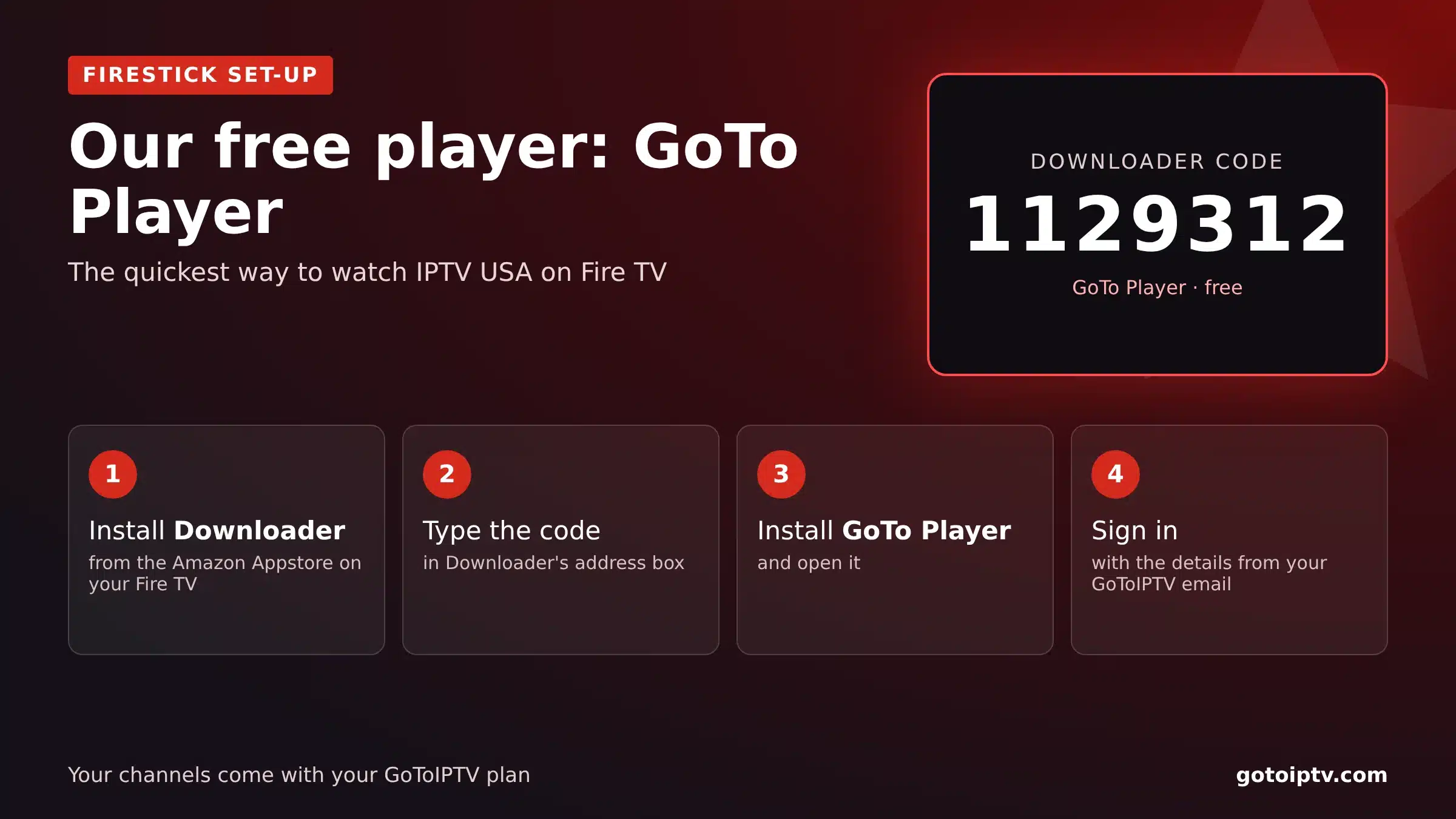
For many viewers, the best IPTV for Firestick set-up starts with an easy player. GoTo Player, our recommended free player, installs with one Downloader code: open Downloader, type 1129312, install and log in. It has no ads, a full TV guide and resume playback. Read more on GoTo Player.
Is Amazon Blocking IPTV on Firestick?
Amazon does not block IPTV player apps in general, and Downloader is in the Amazon Appstore. Two things to know: Fire TV shows a warning when you allow apps from unknown sources, and some newer Fire TV models run a new system that only installs apps from the Appstore. If you are buying a stick just for IPTV, check the model first, or choose a Google TV device.
Best IPTV for Firestick in the USA
American viewers should look for US and local channels, a guide that follows Eastern, Central, Mountain or Pacific time and enough screens for game day. Use the 5 GHz Wi-Fi band or a cable adapter for 4K. Plans and channels: IPTV USA.
Best IPTV for Firestick in the UK
British viewers want UK channels, British box sets and a guide in UK time (set the stick to London). A TV licence is needed for live TV on any device. Plans and channels: IPTV UK, and the checklist best IPTV UK.
Which Firestick Is Best for IPTV?
| Model type | Good for | Note |
|---|---|---|
| Fire TV Stick 4K / 4K Max | Most homes, 4K TVs | Fast menus, Wi-Fi 6 on newer models |
| Fire TV Stick (HD) | Smaller TVs | Fine for HD |
| Fire TV Cube | Power users | Ethernet port built in |
| Newest models | Check first | Some only allow Appstore apps |
Whatever the model, restart it once a week, keep at least 2 GB of free space and clear the player cache if menus become slow.
Best IPTV for Firestick FAQ
What is the best IPTV for Firestick?
The one that passes the six-point test on your own stick, in the evening. A free trial is the only reliable way to know.
How long does setup take?
About ten minutes for most people, including installing the player and adding your login. Support can guide you if you get stuck.
Do I need a VPN on Firestick?
It is optional. A VPN adds privacy and can help if your provider slows down video at busy times.
Can I use one subscription on two Firesticks?
At the same time, you need a 2-line or 3-line plan. One line works on one screen at a time.
Does the best IPTV for Firestick need a special app?
No. Any good player from the Amazon Appstore works. Hot Player is a simple choice if you are not sure.
Is the basic Firestick enough?
For HD, yes. For 4K and faster menus, choose the 4K or 4K Max.
Where can I learn how IPTV works?
Read this overview of internet television.
What is the best IPTV app for Firestick?
GoTo Player (free, Downloader code 1129312), TiviMate and IPTV Smarters are the most common choices. GoTo Player is the quickest to set up.
Is Amazon blocking IPTV on Firestick?
Not in general. Player apps and Downloader work on most Fire TV devices, but some newer models only allow apps from the Amazon Appstore.
What is the most trusted IPTV provider?
There is no official ranking. Trust providers with a website, written terms, a refund policy, clear prices and fast support, and test them on a short plan.
What is the most popular IPTV provider?
Popularity changes fast and many “most popular” lists are adverts. Judge by your own test at prime time instead.
Try the Best IPTV for Firestick Free
Test GoToIPTV on your own Firestick for 24 hours. It only needs your email, and no card is required.
Questions before you choose a plan? Our support team answers 24/7 on WhatsApp and by email.

3 thoughts on “Best IPTV for Firestick in 2026: Service, Apps and Setup”