
Blog – iPTV Tips
Best IPTV Service in 2026: How to Choose the Right Provider

Search for the best IPTV service and you will find hundreds of sites promising the most channels at the lowest price. Some are excellent. Many are not. This guide gives you a simple, honest way to compare providers, the red flags to avoid and the questions to ask before you pay anyone, including us.
Use the checklist below with any provider, then test the one you like on your own TV before you commit.
Table of Contents
What Makes the Best IPTV Service?
The best IPTV service is not simply the one with the biggest channel number. It is the one that works smoothly in your home, at the times you watch, on the devices you own, with real people ready to help when something goes wrong. Price matters, but stability and support matter more.
The 8-Point Checklist
| What to check | Why it matters | What good looks like |
|---|---|---|
| 1. Free trial | Lets you test on your own internet | 24 hours, no card needed |
| 2. Evening stability | Peak hours expose weak services | Smooth on a Saturday night |
| 3. Channel list | You should know what you pay for | Clear, searchable categories |
| 4. Picture quality | HD and 4K should look sharp | HD backups for busy events |
| 5. Devices | Must work on your TV setup | Firestick, Smart TV, Apple TV, Android, PC |
| 6. Support | Problems happen, answers matter | Replies in minutes, 24/7 |
| 7. Clear pricing | No surprises later | Prepaid, no contract |
| 8. Refund policy | Shows the provider stands behind it | Written and easy to find |
Score each provider out of eight. Anything below six is a pass.
Red Flags to Avoid
- No trial at all. A confident provider lets you test first.
- “Lifetime” plans for a one-time fee. A service that has to pay for servers every month cannot promise forever.
- No way to contact anyone except a form that never answers.
- No refund policy, or one that is hidden.
- Prices that change every time you visit, or pressure timers that never end.
- Requests to install apps from unknown websites. Good providers work with official app stores.
How to Test an IPTV Service in 24 Hours
- Start the trial at a time that suits you. Our trial lasts 24 hours from activation.
- Watch in the evening. Between 7pm and 11pm is the real test.
- Open your must-have channels and a few you rarely watch.
- Play a movie in 4K if your TV and internet support it.
- Ask support a question. See how fast and how well they answer.
- Try it on two devices, for example your TV and your phone.
Our IPTV free trial checklist has the full list of what to test.
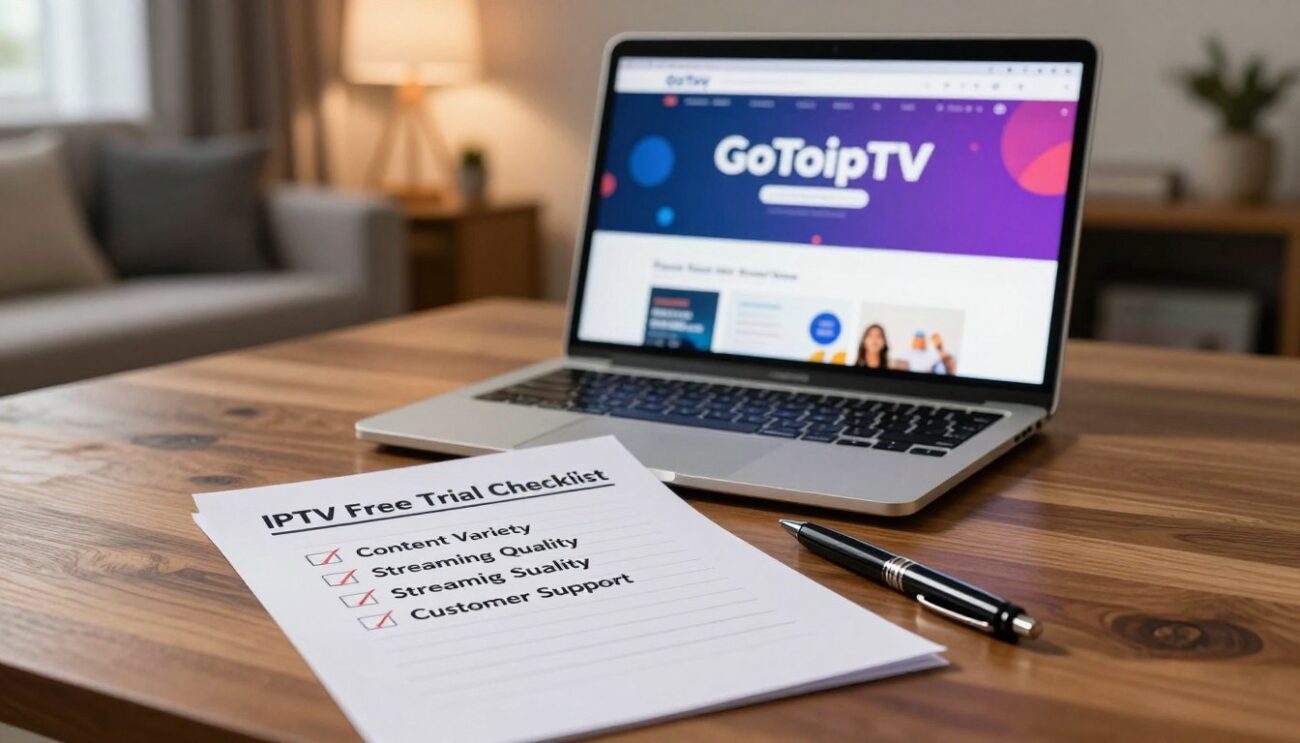
6 Questions to Ask Before You Pay
Send these to any provider you are considering. The answers, and how quickly they arrive, tell you a lot:
- How long is the trial, and do you need my card?
- How many screens can I watch at the same time?
- Do you have the channels from my country, in my language?
- Which apps do you recommend for my TV, and are they in the official app store?
- What happens if a channel stops working during a live event?
- What is your refund policy if the service does not work for me?
A good provider answers all six clearly. A vague answer, or no answer at all, is your sign to keep looking.
Signs You Picked the Right Service
After a week of watching, the best IPTV service for your home should feel boring in the best way: channels open in a second or two, evenings are smooth, the TV guide is correct and you have not needed support. If you did need help, the answer came quickly and solved the problem. If that matches your experience, a longer plan will save you money.
How GoToIPTV Scores
We would rather show you than tell you, so here is how GoToIPTV measures up on the same eight points:
- Free trial: 24 hours, only your email needed, no card.
- Stability: HD and 4K streams, with backup streams for many channels.
- Channels: 56,000+ live channels and 150,000+ movies and series. See the IPTV channels list.
- Quality: HD, Full HD and 4K where available.
- Devices: Firestick, Samsung, LG, Google TV, Android TV, Apple TV, iPhone, Android and computers.
- Support: 24/7 on WhatsApp and email.
- Pricing: prepaid plans from $11.95, no contract.
- Refunds: a clear refund policy.
Do not take our word for it. Test it on your own TV tonight, with your own channels, then decide.
Why Reviews Alone Are Not Enough
Online reviews help, but they cannot tell you how a service performs on your own internet, in your own living room, at the time you watch. A provider that is perfect in one city can struggle in another. Reviews also go out of date quickly. That is why the trial is more useful than any ranking list.
Best IPTV Service by Country
Every country has its own favourite channels and its own payment habits. Read the guide for where you live:
- United States: IPTV USA guide
- Canada: IPTV Canada guide, with Interac payment
- United Kingdom: IPTV UK guide
- Australia: IPTV Australia guide
Best IPTV Service for Your Device
- Firestick: IPTV on Firestick
- Samsung and LG: Samsung guide and LG guide
- Apple TV and iPhone: Apple TV guide
- Android TV box: Android TV box guide
- Computer: PC and Mac guide
Plans and Prices
| Plan | Price | Monthly cost | Best for |
|---|---|---|---|
| 1 Month + 1 Free | $11.95 | About $6 | Trying it out |
| 3 Months | $24.95 | About $8.30 | Short term |
| 6 Months + 2 Free | $39.95 | About $5 | Great value |
| 12 Months + 2 Free | $58.95 | About $4.20 | Best value |
Several screens? See plans for 1 to 5 screens. Want only certain countries or content? Customize your plan.
Cheap vs Premium: What You Really Pay For
The cheapest offers often cut corners on the things you cannot see: server capacity at peak times, backup streams and support staff. A slightly higher price usually buys a much smoother evening. Look at the cost per month on a longer plan instead of the headline price of one month. With GoToIPTV, the 12-month plan works out at about $4.20 a month, which keeps the price low without cutting the parts that matter.
How to Make Any IPTV Service Work Better
Even the best IPTV service depends on your home setup. Connect your main TV with an Ethernet cable, restart your router and TV device once a week, keep your player app updated and choose the HD version of a channel on a weak connection. Check your speed on Speedtest: about 10 to 15 Mbps per screen for HD and 25 Mbps for 4K. If you see pauses, read our IPTV buffering fix guide.
Best IPTV Service FAQ
Which is the best IPTV service right now?
The best one for you is the one that passes the eight-point checklist on your own internet. A free trial is the only reliable way to know.
How much should a good IPTV service cost?
Expect roughly $4 to $12 a month depending on the plan length and number of screens. Be careful with prices far below that.
Do I need a VPN?
It is optional. A VPN adds privacy and can help if your provider slows down video at busy times.
Can I use one subscription on several TVs?
One line works on one screen at a time. For more screens at once, choose a multi-line plan.
Is a longer plan worth it?
Once a service has passed your trial and a first month, yes. Longer plans cost much less per month and you never have to think about renewing every few weeks.
Can I get channels from my home country?
With GoToIPTV, yes. Channels from every major country are included, including French, Québec, Indian, Arabic and many more.
What is IPTV, exactly?
It is TV delivered over the internet. Read this overview of internet television for the technical details. Want to know who is behind the service? Read about GoToIPTV.
Find Your Best IPTV Service Today
Use the checklist, avoid the red flags and test before you pay. Start your free trial now. It only needs your email, and your login arrives in minutes.
Questions before you choose a plan? Our support team answers 24/7 on WhatsApp and by email.
2 thoughts on “Best IPTV Service in 2026: How to Choose the Right Provider”