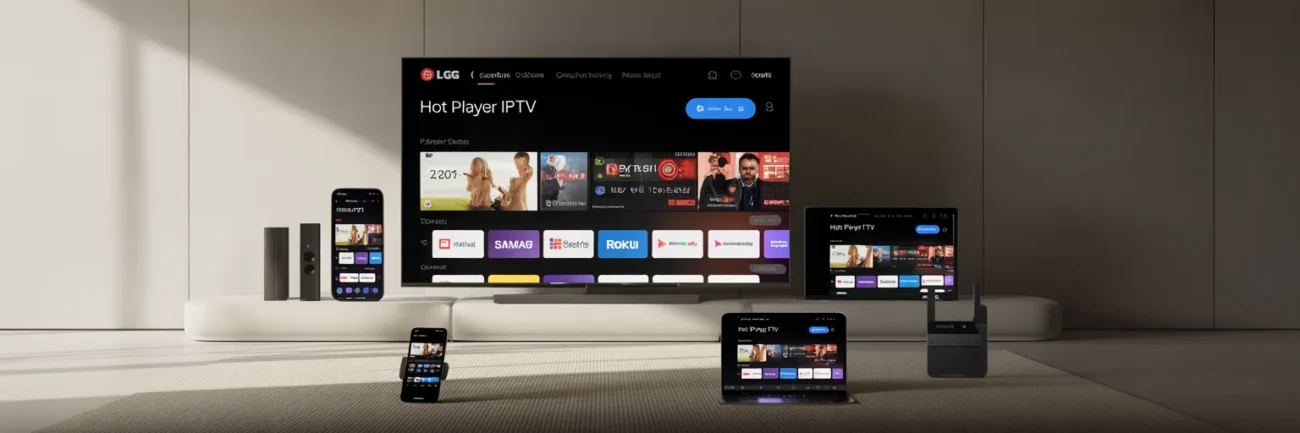
HOT PLAYER IPTV


Hot Player IPTV is a powerful IPTV player app designed to run on virtually every device – from Smart TVs and streaming sticks to smartphones and computers. It’s often considered the best player for your IPTV service due to its versatility and ease of use. (For clarity, Hot Player IPTV is sometimes also referred to as “Hot IPTV Player” or “IPTV Hot Player,” but they all refer to the same feature-rich application.) In this page, we’ll explore what Hot Player is, its key features, how to download it on various platforms, and how to activate it with your IPTV subscription for a seamless streaming experience.

Start watching your IPTV subscription in SECONDSInstall Hot Player IPTV, buy activation, send us your MAC address, tap Refresh in the app, and enjoy your channels. No manual M3U typing. Activation is only $20 USD lifetime.

Why choose Hot Player IPTV (aka “Hot Player IPTV / IPTV Hot Player / Hot IPTV Player”)?

  • One-click start with our pairing flow (MAC → Refresh → live).
  • Runs on Android, iOS/iPadOS/Apple TV, Windows, LG webOS, Samsung Tizen, Roku, Fire TV.
  • Fast zapping, clean UI, favorites, search, parental PIN.
  • Pure IPTV player—bring your own subscription; no channels included.

    How Activation Works (30 Seconds, No Tech Hassle IPTV player)

  • Install Hot Player from your device’s official store (links above).
  • Purchase Activation: $20 USD lifetime  (per device).
  • Send us your MAC address (and username if requested).
  • Open Hot Player → tap Refresh → your playlist loads automatically.

Bundle offer

Hot Player Lifetime + 1 Month IPTV Free

Buy one Hot Player activation for $20 and we add 1 month of GoToIPTV on top. Same price as the activation alone.

  • Hot Player activated for life on one device
  • 1 month of IPTV included (new account, or +1 month on your current plan)
  • We load your playlist to your MAC address: just tap Refresh
$32 value$20one payment · one device · no renewal Get the bundleActivation only ($20)


Key Features of Hot Player IPTV

Hot Player stands out as a feature-rich IPTV player packed with useful functions that enhance your viewing experience. Here are some of its key features and benefits:

  • Simple, Intuitive Interface: Hot Player offers an easy-to-use interface that makes finding and watching content a breeze. The layout is straightforward, so you won’t get lost in complicated menus. Channels and categories are clearly organized for quick access.
  • Multiple Playlists (Multi-List): You can upload and manage up to 3 different playlists (M3U URLs or files) within the apphotplayer.app. This is great if you have multiple IPTV subscriptions or channel lists – switch between them easily without reinstalling anything.
  • Favorites & Organization: Save your favorite channels to a Favorites list for convenient access. You can also search for channels, movies, or series by name using the built-in search bar, and sort channels alphabetically (A–Z or Z–A) for neat organization. These features mean you spend less time scrolling and more time watching.
  • Parental Controls: Hot Player includes parental control settings to lock or hide channels with a PIN codehotplayer.app. This is essential for families – you can restrict adult content or specific channels from children.
  • Live TV, VOD, and More: The app supports Live TV streaming as well as Video-on-Demand (VOD) and series/TV catch-up (if your IPTV provider offers them). It also supports subtitles and multiple audio tracks, so you can enjoy content in different languages where available.
  • Resume Playback: For VOD content like movies or series, Hot Player lets you continue watching from where you left off, so you don’t have to manually find your last position (this feature enhances binge-watching sessions).
  • Secure MAC Address Lock: Each Hot Player installation is linked to a unique device MAC address. The app provides a “Lock MAC” function which prevents your playlist from being overwritten by someone else. In other words, once your subscription is set up on your device, you can lock it to keep your IPTV credentials safe.
  • 30-Day Free Trial: New users can try out Hot Player free for 30 days with full functionalityreddit.com. This trial period lets you explore the interface and features before committing to a paid activation. It’s a risk-free way to see why Hot Player is a popular choice.
  • Affordable One-Time Activation: Hot Player does not require monthly fees. After the trial, you activate the app with a small payment and it’s good to go. The pricing is very budget-friendly – only  $20 USD for lifetime activation on a device (no recurring charges). This one-time fee is per device (or per TV), and ensures you get all updates and continued usage. Compared to many subscription-based apps, Hot Player’s low one-time cost makes it an excellent value.


Hot Player IPTV Price: How Much Is Hot Player?

Hot Player IPTV costs $20 USD one time for a lifetime activation on one device. There is no monthly fee and no yearly renewal. You pay once, we activate your device, and the app keeps working with your IPTV subscription.

OptionPriceWhat you get
Hot Player app downloadFreeThe app from the official store, with a trial period
Hot Player IPTV lifetime activation$20 one timeActivation on one device (one MAC address), forever
Extra TV or device$20 per deviceEach device needs its own activation
IPTV subscription (the channels)From $1256,000+ live channels and 150,000+ movies and series

Remember: Hot Player IPTV is only the player. The channels come from your GoToIPTV subscription, so you need both to watch.

Hot Player lifetime activation + 1 month IPTV free, $20 bundle

Is the Hot Player App Free?

The Hot Player app is free to download, and new installs come with a free trial so you can try the menus and the player. After the trial, the app needs a paid activation to keep playing. With GoToIPTV the lifetime activation is $20, which makes Hot Player IPTV one of the cheapest players to keep for years.

Hot IPTV, HotPlayer, Hot Player App: One App

People search for “hot iptv”, “hot iptv app”, “hotplayer” or “hot player app”. All of these names point to the same application: Hot Player IPTV. It is a player only, so it does not sell channels by itself. Pair it with a GoToIPTV plan and you get live TV, movies and series in one place.

Hot Player IPTV on Firestick, Samsung and LG

Hot Player IPTV runs on Amazon Fire TV and Firestick, Samsung Tizen and LG webOS Smart TVs, Android TV boxes, Apple TV, iPhone and iPad, Android phones, Windows and Roku. Install it from the store on your device (see the download buttons below), open it once and write down the MAC address shown on the screen.

Step-by-step guides: Hot Player on Firestick and Google TV, IPTV on Samsung Smart TV, IPTV on LG Smart TV and the best IPTV player for your TV.
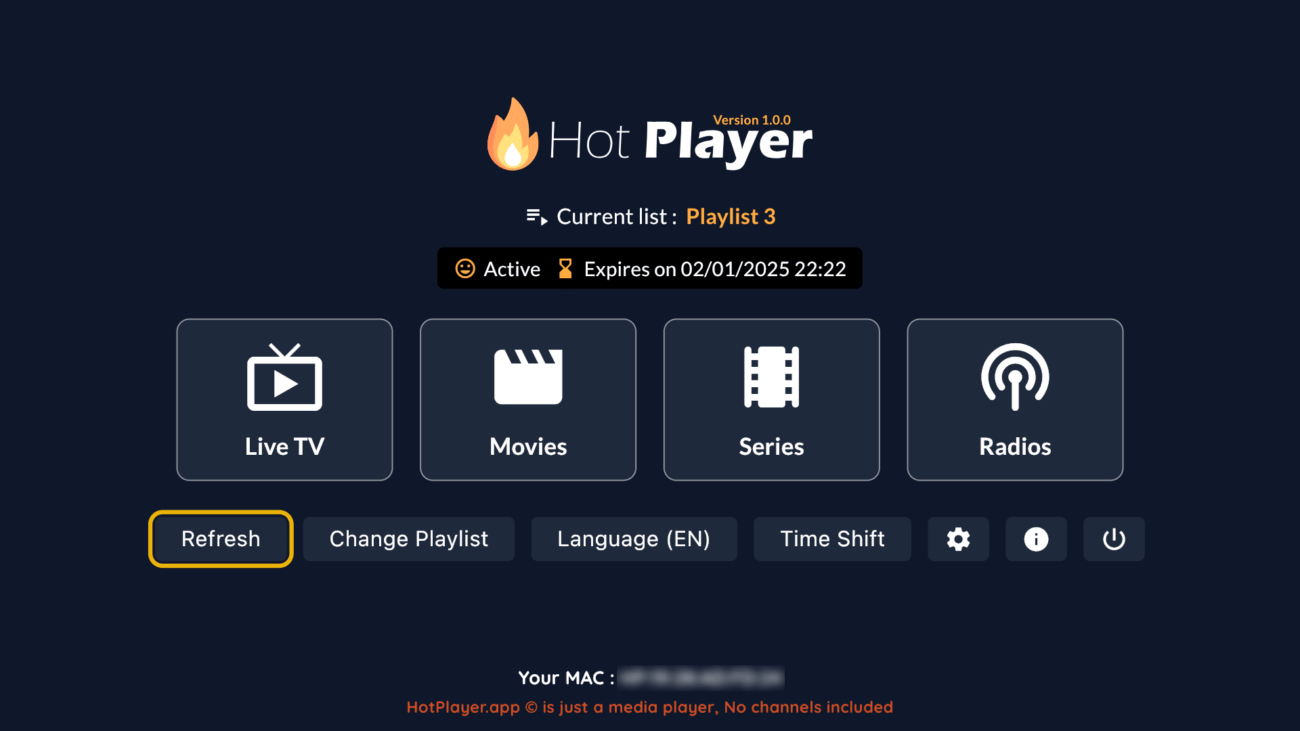
Hot Player IPTV home screen with live TV, movies and series

Hot Player MAC Address Locked? Here Is What to Do

Hot Player links every install to the MAC address of the device. The app also has a Lock MAC option that protects your playlist so nobody else can change it. If you see a message that the MAC address is locked:

  1. Check that you are reading the MAC address shown on this device, not an old TV or stick.
  2. If you locked the playlist yourself, unlock it with the password you chose when you locked it.
  3. If you bought the device used, or forgot the password, contact our support team with the MAC address shown in the app.
  4. Once it is fixed, open Hot Player IPTV and tap Refresh to reload your channels.

Why Buy Hot Player IPTV Activation From GoToIPTV

  • Fast activation: usually within minutes after payment.
  • No typing: we pair your subscription to your MAC address, so there is no M3U link to enter.
  • One price for life: $20 per device, with no renewal.
  • Real help: our support team helps if a channel list does not load.

Want to see what you can watch first? Browse the IPTV channels list, then choose your plan. New to IPTV? This overview of internet television explains the basics.
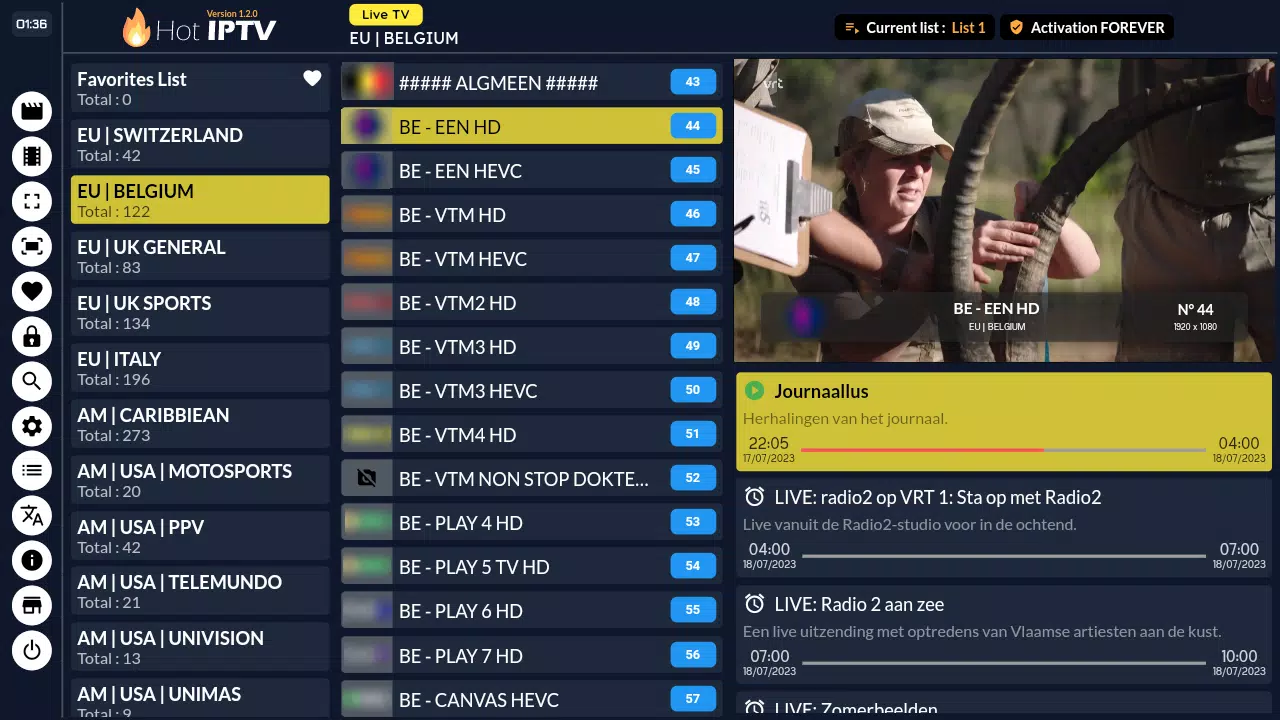
Hot Player IPTV channel list

New: get the Hot Player lifetime activation + 1 month IPTV free for the same $20.

Official Downloads — Install Hot Player on Your Device

Note: Hot Player is an IPTV player app (no channels included). After install, buy activation, send us your MAC, then tap Refresh in the app.

Hot Player IPTV — FAQs

Does Hot Player include channels?

No. Hot Player is an IPTV player. You use it with your own IPTV subscription from us.

See GoToIPTV plans →

How do I activate Hot Player with GoToIPTV?
  1. Install Hot Player from the official store links.
  2. $20 lifetime at checkout.
  3. Send us your device MAC address (and username if requested).
  4. Open Hot Player and tap Refresh → your playlist loads.

Go to Website →  |  Contact Support →

Which devices are supported?

Android, iPhone/iPad/Apple TV, Windows 10/11, LG webOS TVs, Samsung Tizen TVs, Roku, and Amazon Fire TV. Install via the Official Downloads section.

How fast is activation?

Usually within minutes during business hours. Once we confirm pairing, open the app and press Refresh.

Track your order in My Account →

Is activation tied to one device?

Yes, it’s per device (per MAC). Moving to a new device requires a new activation. Choose yearly or lifetime at checkout.

Compare activation options →

Can I get a refund for the player activation?

Please review our store policy before purchasing.

Refund & Returns Policy →

Do I need to enter M3U or portal details?

No. We pair your subscription to your MAC on our side. You just tap Refresh in Hot Player.

Where can I see all plans and promos?

Visit our plans page for the latest pricing and offers.

Browse all plans →  |  Visit My Site →

How much is Hot Player?

Hot Player IPTV activation costs $20 USD one time for lifetime use on one device. There is no monthly or yearly fee.

Is the Hot Player app free?

The download is free and comes with a trial. To keep using it after the trial, buy the $20 lifetime activation.

What does "MAC address locked" mean in Hot Player?

The playlist on that device is protected with the Lock MAC option. Unlock it with your lock password, or contact our support with the MAC address shown in the app.