
IPTV Player for Android TV and Google TV: GoTo Player Set-Up
Updated
Looking for a free IPTV player for Android TV? GoTo Player, our recommended free player, installs on Android TV, Google TV and Android TV boxes with one Downloader code, works with the TV remote and plays your own M3U playlist or provider login. No ads and no subscription for the player.
GoTo Player is a player only. It does not include, sell or host any channels, films or series. You add your own source, such as your GoToIPTV subscription.
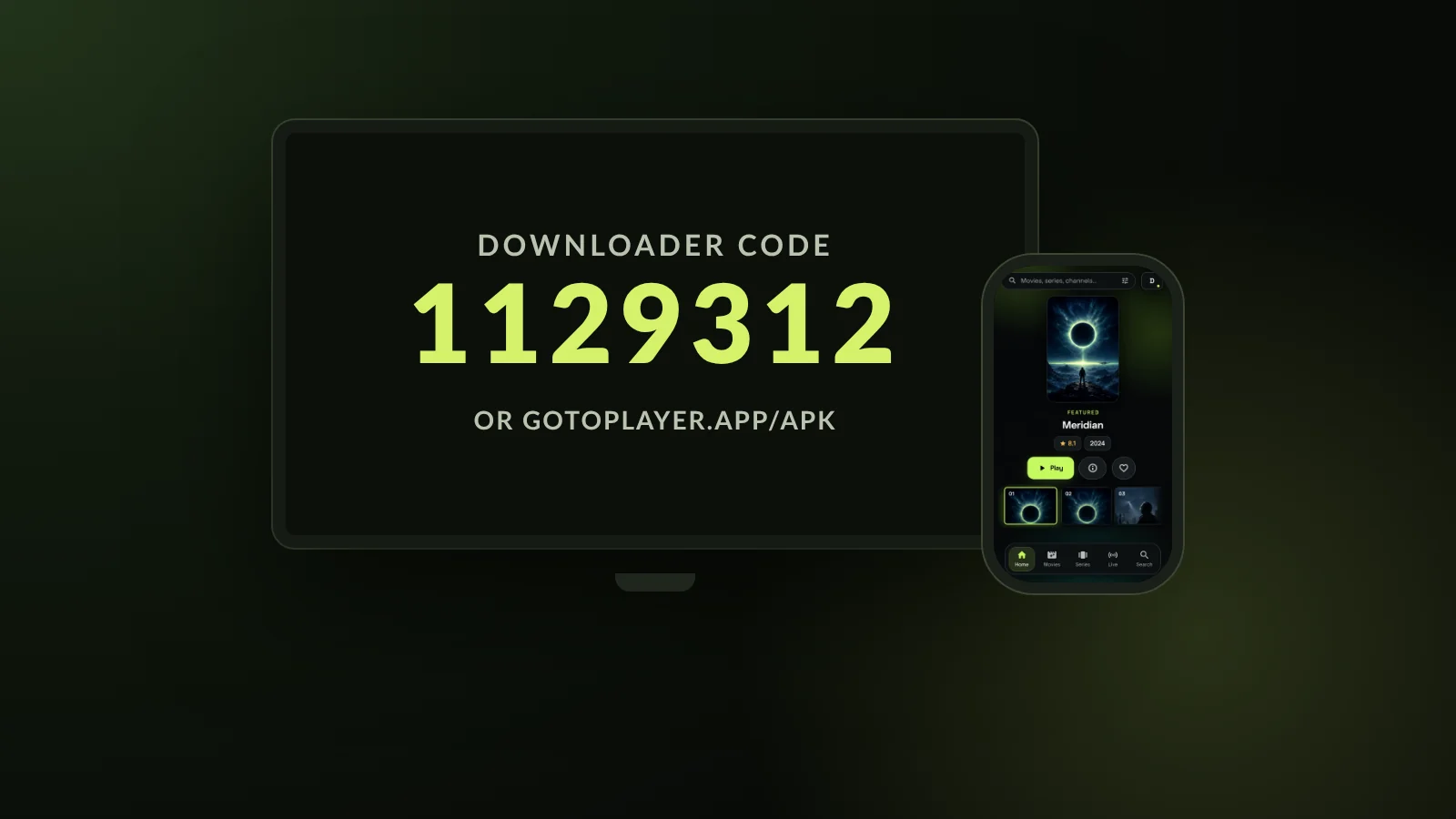 1129312Downloader codeFreeno adsRemotefriendly
On This Page
Android TV, Google TV and Android Boxes, Explained
Before you pick an IPTV player for Android TV, it helps to know which kind of device you have. The good news: one app covers all of them.
Android TV is Google’s operating system for televisions and TV boxes. It has the Google Play Store and a home screen made for the remote.
Google TV is the newer home screen built on top of Android TV. It adds recommendations, but underneath it runs the same Android TV apps, so an IPTV player for Android TV also works as an IPTV player for Google TV.
Android TV boxes are small boxes or sticks that plug into an HDMI port and turn any screen into a smart TV.
Most Fire TV devices run Fire OS, which is also based on Android, so the same app and the same Downloader code work there. On a Fire TV Stick, follow our IPTV player for Firestick guide.
Google TV streamers: for example Chromecast with Google TV and the Google TV Streamer.
Android TV boxes: for example Nvidia Shield and Xiaomi Mi Box.
Smart TVs: models from TCL, Sony, Philips and Hisense that run Google TV or Android TV.
Fire TV: most models run Fire OS; some newer ones only allow Appstore apps.
Not sure what you have? If your TV or box has the Google Play Store, the steps on this page are for you. Whichever device it is, the set-up for this IPTV player for Android TV is the same. For general tips, see our guides to IPTV on Google TV and IPTV on an Android TV box.
GoTo Player at a Glance
GoTo Player is our recommended free IPTV player for Android TV, Google TV, Fire TV, Android phones and tablets, and Windows. The key facts, checked in October 2026:
GoTo Player is a player only: you add your own authorized source. Read the full GoTo Player overview for every device.
What Makes a Good IPTV Player for Android TV?
A phone app stretched onto a television is not enough. A good IPTV player for Android TV should pass these checks:
- Built for the remote: every button and menu reachable with the arrow keys, with no mouse or touch needed.
- A TV guide you can read from the sofa, with what is on now and next.
- Both login types: a provider login (server URL, username and password) and an M3U playlist link.
- One library for live TV, movies and series, with Continue Watching and a personal list.
- Easy typing: long passwords are painful on a remote, so the player should let you type on your phone.
- Subtitles and audio tracks you can switch, resize and sync.
- A trusted source and simple updates, so you never have to hunt for a new version.
- Free with no ads, and no tracking of what you watch.
GoTo Player was designed around exactly these points. The sections below show how it handles each one on Android TV and Google TV.
Install an IPTV Player for Android TV in 2 Minutes: Code 1129312
GoTo Player installs on Android TV and Google TV with the free Downloader app. You only type one short number with the remote.
- 1
Install Downloader (by AFTVnews) from Google Play on your TV or box.
- 2
Allow it to install apps: Settings, Apps, Security, Unknown sources, Downloader: On.
- 3
Open Downloader, type 1129312 (or gotoplayer.app/apk) and press Go.
- 4
Press Install when the download finishes, then Open.
- 5
Optional: let Downloader delete the file to free up space.
Menu names vary by brand. On many Google TV devices the switch is under Settings, Apps, Security & restrictions, Unknown sources. If you cannot find it, turn on Developer options first: Settings, System, About, then select “Android TV OS build” seven times.
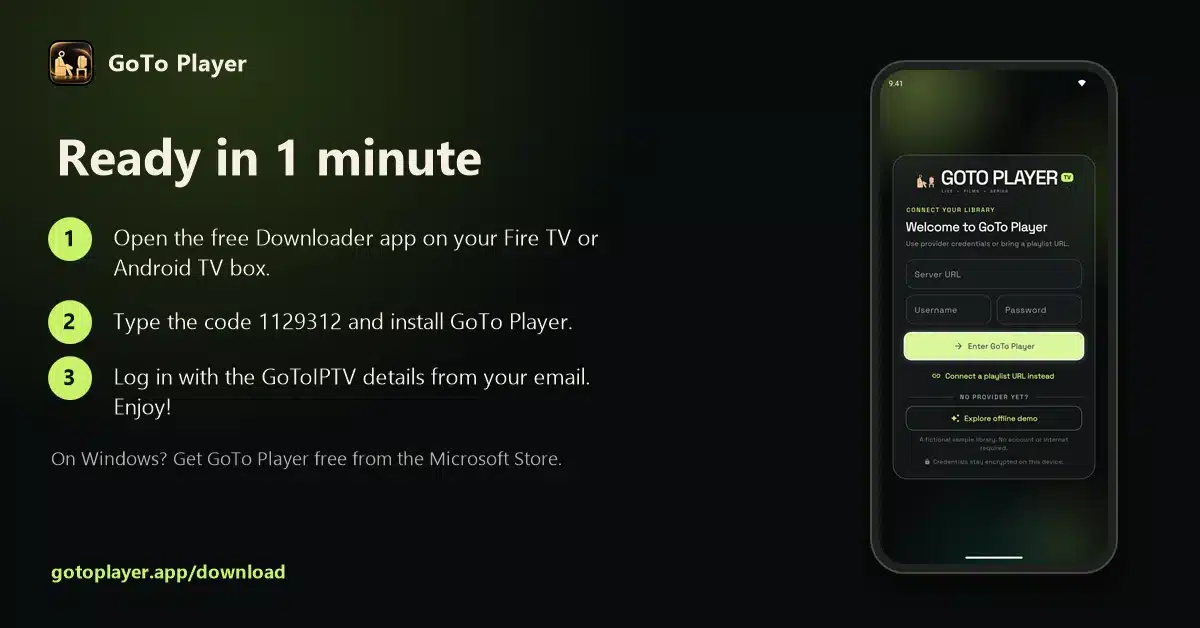
The current version is 1.0.6 (21 October 2026), about 70 MB. Prefer a web address? Type gotoplayer.app/apk in Downloader instead of the code: both open the same file. The same steps are on the GoTo Player download page.
Android Phones and Tablets: APK or Google Play Beta
GoTo Player is also a free IPTV player for Android phones and tablets running Android 7.0 or newer. There are two ways to install it:
Option 1: the APK
Open gotoplayer.app/apk in Chrome. The download starts. Open the file, allow Chrome to install apps if Android asks, then press Install.
Option 2: the Google Play beta
GoTo Player is in closed testing on Google Play. Join the tester group, tap “Become a tester” on the testing page, then install it from Google Play. Updates arrive automatically.
Help the launch
Testers are asked to keep the app installed for at least 14 days. That helps GoTo Player reach its public Play Store release.
“App not available”?
During the beta, only testers can see the app. Join the group and become a tester with the same Google account you use on the device, then try again.
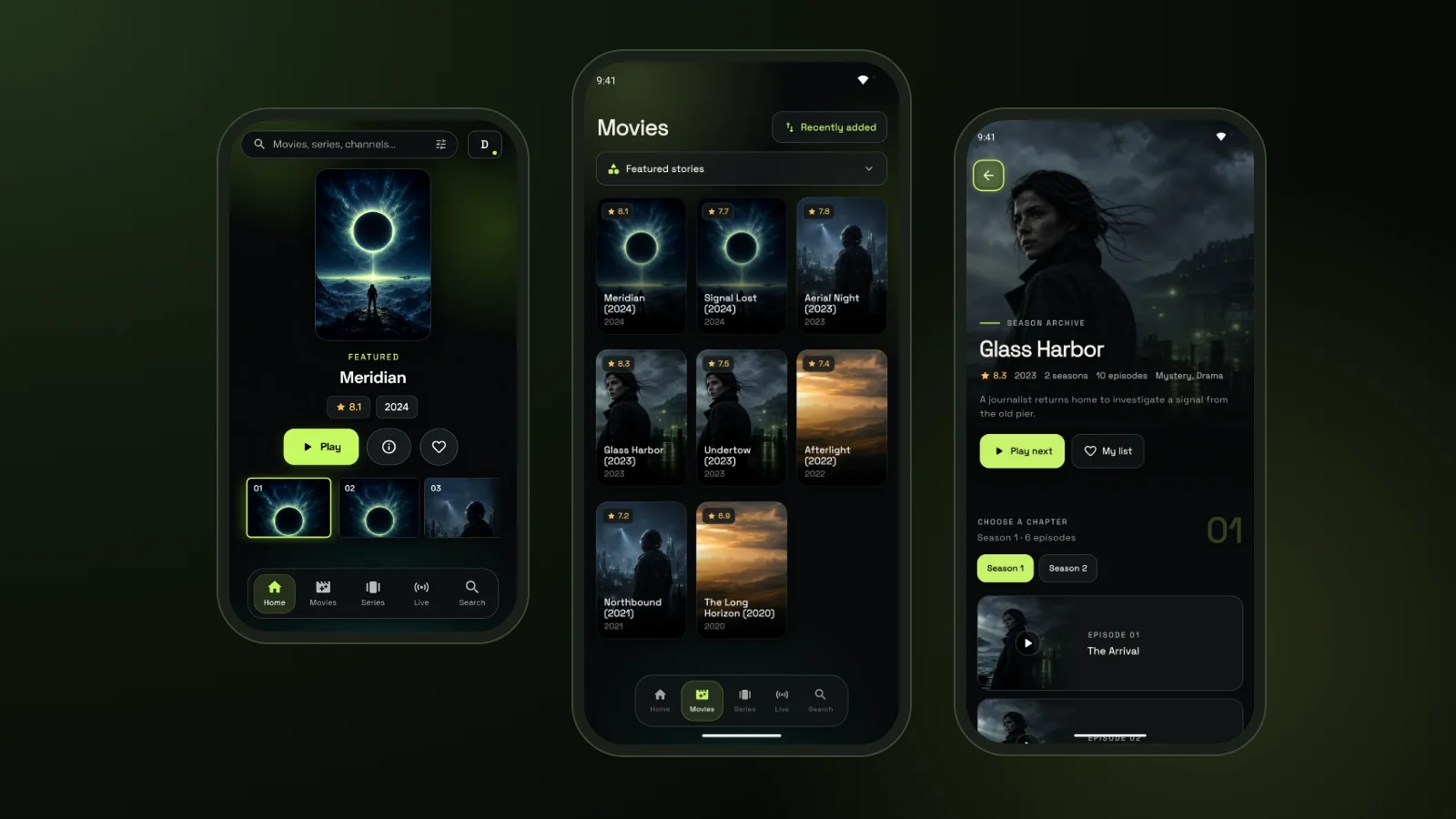
Links: GoTo Player tester group · Google Play testing page · gotoplayer.app/apk
Log In to Your IPTV Player for Android TV With Your Phone
Typing a long server address and password with a TV remote is the part of setting up an IPTV player for Android TV that most people dread. GoTo Player fixes that.
Two ways to log in. Use a provider login, often called Xtream Codes: a server URL, a username and a password from your IPTV provider. Or paste one M3U playlist link. Our Xtream player and M3U player guides explain both.
- Open GoTo Player on the TV: the login screen shows a QR code.
- Scan it with your phone camera (phone and TV on the same Wi-Fi).
- Type or paste the server, username and password, or your M3U link, on the phone keyboard.
- Done: the details appear on the TV and you are in.
Want to look around first? Choose “Explore offline demo” on the welcome screen. It opens a fictional sample library, with no account and no internet needed.
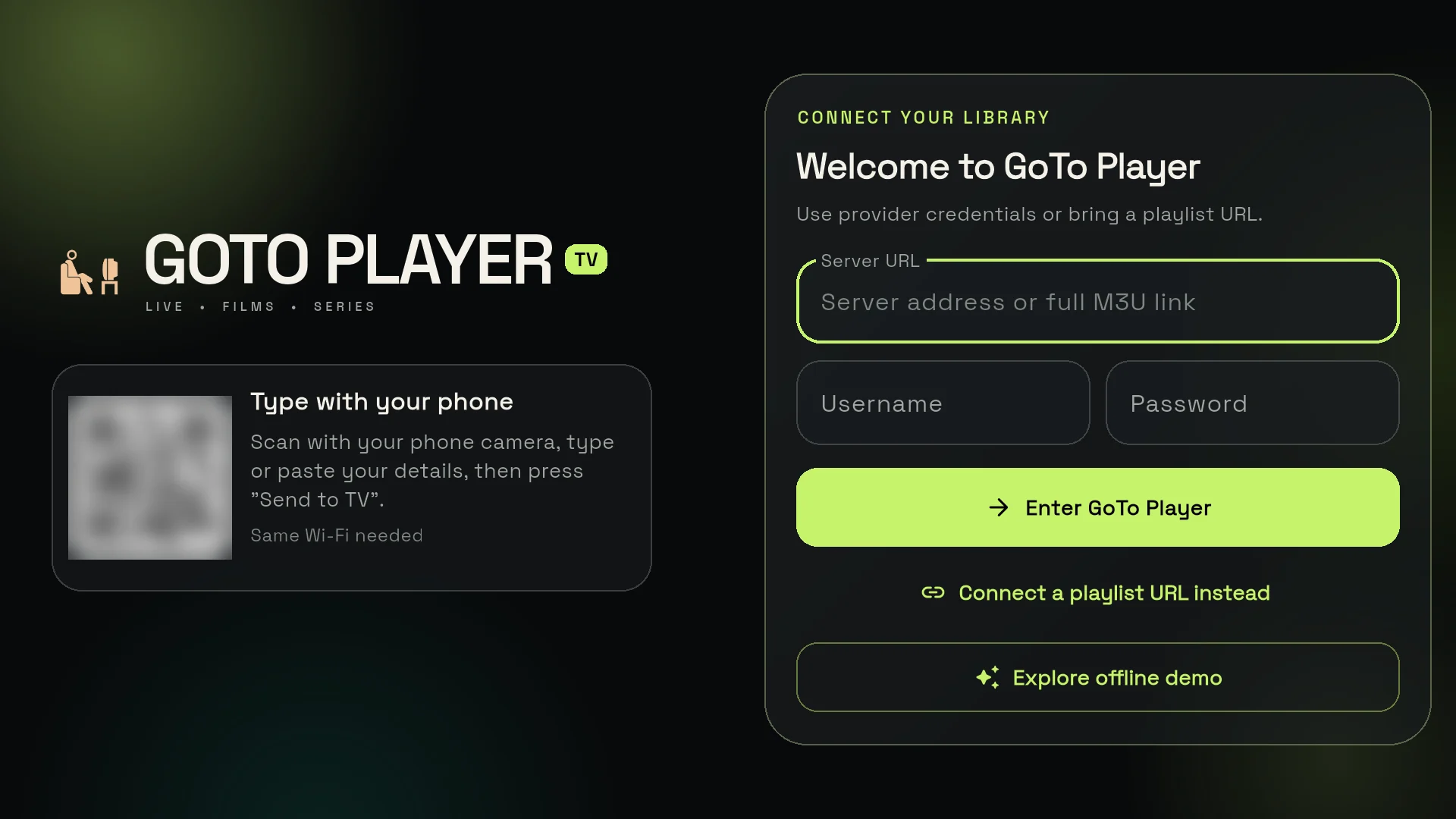
GoToIPTV customers find their login in the welcome email and in My Account. Logins are stored encrypted on the device and sent only to the service you add, which is one reason we recommend our free IPTV player.
A TV Layout Built for the Remote
GoTo Player has separate layouts for phones, tablets and TVs. On Android TV and Google TV you get the TV layout, where every button works with the remote.
Live TV with a TV guide
The channels in your source, sorted by category, with a TV guide (EPG) that shows what is on now and next.
Movies and series
The on-demand titles in your source, with series split into seasons and episodes.
Continue Watching
Films and episodes remember where you stopped, so you can pick up again in seconds.
My List and favourites
Keep the channels and titles you love one click away.
Fast search
Find a channel, film or series by name instead of scrolling through long lists.
Viewer profiles
Several profiles, each with its own list and viewing history, so everyone in the family keeps their own.
Audio and subtitles
Switch audio tracks and subtitles, and adjust subtitle size and sync, all from the remote.
Full-screen playback
Films, episodes and live channels play full screen on the TV.
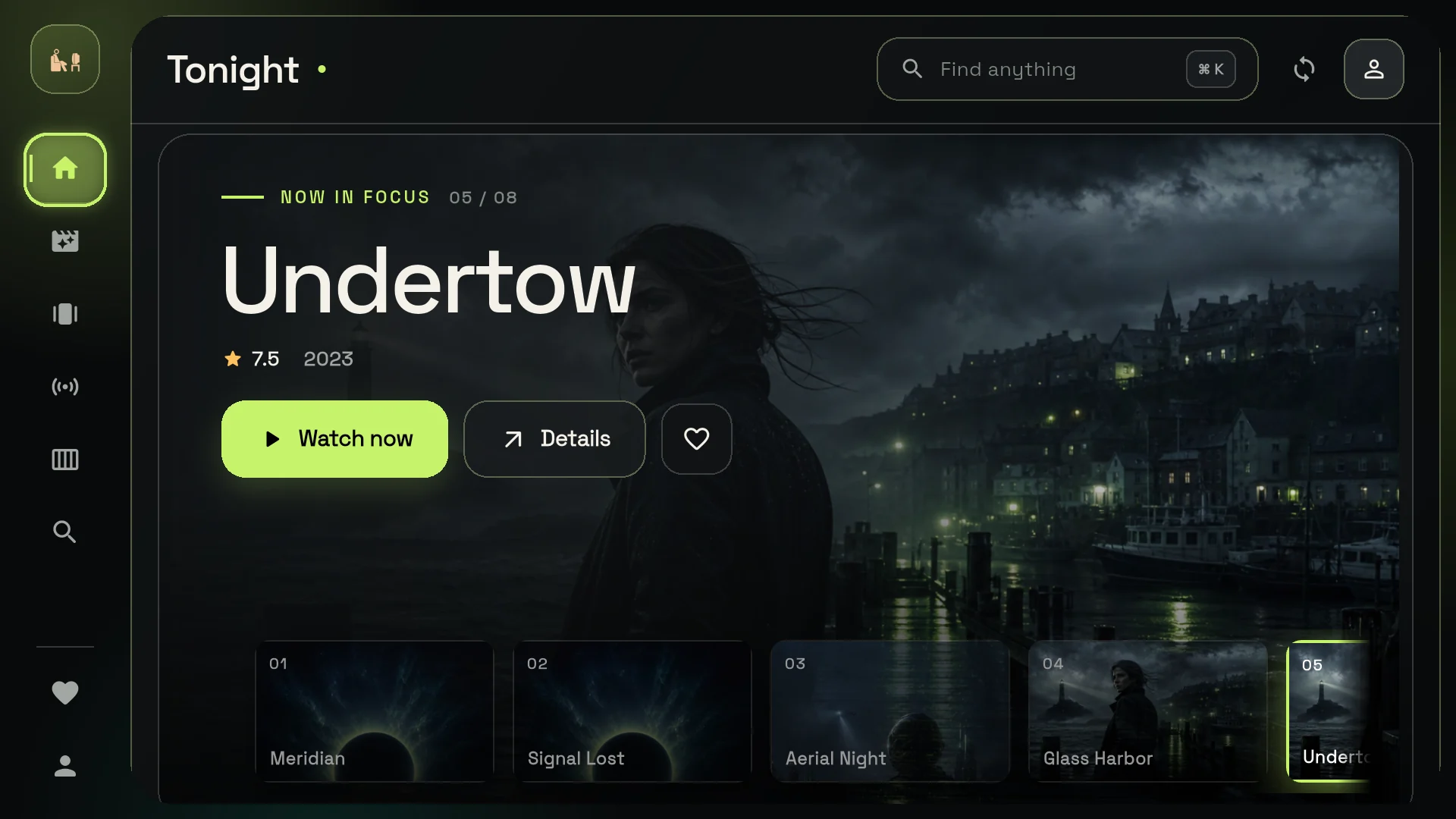
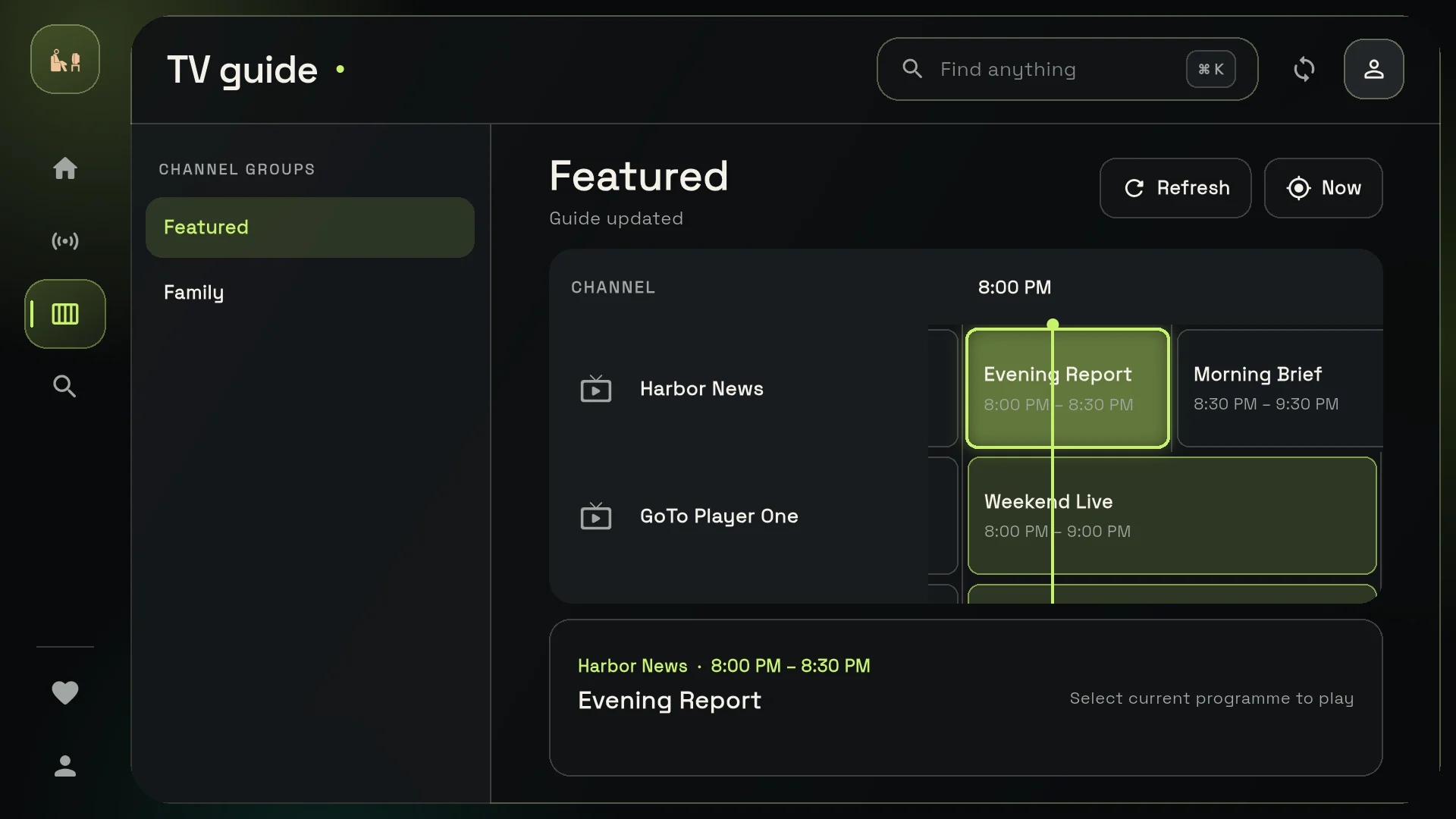
Everything you see comes from your own source: GoTo Player organises it, it does not supply it. That is what an IPTV player for Android TV should be. Pictured: the TV layout with the demo library and invented sample channels.
What Is Different on Android Phones and Tablets
The IPTV player for Android TV and the phone app share the same library. On Android phones and tablets you also get:
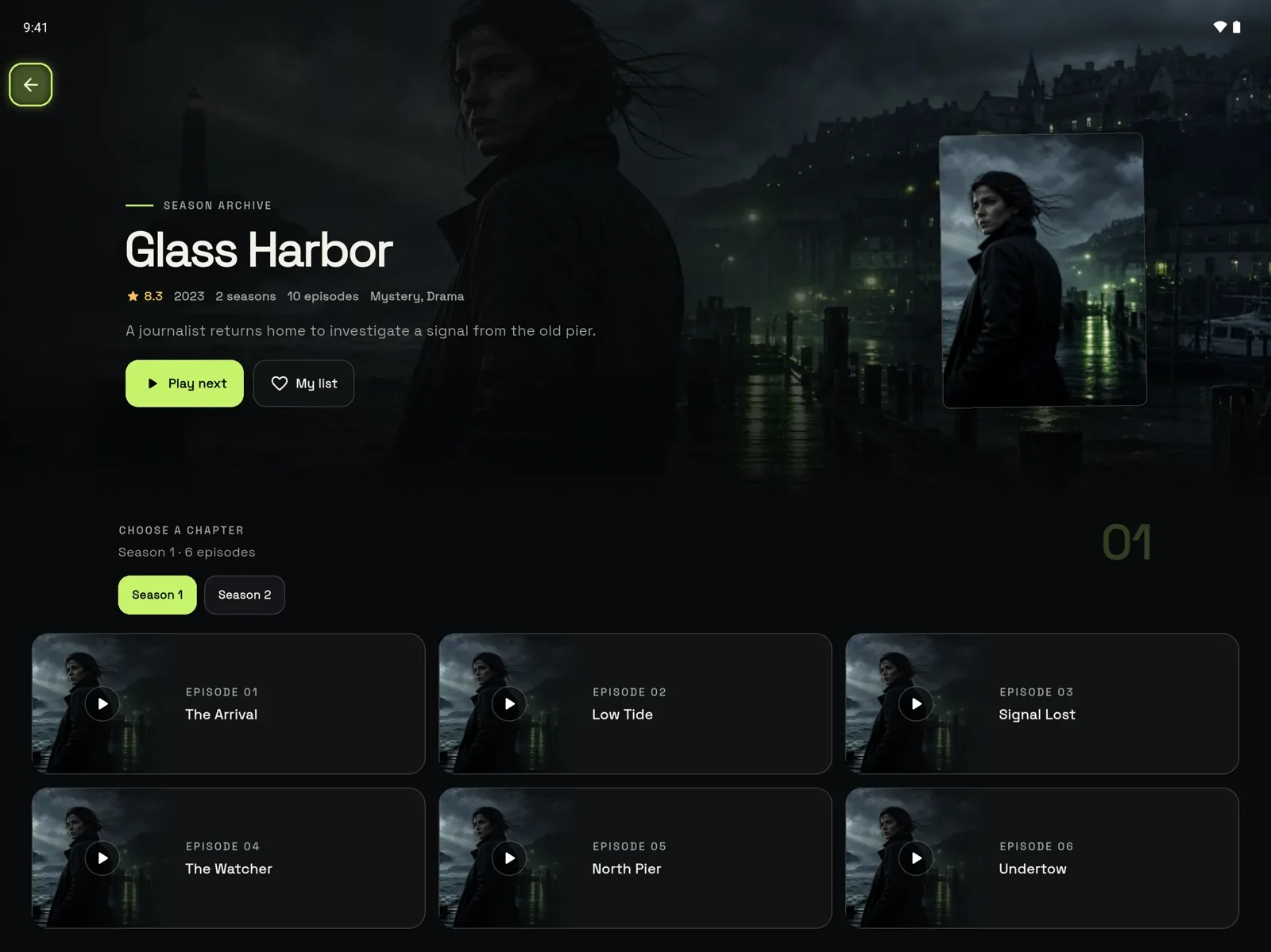
- Picture-in-picture (Android): keep a film or channel playing in a small window while you use other apps on your phone or tablet.
- Offline downloads: save titles to watch without internet on Android phones and tablets, where your content rights allow it. Downloads are not available on TVs.
- Touch layouts: phone and tablet screens are made for your fingers; the TV layout is made for the remote.
Offline downloads also work in the Windows app: see our free IPTV player for Windows guide.
Keep Your IPTV Player for Android TV Up to Date
GoTo Player is updated often: version 1.0.6 arrived on 21 October 2026. Updating takes one click.
Your playlists and settings stay when you update. Every button works with the TV remote; version 1.0.2 included a big fix for Fire TV.
Privacy: An IPTV Player for Android TV That Respects You
A free app has to pay for itself somehow, and many do it with adverts or by collecting data. GoTo Player keeps it simple:
No ads in the menus or between channels.
No tracking of what you watch.
Encrypted logins, stored on your own device.
Your source only: logins go only to the service you add.
One detail to know: the direct-download version, the one you install with Downloader, sends anonymous counts such as daily opens and crash types so the app can be improved. You can switch this off in Profile, “Anonymous usage stats”. The store versions collect no data.
Speed and Storage Tips for Android TV Boxes
Most picture problems come from the network or a full box, not from the app. These habits help any IPTV player for Android TV:
- Use a cable (Ethernet) or 5 GHz Wi-Fi for the TV you watch most.
- Check your speed: about 10 Mbps per screen for HD and 25 Mbps for 4K.
- Keep free space: let Downloader delete installer files and remove apps you no longer use.
- Clear the cache of an app that misbehaves: Settings, Apps, choose the app, Clear cache.
- Restart the box and router once a week.
- Set the right time zone so the TV guide matches your evening.
Test your connection with Speedtest on the device you watch on, at the time you usually watch. If the speed is fine and the picture still pauses, follow our IPTV not working guide.
Many low-cost Android TV boxes have little storage and memory. If yours struggles with any IPTV player for Android TV, a recent Google TV streamer is a simple upgrade.
Choosing the Best IPTV Player for Android TV: GoTo Player and Others
Several good players run on Android TV. An honest overview (check each app’s store page for the latest details):
The best IPTV player for Android TV is the one that suits your source and your remote. Many people install two and keep the one they prefer. For a wider comparison, read our best IPTV player guide.
Troubleshooting Your IPTV Player for Android TV
Most problems with an IPTV player for Android TV come from the source or the network. Go through this list in order:
Login errors work the same way in every player: our failed to authorize guide covers them step by step. For the app itself, email [email protected]; for your GoToIPTV subscription, message us on WhatsApp at +1 (917) 924-8236.
Use GoTo Player With GoToIPTV
GoTo Player is our recommended free player for GoToIPTV customers. Your GoToIPTV subscription provides the channels; GoTo Player plays them as your IPTV player for Android TV.
More GoTo Player Guides
Using GoTo Player as your IPTV player for Android TV? Set it up on your other screens too, or learn more about logins:
IPTV Player for Android TV FAQ
What is the best IPTV player for Android TV?
The best IPTV player for Android TV is easy to use with the remote, shows a clear TV guide and supports both provider logins and M3U playlists. GoTo Player, our recommended free player, does all three with no ads. TiviMate and IPTV Smarters Pro are other popular choices.
Is there a free IPTV player for Google TV?
Yes. GoTo Player is a free IPTV player for Android TV and Google TV: install Downloader, type 1129312 and press Install. There is no subscription for the player and no ads.
How do I install an APK on Google TV?
Install Downloader from Google Play, allow it to install unknown apps (on many Google TV devices: Settings, Apps, Security & restrictions, Unknown sources), then type the code or web address of the app and press Go. For GoTo Player, the code is 1129312.
Is GoTo Player on Google Play?
It is in closed testing. Android phone and tablet users can join through the tester group, and the public Play Store release comes after Google’s test period. On Android TV and Google TV, install it with Downloader code 1129312.
Does GoTo Player work on Android phones and tablets?
Yes, on Android 7.0 or newer. Open gotoplayer.app/apk in Chrome and install the file, or join the Google Play beta.
Can I download films to watch on Android TV without internet?
Not on TVs. Offline downloads are available in GoTo Player on Android phones and tablets and on Windows, where your content rights allow it. On Android TV and Google TV you stream from your source.
Does GoTo Player support picture-in-picture?
Yes, on Android phones and tablets: keep a film or channel playing in a small window while you use other apps.
Can I use my phone to type my login on the TV?
Yes. The TV login screen shows a QR code. Scan it with your phone, type the server, username and password (or paste your M3U link) on the phone keyboard, and the details appear on the TV.
Does GoTo Player work on Nvidia Shield, Mi Box and other Android TV boxes?
Boxes like these run Android TV, so you install GoTo Player the same way: Downloader code 1129312. How smooth it feels depends on the box, its free storage and your connection.
Does GoTo Player include channels?
No. GoTo Player is a player only. It does not include, sell or host any channels, films or series: you add your own playlist or provider login, for example from your GoToIPTV subscription.
Is it safe to install apps from outside Google Play?
Yes, when the app comes from a source you trust, such as the developer’s own website or a published Downloader code like 1129312. Avoid modified copies from APK mirror sites, and turn Unknown sources off again for apps you no longer use.
Can I use GoTo Player on more than one TV?
Yes. Install it on each device and add your source on each one. How many screens can play at the same time depends on your IPTV subscription: usually one screen per line.
Install GoTo Player on Your Android TV Today
Free, no ads, one Downloader code: the easiest way to get an IPTV player for Android TV running. Add your playlist or provider login with your phone, set your time zone and start watching your own source on the TV you already own.
