The Best IPTV App for Every Device in 2026
Updated
Looking for the best IPTV app? The honest answer depends on your device. A great Firestick app can be missing on Apple TV, and Samsung TVs play by their own rules. This guide picks the best IPTV app for each device, explains why, and shows you how to log in.
One reminder first: an IPTV app is a player. It has no channels of its own. Your channels come from your IPTV provider, which gives you the login.
 8 devicescoveredFreeoptions on every deviceXtreamlogin explained
On This Page
What Makes the Best IPTV App?
Before you pick, know what to look for. The best IPTV app for you gets these five things right:
- A clear TV guide that loads automatically and shows your time zone.
- Fast channel switching without long black screens.
- Xtream Codes login support, so live TV, the guide and VOD load together.
- Stable playback in HD and 4K, with a choice of player engine.
- A trusted source: your app store or the developer’s own website.
Guide first, then looks.
Stable playback beats features.
Trusted download sources only.
Free options exist everywhere.
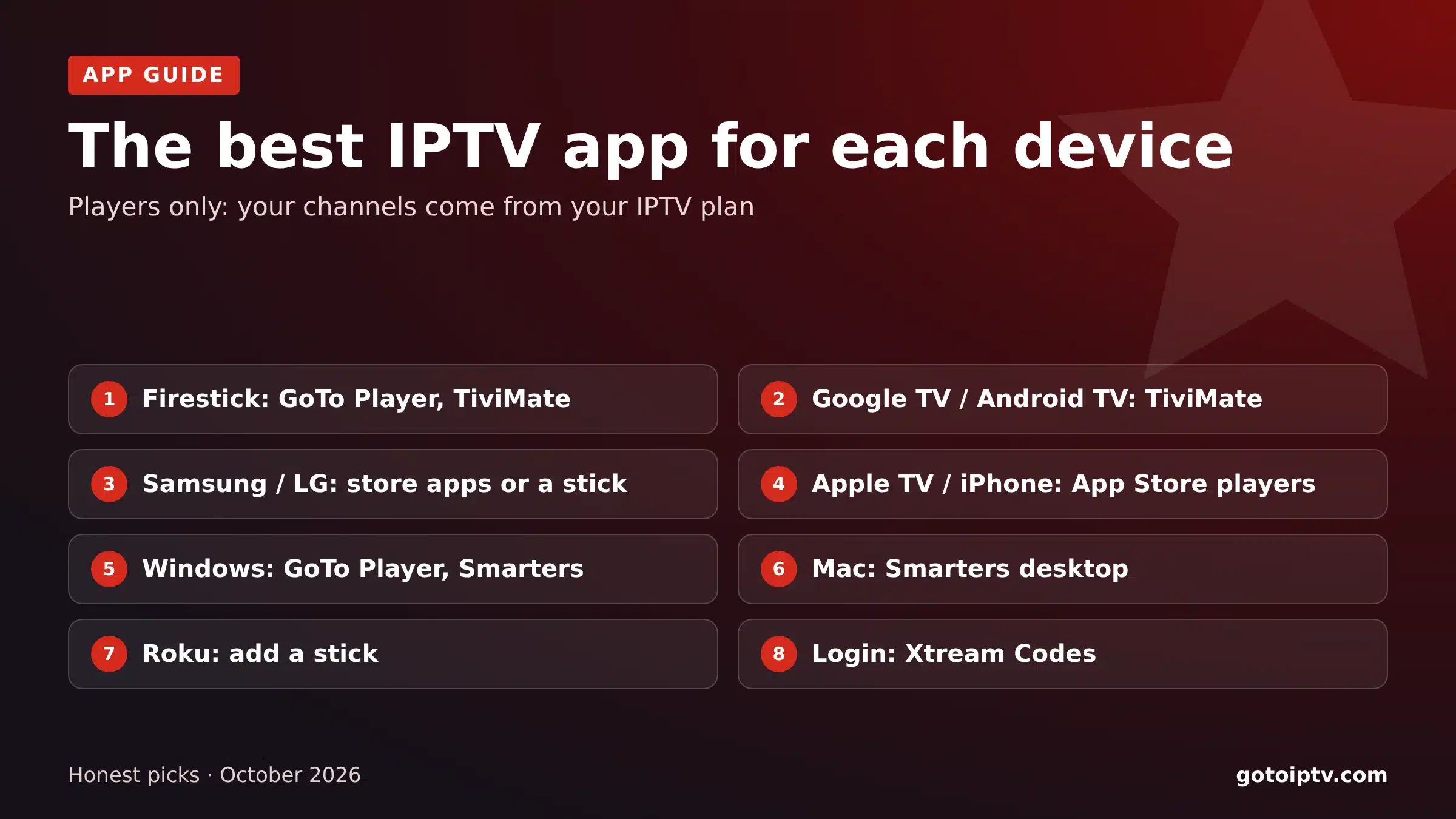
The Best IPTV App for Each Device
Find your device below. Each card names a free or easy option first.
Firestick and Fire TV
GoTo Player (free, Downloader code 1129312) and TiviMate. IPTV Smarters also works. Install with Downloader; some newer Fire TV models only allow Appstore apps.
Google TV and Android TV
TiviMate for the best guide, or GoTo Player for a free, simple player. Both install easily; TiviMate is in Google Play.
Samsung Smart TV
Hot Player (free trial, then $20 once for life), connected for you automatically. Or IPTV Smarters from the Samsung app store where available. Otherwise, add a stick to the HDMI port.
LG Smart TV
Hot Player (free trial, then $20 once for life), connected for you automatically. Or IPTV Smarters from the LG Content Store where available, or a stick.
Apple TV, iPhone and iPad
An App Store player with Xtream Codes or M3U support and a full guide. Read recent reviews; the list changes.
Windows PC
GoTo Player from the Microsoft Store, or IPTV Smarters desktop from the developer’s website.
Mac
IPTV Smarters desktop for macOS from the developer’s website, or an App Store player.
Roku
Most IPTV apps cannot be installed, but Hot Player is on the Roku Channel Store: connect it automatically. Or add a Fire TV or Google TV stick, or mirror from a phone or PC.
Best IPTV App for Firestick
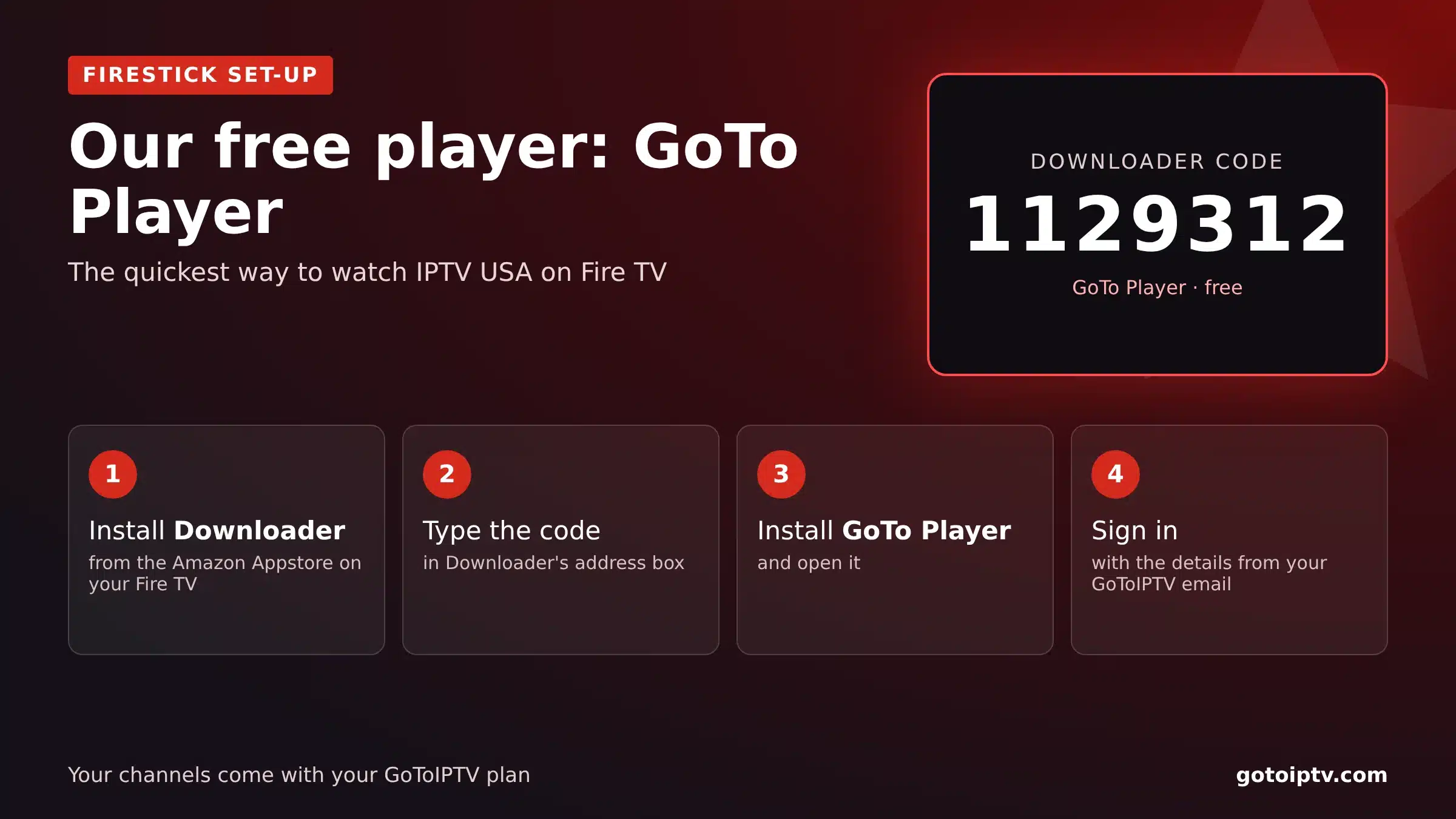
The Fire TV Stick is the most popular IPTV device in the US and the UK. The best IPTV app for Firestick is the one that installs easily and shows a clean guide:
- 1
GoTo Player: our recommended free player. Install Downloader, type 1129312, sign in.
- 2
TiviMate: the favourite for a cable-style guide; Premium adds recording.
- 3
IPTV Smarters: familiar menus and a lot of set-up guides online.
Guides: best IPTV for Firestick and IPTV on Firestick.
Best IPTV App for Android TV and Google TV
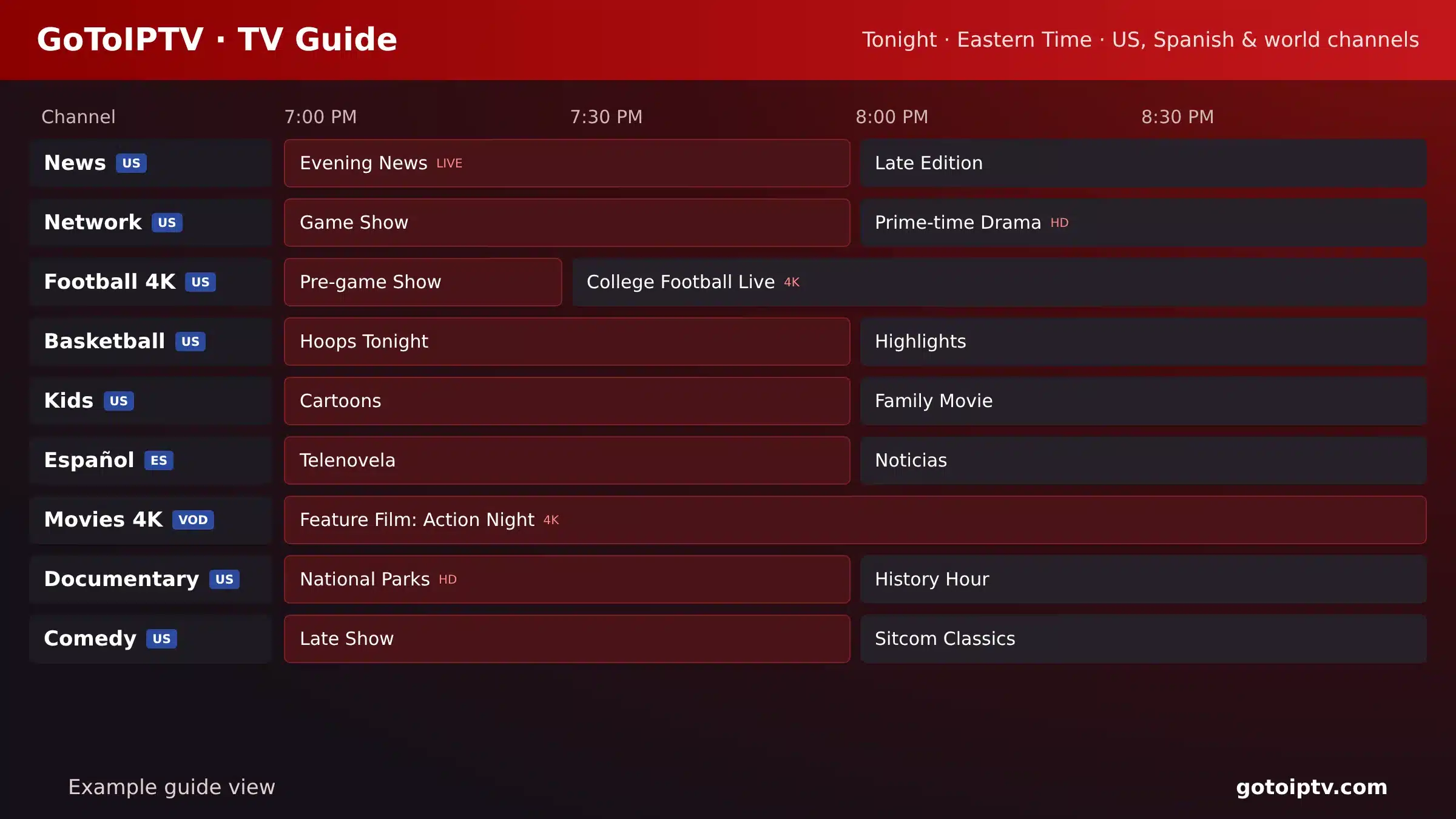
Google TV and Android TV devices give you the widest choice. The best IPTV app for Android TV is usually TiviMate for the guide, or GoTo Player if you want something free and simple.
Both log in with Xtream Codes. TiviMate is in Google Play; GoTo Player installs with Downloader code 1129312. On Android phones, IPTV Smarters and GoTo Player work well.
Step by step: IPTV on Google TV and IPTV on an Android TV box.
Best IPTV App for Samsung and LG TVs
Samsung and LG TVs only install apps from their own stores. The best IPTV app for Samsung and LG is Hot Player: it is in both TV app stores and GoToIPTV connects it for you automatically. IPTV Smarters is the other option, where it is available for your model and country.
Guides: Hot Player on Samsung and LG, Samsung, LG, failed to authorize.
Best IPTV App for Apple TV and iPhone
On Apple devices you can only install from the App Store. The best IPTV app for Apple TV is one that supports the Xtream Codes or M3U login and shows a full TV guide.
App Store listings for IPTV players change often, and some only exist in certain countries. Search for “IPTV player”, check that it supports Xtream Codes, and read the most recent reviews before paying for any premium version.
Step by step: IPTV on Apple TV.
Best IPTV App for Windows and Mac
On a computer, a desktop player is better than a browser tab:
Full guide: IPTV on PC and Mac.
The Best IPTV App for How You Watch
Your viewing habits matter as much as your device. Quick picks:
Beginners
GoTo Player: free, one Downloader code, simple menus. You will be watching in five minutes.
Sports fans
A player with fast channel switching and a stable player engine, on a Firestick or Google TV with a cable. TiviMate is popular here.
Families
An app with favourites and hidden groups, so kids find their channels quickly. Pair it with a multi-screen plan for several TVs.
Film and box-set fans
An app with a good on-demand section and resume playback. Most Xtream Codes players load the library automatically.
Recorders
TiviMate Premium on an Android TV box with a USB drive for recordings.
Free vs Paid IPTV Apps
Most people do not need to pay for an app. Here is when paying makes sense:
Free is enough for one TV, one playlist and the guide.
Paid features such as recording or several playlists can be worth it.
Never pay twice: app fees do not include channels.
Never use “unlocked” apps: they can hide malware.
How to Log In to Any IPTV App
Whichever app you pick, the login is the same. Choose Xtream Codes when you can:
If the app says “failed to authorize”, follow the seven fixes in our failed to authorize guide. Test your internet on Speedtest: about 10 Mbps per screen for HD, 25 Mbps for 4K.
Best IPTV App FAQ
What is the best IPTV app?
There is no single best IPTV app for every device. On Firestick and Android TV, GoTo Player and TiviMate are strong choices; on Apple devices, App Store players that support Xtream Codes; on Windows, GoTo Player or IPTV Smarters desktop.
What is the best IPTV app for Firestick?
GoTo Player, our recommended free player (Downloader code 1129312), and TiviMate are the easiest. IPTV Smarters also works.
What is the best IPTV app for Apple TV?
Choose an App Store player that supports the Xtream Codes or M3U login and shows a full TV guide. Check recent reviews in your country, because the list changes.
What is the best IPTV app for Android?
On Android TV and Google TV, TiviMate is a favourite for its guide; GoTo Player is a free, simple option. On Android phones, IPTV Smarters and GoTo Player both work.
What is the best IPTV app for Samsung TV?
Hot Player, which GoToIPTV connects for you automatically (free trial, then $20 once for life). IPTV Smarters is also available in the Samsung app store in many regions. If it is not on your model, plug in a Firestick or Google TV device and use GoTo Player or TiviMate.
Is the best IPTV app free?
Many are free to download. Some, like TiviMate Premium, charge for extra features. No app includes channels: those come from your IPTV subscription.
Do IPTV apps include channels?
No. An IPTV app is only a player. Your provider gives you a login (Xtream Codes or M3U) and the app shows the channels.
Which IPTV app has the best TV guide?
TiviMate is known for its cable-style guide on Android TV. Most players load the guide automatically with an Xtream Codes login.
Is it safe to download IPTV apps?
Yes, from your device’s app store or the developer’s own website. Avoid APK mirror sites and “unlocked” versions, which can contain malware.
Can I use more than one IPTV app with the same login?
Yes. You can install several apps and use the same Xtream Codes login in each. Usually only one screen can play at a time per line, so close one app before watching in another.
Why does the best IPTV app on one device not exist on another?
Each platform has its own store and rules. Android TV and Fire TV are the most open, Samsung, LG and Apple only install from their own stores, and Roku cannot install most IPTV apps.
Which IPTV app works on Roku?
Most do not. Roku cannot install Android apps. Add a Fire TV or Google TV stick, or mirror from a phone. See our IPTV on Roku guide. Hot Player is on the Roku Channel Store, so a Roku TV or stick can watch GoToIPTV with Hot Player, connected automatically on our Hot Player connect page.
Now Add the Channels
Xtream Codes login by email, 56,000+ channels, 150,000+ movies and series, 24/7 support and no contract. Works in every app on this page.
