
IPTV on Roku: What Works in 2026
Updated
Want to watch IPTV on Roku? Here is the honest answer first: Roku does not let you install most IPTV player apps, so the usual Firestick tricks do not work. But there are three ways that do, and one of them takes five minutes and costs less than a pizza night.
This guide explains each option step by step, what it is good for and where it falls short. No developer-mode hacks, no risky downloads.
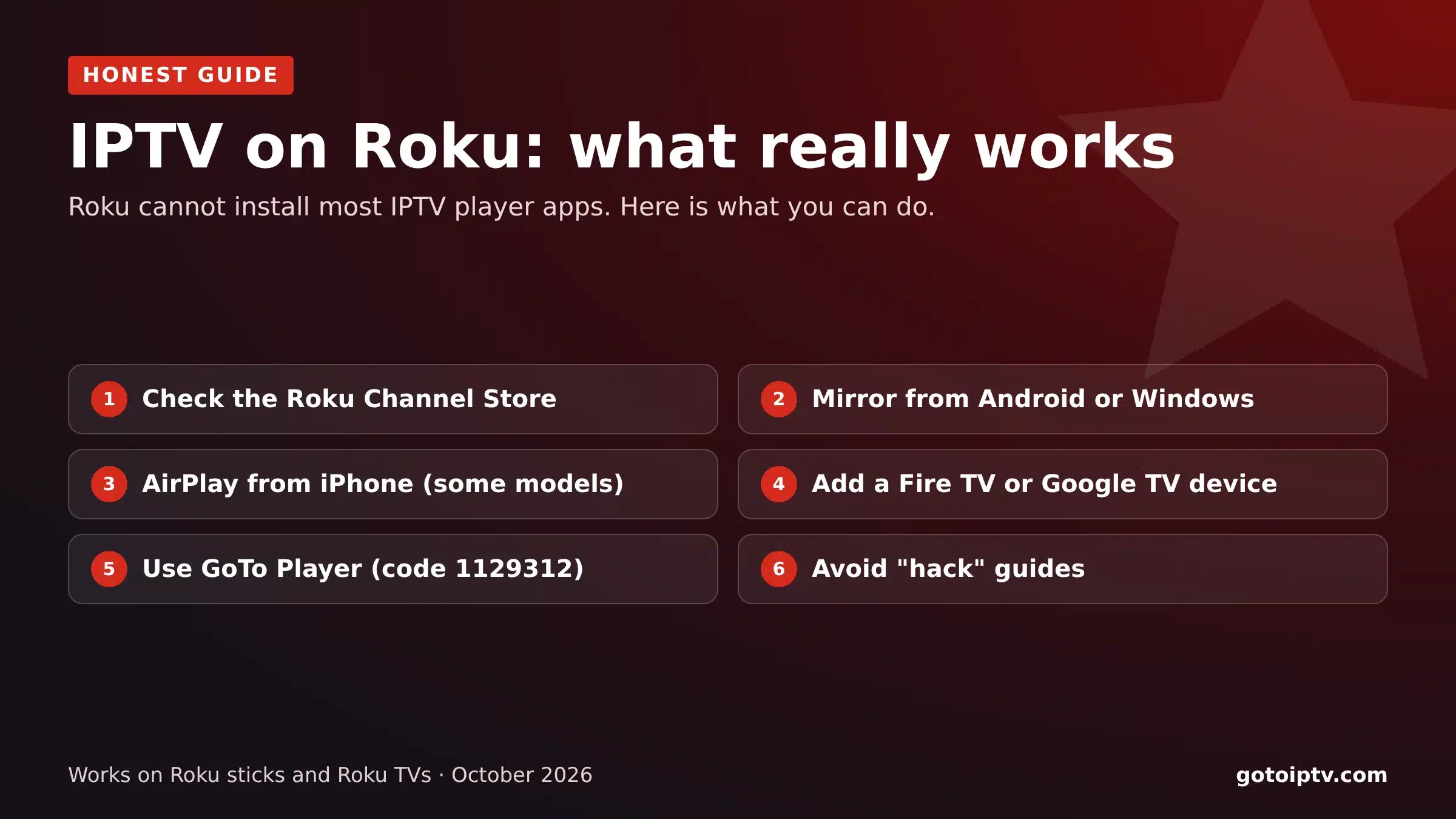 3 waysthat work5 minwith a stickNo hacksneeded
On This Page
Why IPTV on Roku Is Different
Before you try to install IPTV on Roku, know this: Roku runs its own system, Roku OS. Unlike Android TV and Fire TV, it only installs channels from the Roku Channel Store, and most IPTV player apps are not there.
That is why searches like “IPTV for Roku” are full of confusing advice. Guides that tell you to switch on developer mode are meant for people building their own Roku channels; using it to install IPTV apps is unreliable and can break after updates.
The good news: your Roku TV still has HDMI ports and screen mirroring, and those open the door to every IPTV player.
No Android apps on Roku.
Developer mode is not an IPTV solution.
Screen mirroring works on most models.
HDMI sticks work on every Roku TV.
Option 1: Player Channels in the Roku Channel Store
From time to time, simple M3U player channels appear in the Roku Channel Store. They let you paste a playlist link and watch IPTV on Roku directly.
- 1
Open the Roku Channel Store and search “M3U” or “IPTV player”.
- 2
Read recent reviews: many of these channels are basic or stop working.
- 3
Add the channel and enter your provider’s M3U link if it supports one.
- 4
Test in the evening before relying on it.
Good for: occasional viewing on one TV. Limits: basic menus, often no proper TV guide or Xtream Codes login, and channels can disappear from the store.
We do not name specific Roku channels because the list changes too often to stay accurate.
Option 2: Screen Mirroring and AirPlay
Mirroring is the free way to get IPTV on Roku today. Most Roku devices can show your phone or computer screen on the TV. Play IPTV on the phone, and it appears on the Roku TV.
- 1
On the Roku: Settings, System, Screen mirroring, set to Prompt or Always allow.
- 2
Android phone: open Smart View, Cast or Screen mirroring and pick the Roku.
- 3
Windows PC: press Windows + K and choose the Roku.
- 4
iPhone or iPad: on supported Roku 4K models, use AirPlay from the player app.
- 5
Start the IPTV player on the phone or PC.
Good for: a quick evening or a single programme. Limits: the phone must stay on, Wi-Fi quality decides the picture, and 4K is rarely smooth.
Option 3 (Best): Add a Fire TV or Google TV Stick
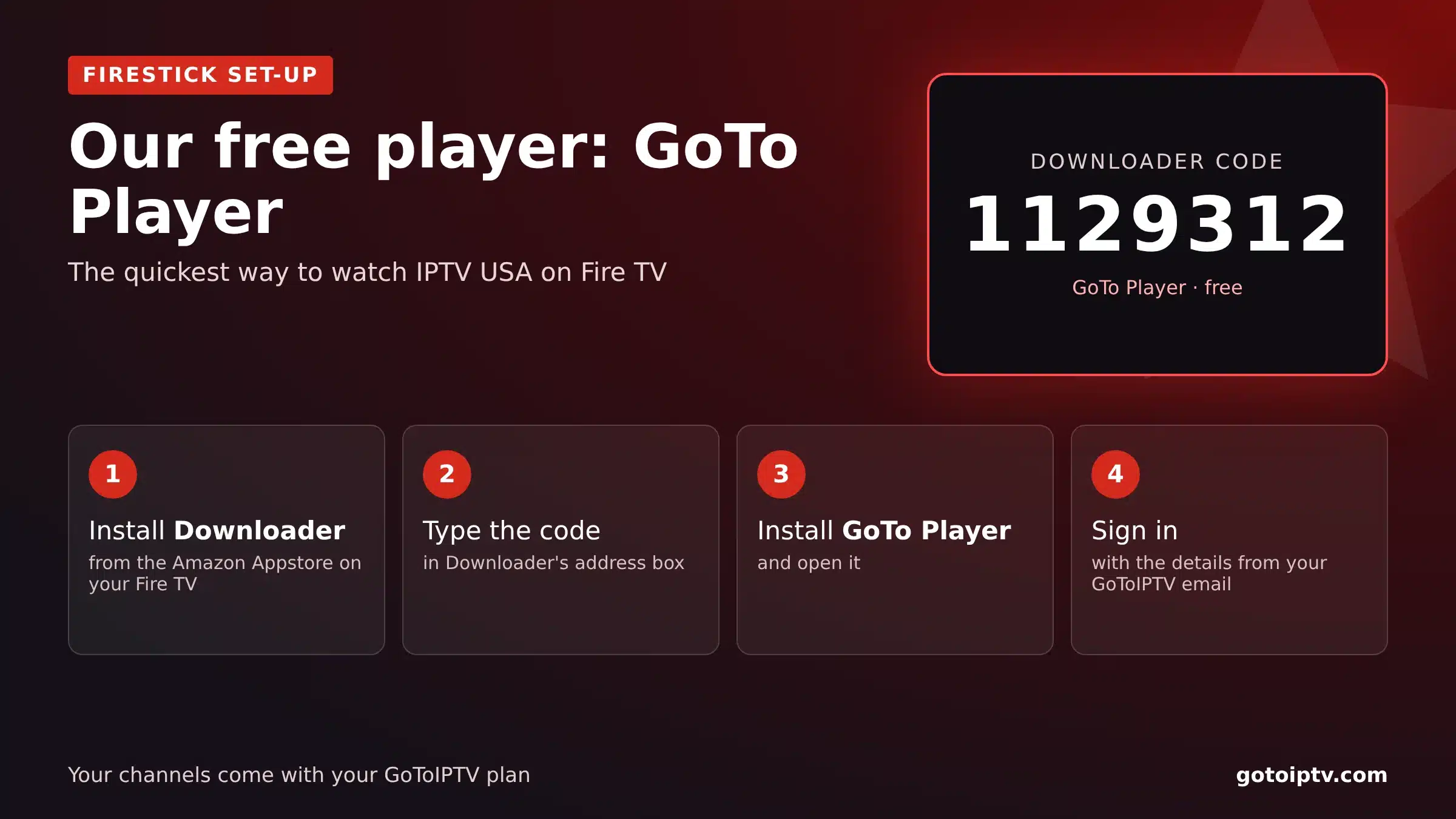
The most reliable way to get IPTV on a Roku TV is to plug a small Fire TV or Google TV stick into a spare HDMI port. You keep Roku for your other apps and use the stick for IPTV.
- 1
Plug the stick into a spare HDMI port and power it.
- 2
Switch input on the Roku TV to that HDMI port.
- 3
Install Downloader and type 1129312 to install GoTo Player, our recommended free player.
- 4
Sign in with your provider’s details and watch.
Good for: everything: full TV guide, favourites, 4K and fast channel switching. Cost: a basic streaming stick is inexpensive and often on sale.
IPTV on Roku: The 3 Options Compared
Which way of watching IPTV on Roku suits you?
For most homes, the stick wins. It turns your Roku TV into a full IPTV set-up for a small one-off cost and keeps all your Roku apps.
Which Stick to Buy for IPTV on Roku TVs
If you choose option 3 for IPTV on Roku, here is how the common sticks compare:
Whichever you pick, it also runs GoTo Player, IPTV Smarters and TiviMate, so you are never stuck with one app.
Common Mistakes With IPTV on Roku
We see the same mistakes again and again from people trying to get IPTV on Roku:
Following developer-mode guides. They are for building Roku channels, break after updates and waste an evening.
Downloading “Roku IPTV” files from random sites. Roku cannot install them, and some are not safe.
Mirroring 4K over weak Wi-Fi. Mirroring is fine for HD; for 4K, use a stick with a cable.
Buying a channel before testing it. Roku Channel Store players vary a lot; read recent reviews first.
Doing it the easy way: one inexpensive stick, five minutes, a full IPTV guide on your Roku TV.
IPTV on a Roku TV (TCL, Hisense and Others)
TVs with Roku built in, sold under brands such as TCL and Hisense, work the same way as Roku sticks for IPTV:
Same limits: no Android apps on the built-in Roku system.
Spare HDMI port? Plug in a Fire TV or Google TV stick.
Mirroring works on most Roku TVs.
Use a cable on the stick or the TV for 4K.
Getting the Best Picture
Whichever option you choose for IPTV on Roku, a few habits make a big difference:
Test your speed on Speedtest from the TV, in the evening. Use the 5 GHz Wi-Fi band or a cable, keep the router close, and set the stick to your time zone so the guide matches your evening. Login problems? See failed to authorize fixes.
IPTV on Roku FAQ
Which IPTV app works for Roku?
Roku does not support most popular IPTV players. A few M3U player channels appear in the Roku Channel Store from time to time; check the store and the reviews. For a full experience, most people add a Fire TV or Google TV device to the Roku TV.
How do I play IPTV on a Roku TV?
Three ways: a player channel from the Roku Channel Store (if one is available and works with your login), screen mirroring from an Android phone or Windows PC, or plugging a Fire TV or Google TV stick into a spare HDMI port.
What IPTV apps are on Roku?
The list changes often. Search the Roku Channel Store for “M3U” or “IPTV player” and check recent reviews. Avoid any guide that asks you to put the Roku in developer mode to install apps.
Can I sideload apps on Roku?
Not like on Android. Roku’s developer mode is meant for people building their own Roku channels, not for installing IPTV apps, and using it that way is unreliable.
Does screen mirroring work for IPTV on Roku?
Yes, on most Roku devices: enable Screen mirroring in Settings, then cast from an Android phone or Windows PC. Picture quality depends on your Wi-Fi; it is fine for HD but not ideal for 4K or long evenings.
Can I AirPlay IPTV from an iPhone to Roku?
On many recent Roku 4K models, yes: AirPlay is supported. Open the player app on the iPhone and choose AirPlay to the Roku. Check that your model supports AirPlay first.
Is a Fire TV Stick better than Roku for IPTV?
For IPTV, yes. Fire TV and Google TV devices can install player apps such as GoTo Player, IPTV Smarters and TiviMate. Many homes keep the Roku and add a cheap stick for IPTV.
Will GoToIPTV work with my Roku TV?
Yes, through one of the methods on this page. The easiest is a Fire TV or Google TV stick in a spare HDMI port, with GoTo Player installed using Downloader code 1129312.
Can I keep using my Roku apps if I add a stick?
Yes. Your Roku apps stay exactly where they are. You simply switch the TV input to the stick when you want to watch IPTV on Roku TVs, and back when you want your Roku apps.
Is IPTV for Roku different in the UK or Canada?
No, the same three options apply everywhere Roku is sold. Only the channels and the time zone in the guide change.
Do I need internet for IPTV on Roku?
Yes, IPTV always streams over the internet. You need about 10 Mbps per screen for HD and 25 Mbps for 4K.
Is IPTV on Roku legal?
IPTV as a technology is legal on any device. What matters is the content you watch; follow US law and your provider’s terms.
Get IPTV on Your Roku TV Tonight
Add a stick, install GoTo Player and sign in. 56,000+ channels, 150,000+ movies and series, no contract.
