IPTV Sports
IPTV Sports: Every Big Game, Smooth and On Time
IPTV sports nights should be simple: the right start time, a picture that never stops at the big moment, and the game one click away. This hub gives you all three, from internet speed and player settings to the TV guide and our daily schedules.
 7 sportsschedules every dayYour time zoneevery start time56,000+live channels
On This Page
IPTV Sports: What You Need in 60 Seconds
Smooth live sports come down to four things. Get them right once and every game night is easy.
That is the whole recipe for IPTV sports without stress. The sections below show each step.
IPTV Sports Schedules: Today’s Top Games
Every page puts the day’s biggest games first, then the rest of the week, with start times in your own time zone.
- Updated every day, so the list is fresh each morning
- Your own time zone: the page reads your device clock and shows local start times
- Finished games drop off by themselves, so the top of the page is always what comes next
- A short guide under each schedule explains the rules and formats of the sport
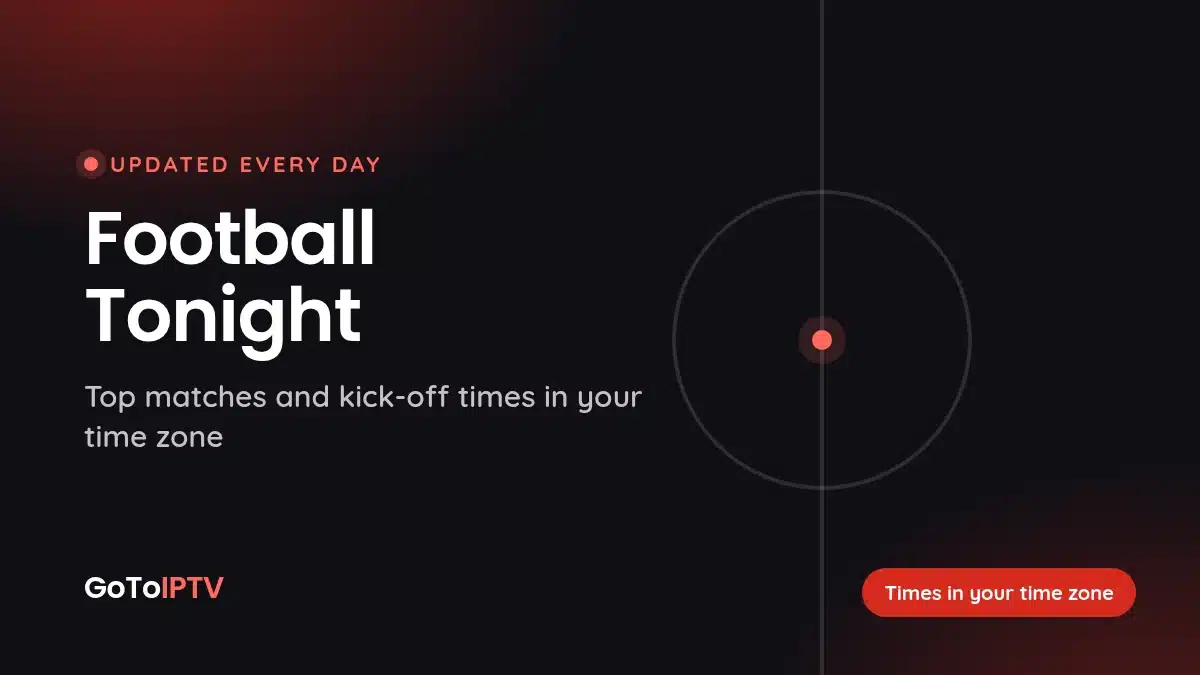
The schedules show games and times, not channels. That keeps them clean and fast. To find a game on your IPTV sports setup, use the TV guide or the search in your player, as shown further down.
Main Events and More: Your IPTV Sports Extras
Log in once and run game week from one place: the big games, the channels you want, Hot Player on any TV and free months with friends.
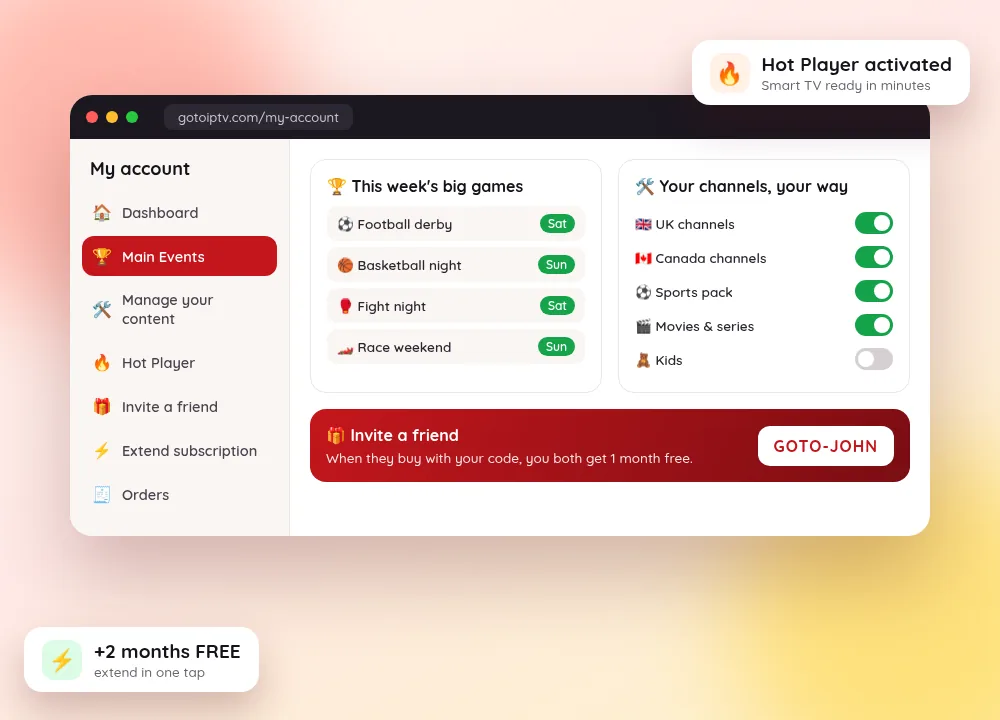
- Never miss a big game. The Main Events tab shows this week’s top matches, fights and races, up to 3 per sport, in your own time zone. Tap Show more for the full schedule.
- Your TV, your way. Tell your IPTV Manager which countries, sports and movies you want. We set it up and refresh your account for you.
- Hot Player in minutes. Turn a Smart TV or TV box into your game-day screen for $20 lifetime: send the MAC address, tap Refresh and you are watching. Have a login? Connect it yourself on Connect Hot Player.
- Free months for you and a friend. Share your referral code. When a friend buys, you both get 1 month free.
Main Events, IPTV Manager and referrals come with your account. No account yet? It opens with your first plan. Log in to My Account.
Match Alerts: One Email on Big Game Days
Prefer a reminder to checking every day? Let the big games come to your inbox.
- 1
Open the schedule of your sport and find the alerts box near the top.
- 2
Pick one or more sports and type your email.
- 3
Get one short email on the morning of a big match day, with the start times in your own time zone.
- 4
Stop any time: every email has a one-click unsubscribe link.
No newsletter and no daily mail: an email comes only when a big game is on, so you can plan an IPTV sports night and invite friends over.
The Best IPTV for Sports: 6 Things to Check
Any sports IPTV service can promise everything. These six points tell you how it feels on match night.
| What to check | Why it matters for sports | What you get with us |
|---|---|---|
| Picture quality | Fast motion shows every weak frame | 4K, Full HD or HD where available |
| Start times | A wrong time means a missed kick-off | 7 schedule pages in your own time zone |
| TV guide | You see what is on now and next | A TV guide in GoTo Player and other EPG players |
| Choice | Fans follow games from many countries | 56,000+ live channels from every country |
| Support | Problems happen at the worst moment | Help on WhatsApp and email |
| Price | A season is long | From about $4.29 a month on the 12-month plan |
Comparing services in general, not just for sport? Our guide to the best IPTV service covers the full checklist. New to the idea? Here is how IPTV works.
What Internet Speed Do You Need for IPTV Sports?
Live games are the toughest test for any connection: fast motion, crowds watching at the same moment, and no pause button.
Run a speed test on the device you watch on, in the evening, when your line is busiest. A phone test in another room can look fine while the TV struggles.
Add the numbers for every screen that plays at the same time. Two 4K games at once need about 50 Mbps or more, plus room for the phones and laptops in the house.
Short on speed? Pick the Full HD or HD version of a channel where there is one. A steady HD picture beats a 4K picture that freezes on the winning goal.
Wired or 5 GHz Wi-Fi: Set Up the Connection
How the signal reaches your TV matters as much as the speed you pay for.
- 1
Use a cable if you can. An Ethernet cable from the router to the TV, box or stick is the most stable link. A Fire TV stick needs a small Ethernet adapter.
- 2
Otherwise, pick 5 GHz Wi-Fi. It is faster and less crowded than 2.4 GHz. Choose the 5 GHz network name in your TV settings.
- 3
Keep the router close. Walls, floors and metal furniture weaken Wi-Fi.
- 4
Restart the router before a big game. A fresh start clears small faults that build up over days.
- 5
Pause big downloads. Game updates, cloud backups and other streams take speed away from the match.
These five steps fix most IPTV sports buffering on their own. Still stuck? Our IPTV buffering fix guide goes further.
Player Settings for Smooth IPTV Sports
A few minutes in your app makes live games start faster and stay smooth.
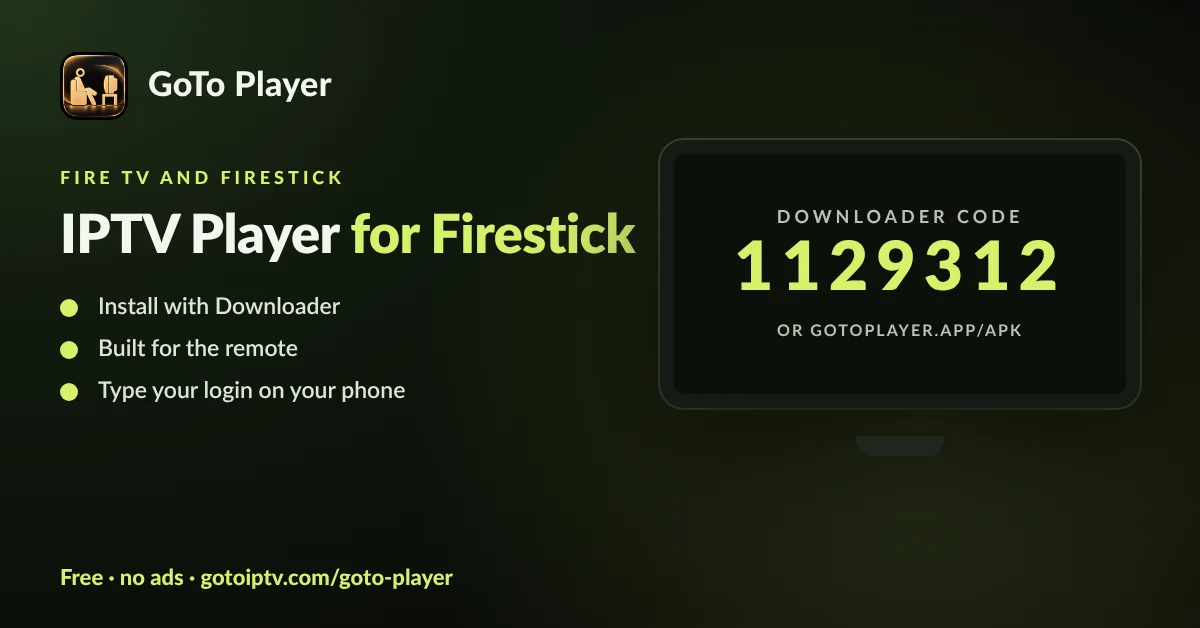
- Update the app. New versions fix bugs. GoTo Player for Android and Fire TV is at 1.0.6.
- Choose the quality. When a stream offers more than one, the Quality button switches version.
- Save your channels. Add them to My List so they are one click away on game day.
- Use search. Type a channel name and jump to it in seconds.
- Pick the audio. Some streams carry more than one language; switch it under Audio.
- Restart before the start. Close the app fully and open it again a few minutes early.
Using another app? Any IPTV player that supports M3U or Xtream works with our plans. Some players let you change the buffer size or the video decoder. If a game stutters, try the other option and keep the one that plays best.
Get GoTo Player free, with no ads and no tracking of what you watch: Downloader code 1129312 on Fire TV, plus Android and Windows. iPhone is coming soon.
Find the Game Fast With the TV Guide
The schedule tells you when. The TV guide shows you where.
- 1
Note the start time on a schedule page or in Main Events.
- 2
Open Live TV, then the TV guide (EPG) in your player.
- 3
Pick a channel group and scroll the timeline: the “now” line shows what is on this minute.
- 4
Select the programme to read its details, then press play.
- 5
Add the channel to My List, ready for the next game.
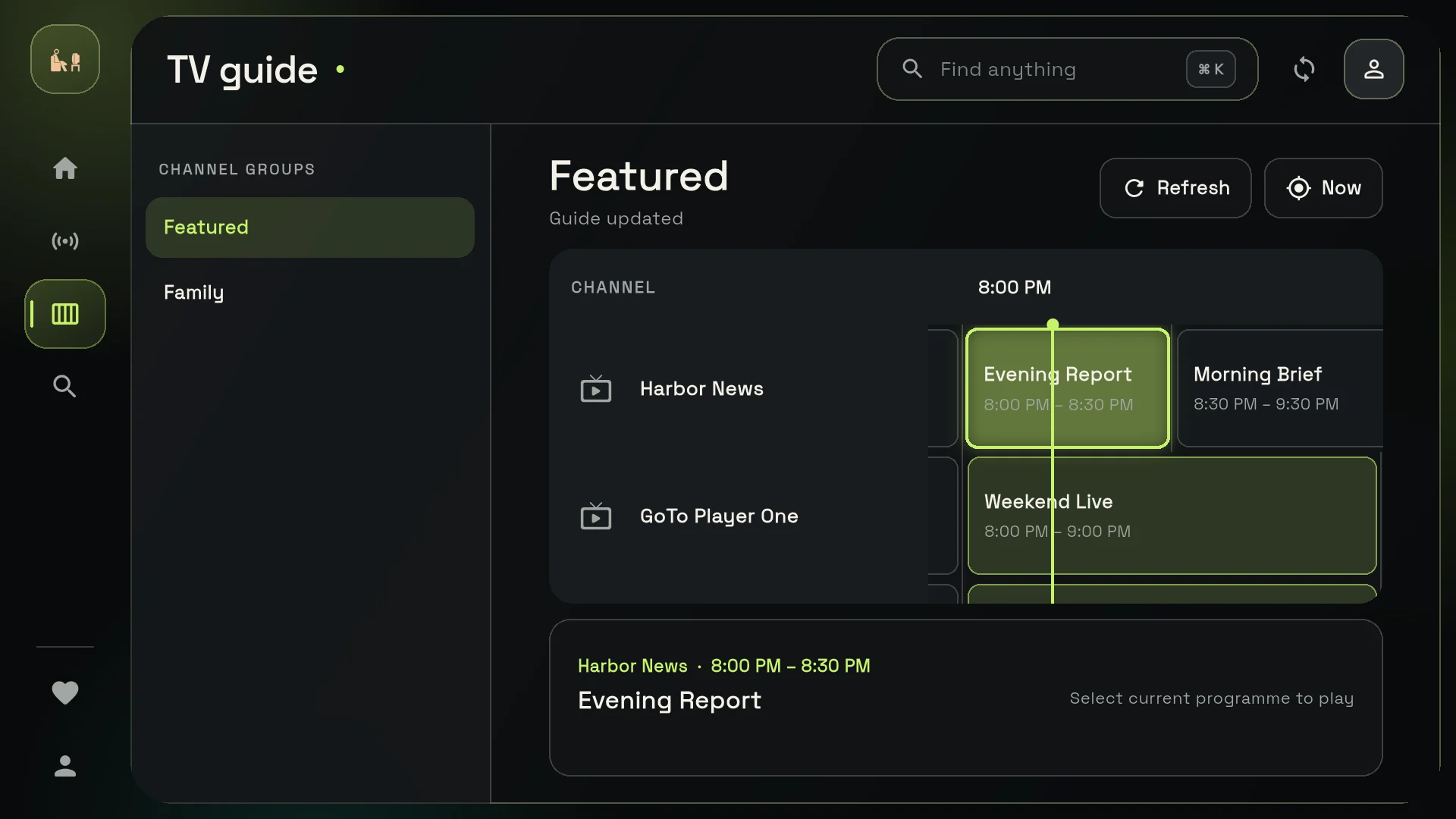
The guide follows the time zone of your device. If a time looks wrong by an hour or more, check the time zone in the TV or phone settings first.
Start Times in Your Own Time Zone
One game, many clocks. Our pages do the maths for you.
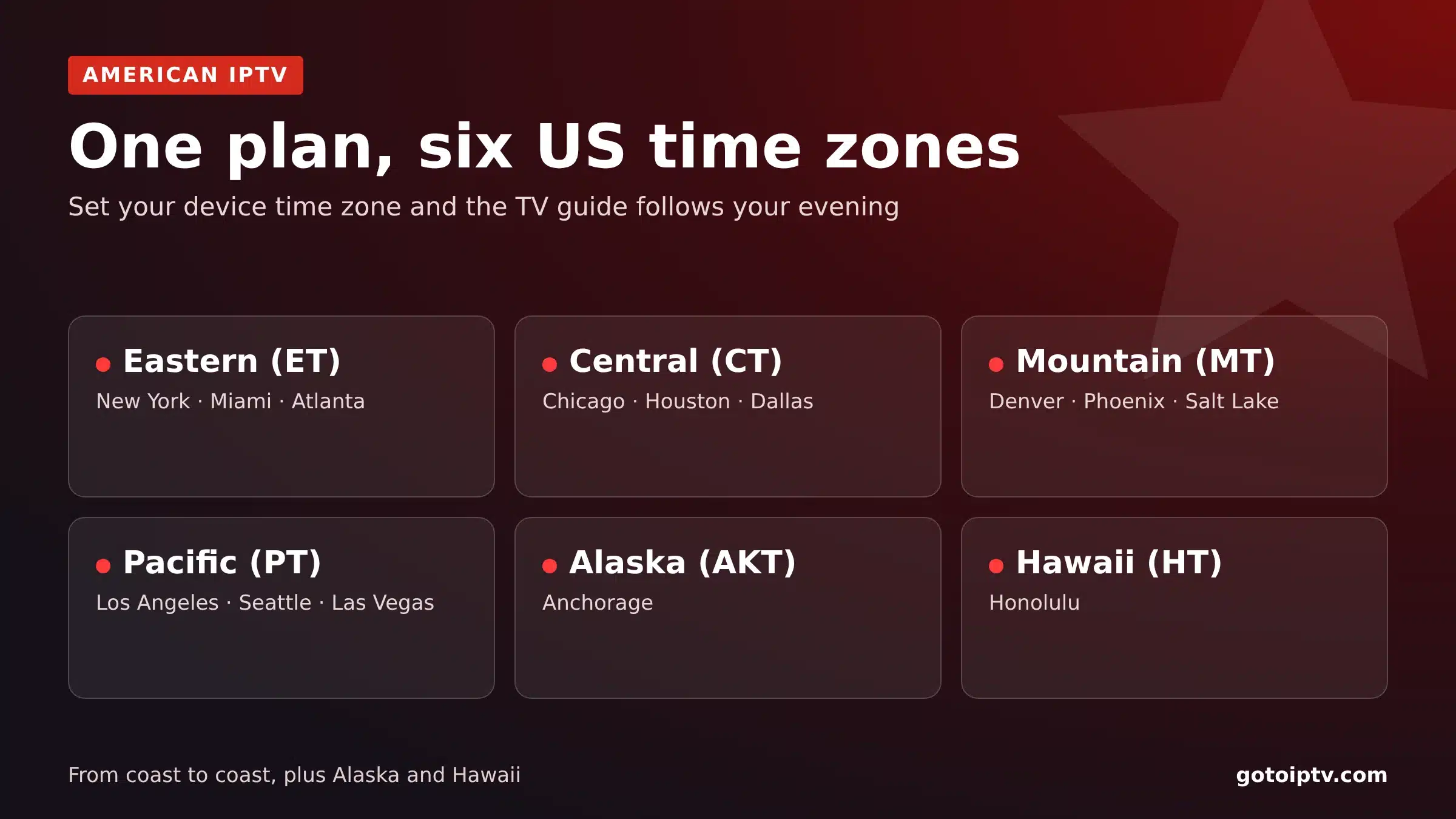
Our schedule pages convert every start time to the clock on your device. Watching in Vancouver, Toronto, London or Mumbai, you see your local time, not a time from the other side of the world.
The United States alone has six time zones, from Eastern to Hawaii. That is why we never print one fixed time for an IPTV sports night: your screen shows the right one.
Do You Need a VPN for IPTV Sports?
Short answer: no. A VPN is optional.
If games get slower with the VPN on, turn it off for match night. Want one anyway? Our VPN setup guide walks you through it.
Your IPTV Sports Game Day Checklist
Ten minutes before the start, run through this list.
- Check the start time on the schedule page or in Main Events
- Make sure your plan runs past the game: check your account in about 10 seconds
- Restart the router, then the TV box or stick
- Plug in the cable or switch to 5 GHz Wi-Fi
- Pause downloads and other streams in the house
- Open the channel early and pick the best quality your line can hold
- Keep WhatsApp handy: our support is on +1 (917) 924-8236
Two Games at Once? Add a Screen
Each line plays on one screen at a time.
One game in the living room and another in the bedroom? A plan with 2 to 5 lines keeps everyone watching. See the multi-screen plans for prices. The free bonus months come with the 1-screen plans.
IPTV Sports Plans and Prices
Every plan opens the same 56,000+ live channels and 150,000+ movies and series. Only the length changes.
| Plan (1 screen) | You pay | Free bonus | You watch for | Per month | |
|---|---|---|---|---|---|
| 1 month | $12 | +1 month | 2 months | about $6 | Choose |
| 3 months | $25 | +1 month | 4 months | about $6.25 | Choose |
| 6 months | $40 | +2 months | 8 months | $5 | Choose |
| 12 months | $60 | +2 months | 14 months | about $4.29 | Choose |
For a full season, the 12-month plan is the smart pick: 14 months of TV for about $4.29 a month. Pay with Apple Pay, Google Pay, PayPal, Cash App or crypto, and with Interac e-Transfer in Canada.
IPTV Sports FAQ
What do I need for smooth IPTV sports?
A steady line of about 10 to 15 Mbps per screen for HD and 25 Mbps or more for 4K, a cable or 5 GHz Wi-Fi, an up-to-date player and an active plan. Restart the TV box or stick before a big game.
What is the best IPTV for sports?
The best IPTV for sports stays smooth on your line and makes the game easy to find: 4K, Full HD or HD where available, a TV guide, clear start times and support you can reach. Our plans give you all of that from about $4.29 a month.
What is the Main Events tab?
It is a tab in your My Account page, right after the Dashboard. It shows up to 3 big events of each sport this week, in your own time zone, with a Show more link to the full schedule page of that sport.
Do the schedule pages say which channel shows each game?
No. The pages list games and start times only. To find a game, open the TV guide in your player or use its search, then add the channel to your favourites for next time.
Do I need a VPN for IPTV sports?
No, a VPN is optional. Some people use one for privacy. It adds a stop on the way to the stream, so pick a nearby server and turn it off if games get slower.
Can I watch two games at the same time?
Yes, on two screens with a multi-screen plan. Each line plays on one screen at a time, and there are plans for 2 to 5 lines. One login on two TVs at once is not possible.
Why does a big game stutter when other channels play fine?
Big live events are fast-moving and watched by many people at once. Use a cable or 5 GHz Wi-Fi, pause downloads, restart the app and choose the HD version if there is one. Our buffering guide has more fixes.
Which app is best for IPTV sports?
Our recommended free GoTo Player: no ads, no tracking of what you watch, a TV guide and controls built for the remote. It runs on Fire TV with Downloader code 1129312, Android and Windows, with iPhone coming soon. Any M3U or Xtream player works too.
How do match alerts work?
On a schedule page, pick your sports and type your email. On the morning of a big match day you get one short email with the start times in your own time zone. Every email has a one-click unsubscribe link.
Are sports channels in 4K?
Where available, yes: channels come in 4K, Full HD or HD. For 4K you want 25 Mbps or more per screen. On a slower line the Full HD or HD version gives a steadier picture.
Ready for Your Next IPTV Sports Night?
Pick a plan, check tonight’s games, and get the best seat in the house.
