
IPTV Smarters Pro: Step-by-Step Set-Up on Every Device
Updated
IPTV Smarters Pro is one of the most popular IPTV player apps in the USA and the UK. This guide shows you how to install it on a Firestick, Samsung or LG Smart TV, Android TV, iPhone, Windows PC or Mac, how to log in with Xtream Codes, and how to fix the most common problems.
One thing first: IPTV Smarters Pro is a player only. It has no channels. Your channels come from your IPTV provider, which emails you the login details you will enter below.
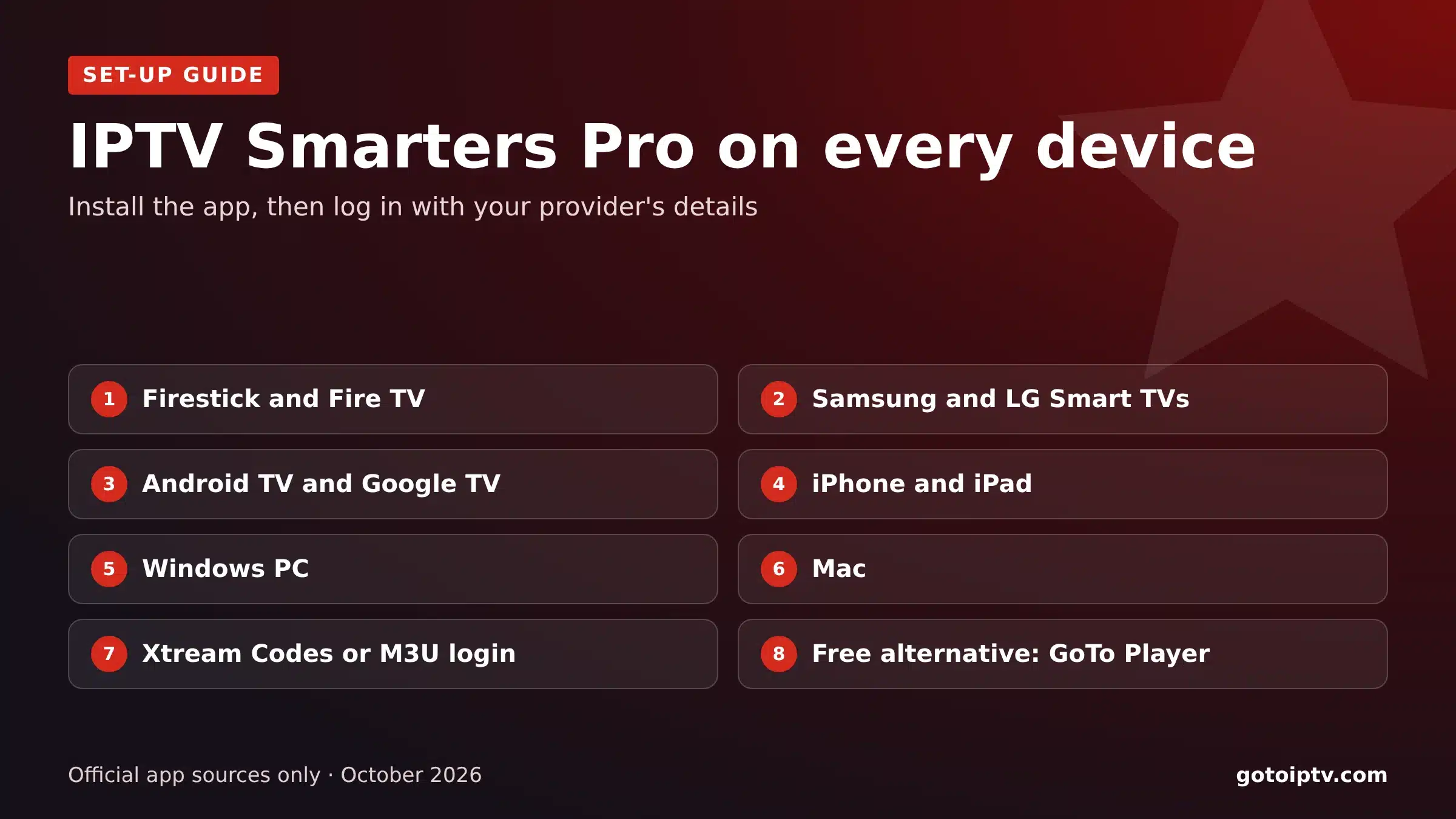 7 devicesstep by stepXtreamlogin explainedFreealternative player
On This Page
Is IPTV Smarters Pro Free? App vs Subscription
The question everyone asks first. The short answer: the IPTV Smarters Pro app is free on most devices, but the channels are not part of the app.
The app is a player, like a DVD player without discs. It reads the playlist from your provider and shows the channels, the guide and the films and series.
The subscription is what you watch: live channels, the TV guide and the on-demand library. It comes from an IPTV provider, which sends you a server URL, a username and a password. With GoToIPTV, plans start at $12 (about £9) for two months.
Download the app only from your device’s app store or the developer’s own website. Avoid APK mirror sites: copies there can contain malware.
App: free player, no channels.
Subscription: the channels and guide.
Trusted sources only, never APK mirrors.
Login details come from your provider.
IPTV Smarters Pro on Firestick and Fire TV
IPTV Smarters Pro is not in the Amazon Appstore, so on a Firestick you install it with the free Downloader app:
- 1
Install Downloader from the Amazon Appstore (search “Downloader”).
- 2
Allow unknown apps: Settings, My Fire TV, Developer Options, Install Unknown Apps, Downloader: On. (No Developer Options? Go to My Fire TV, About, and click the device name 7 times.)
- 3
Open Downloader and type the developer’s own website address to download the app for Fire TV.
- 4
Install and open IPTV Smarters Pro, then choose Login with Xtream Codes API.
- 5
Enter your details exactly as written in your provider’s email.
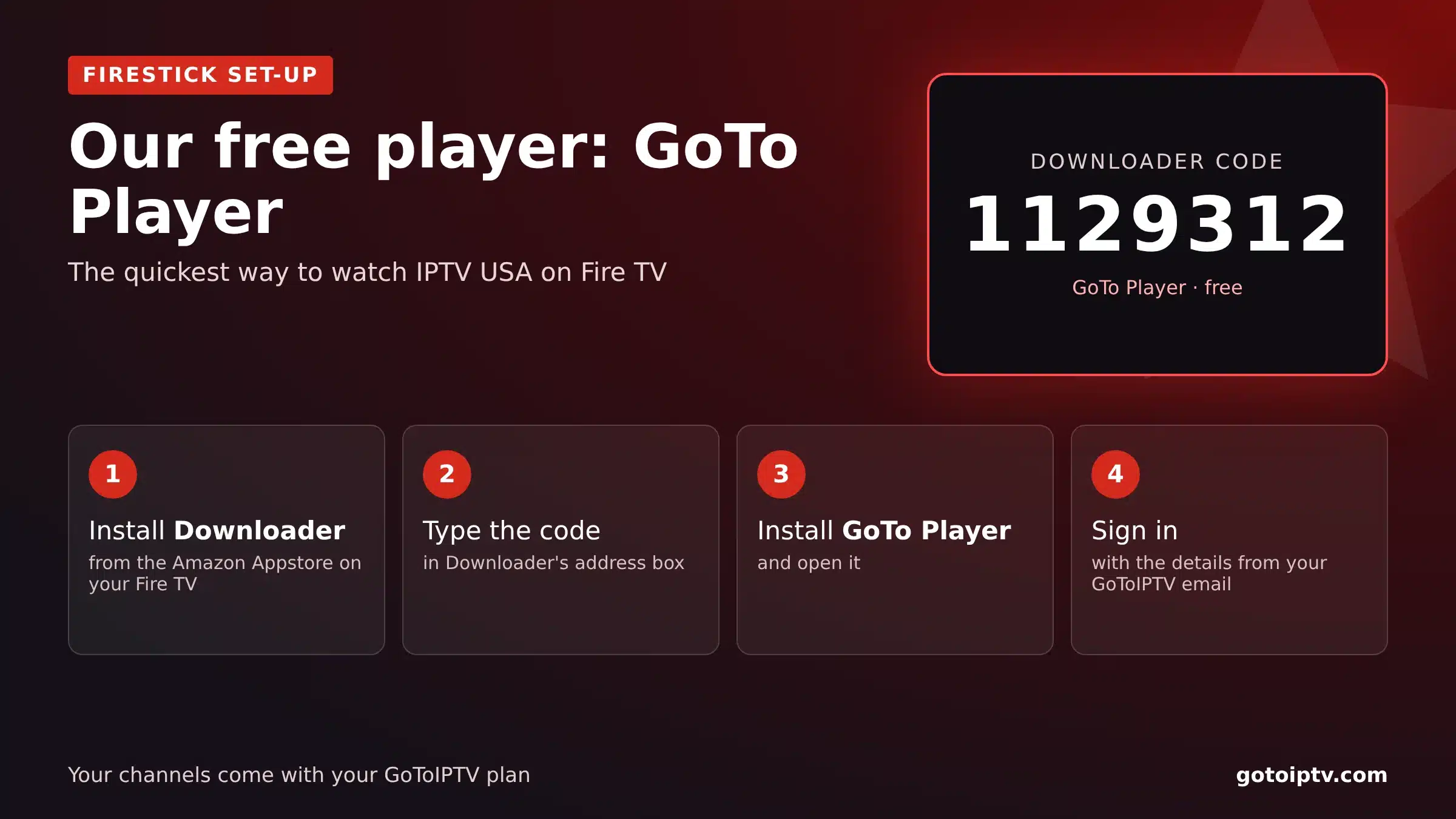
Prefer a quicker way? GoTo Player, our recommended free player, installs with one Downloader code: 1129312.
IPTV Smarters on Samsung TV and LG
On many Samsung (Tizen) and LG (webOS) TVs, IPTV Smarters is available in the TV’s own app store, depending on your model and country:
Samsung (Tizen)
Press Home, open Apps, search “IPTV Smarters”, install and open it. Choose Login with Xtream Codes API. Set the clock to Auto (Settings, General, Time).
LG (webOS)
Open the LG Content Store, search “IPTV Smarters”, install it and log in with Xtream Codes. Keep webOS updated.
Not in your TV store?
Plug a Firestick or Google TV device into the TV and follow the Firestick or Android steps instead.
More detail: IPTV on Samsung Smart TV and IPTV on LG Smart TV.
IPTV Smarters Pro on Android TV, Google TV and Phones
On Android phones, Android TV boxes and Google TV, look for IPTV Smarters in Google Play first. If it is not listed for your device, use the developer’s own website.
- 1
Open Google Play and search “IPTV Smarters”.
- 2
Install and open the app.
- 3
Choose Login with Xtream Codes API and enter your details.
- 4
Wait for channels, the guide and VOD to load, then add favourites.
Guides: IPTV on Google TV and IPTV on an Android TV box.
IPTV Smarters on iPhone, iPad and Apple TV
On Apple devices the app is in the App Store, sometimes under a slightly different name such as “Smarters Player Lite”. Install it, choose the Xtream Codes login and enter your details.
On Apple TV, use the App Store on the Apple TV itself. If the app is not available in your country, other App Store players that support Xtream Codes or M3U work the same way.
Step by step for Apple TV: IPTV on Apple TV.
IPTV Smarters Pro on Windows PC and Mac
The developer publishes desktop versions of IPTV Smarters Pro for Windows and macOS on its own website.
- 1
Download the Windows or Mac version from the developer’s website.
- 2
Install it. On Mac, allow it in System Settings, Privacy and Security, if asked.
- 3
Open the app and choose Login with Xtream Codes API.
- 4
Enter your details and let the playlist load.
On a laptop, plug in power and use a wired connection or strong Wi-Fi for the best picture. You can also connect the computer to a TV with an HDMI cable and watch on the big screen. Full guide: IPTV on PC and Mac.
The Best Device for IPTV Smarters Pro
IPTV Smarters Pro runs on almost everything, but some devices give a smoother picture than others. Here is an honest comparison:
If you are buying a device just for IPTV Smarters Pro, a Fire TV Stick 4K or a Google TV device is the easiest choice. Both also run GoTo Player. See our best IPTV for Firestick guide.
Xtream Codes Login vs M3U in IPTV Smarters Pro
IPTV Smarters Pro offers several ways to log in. Use the one your provider gives you:
Xtream Codes API is the best choice: it loads live TV, the TV guide (EPG), films and series automatically. M3U URL is a single playlist link and may need a separate guide link. GoToIPTV customers get Xtream Codes details by email.
If the login fails, see IPTV Smarters failed to authorize: seven fixes, in order.
IPTV Smarters Pro Tips: Guide, Favourites and Picture
Once you are in, these settings make IPTV Smarters Pro much nicer to use:
Load the TV guide: Settings, EPG, then refresh. Set the device time zone so times match.
Favourites: long-press a channel to add it, then use the Favourites group.
Player settings: if a channel stutters, switch the player engine in Settings and try again.
Use a cable for 4K. You need about 25 Mbps per screen.
IPTV Smarters Pro Not Working? Quick Fixes
Most IPTV Smarters Pro problems come down to a few causes:
Full troubleshooting: failed to authorize fixes and our IPTV not working guide. Test your speed on Speedtest.
A Free IPTV Smarters Pro Alternative: GoTo Player
If IPTV Smarters Pro is not available on your device, or you want something simpler, try GoTo Player, our recommended free player:
- 1
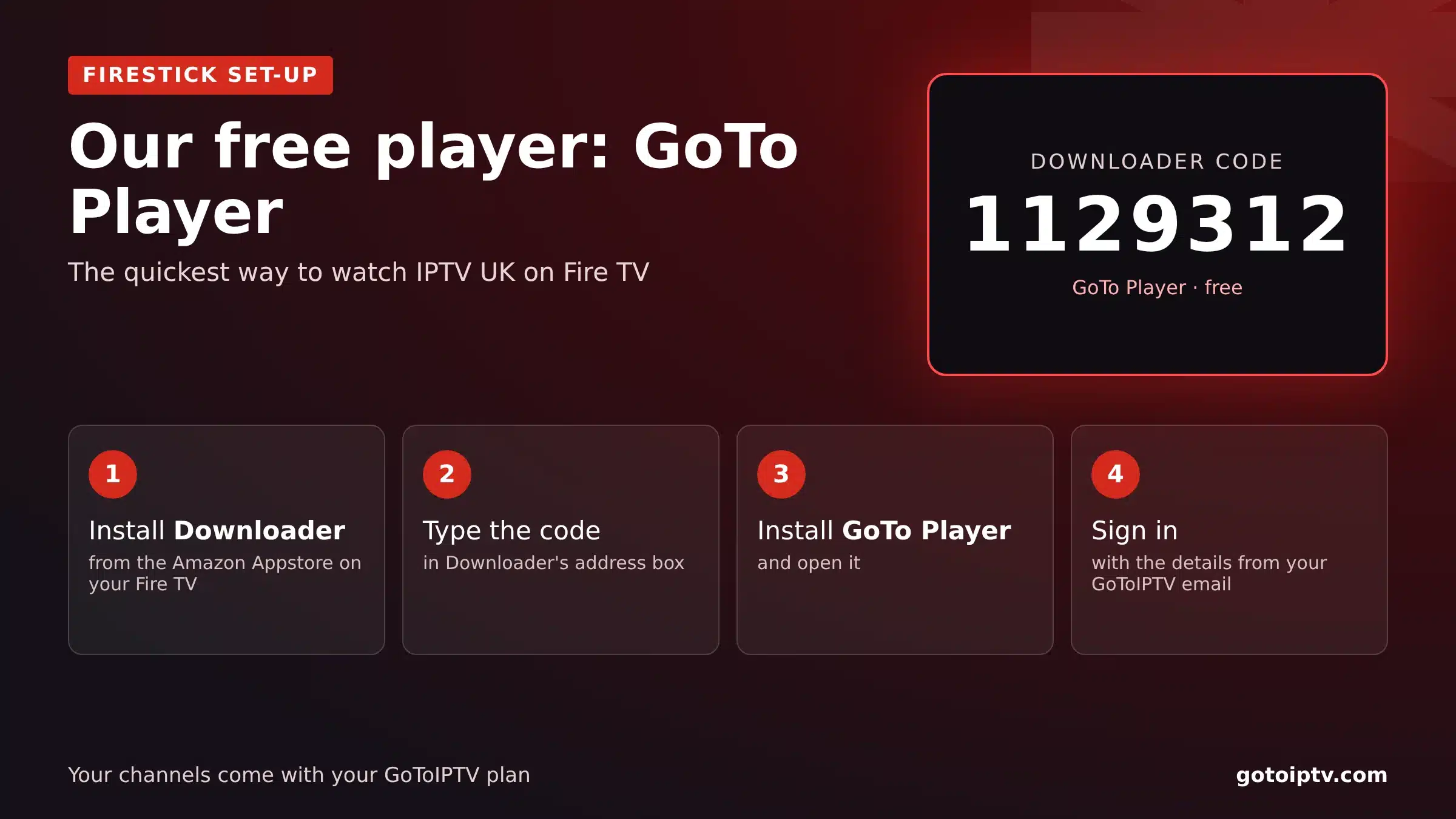
Firestick or Android TV: install Downloader and type 1129312.
- 2
Install GoTo Player and open it.
- 3
Log in with the same username, password and server.
GoTo Player is a free player app: your channels come from your IPTV plan. You will also find it in My Account under Downloads.
IPTV Smarters Pro in the USA
American viewers use IPTV Smarters Pro mostly on Firesticks and Samsung or LG TVs. Set the device to your time zone (Eastern, Central, Mountain, Pacific, Alaska or Hawaii) so the TV guide lines up with your evening, and use a cable for 4K on game days.
Looking for a provider with US, Spanish and world channels and Xtream Codes login? See IPTV USA.
IPTV Smarters Pro in the UK
In the UK, IPTV Smarters Pro is popular on Firesticks and Samsung TVs. Set the time zone to London so the guide follows GMT and BST, and remember that watching live TV on any app needs a TV licence.
Want British channels and a UK-time guide? See IPTV UK, or compare providers with our best IPTV UK checklist.
IPTV Smarters Pro FAQ
Is IPTV Smarters Pro free?
The app itself is free to download on most platforms, but it has no channels. You need a subscription from an IPTV provider, which gives you the login details you enter in the app.
How much does the IPTV Smarters Pro app cost?
The standard app is free; some platforms and premium versions offer extra features for a fee. Check the price in your device’s app store or on the developer’s website before you pay for anything.
Has IPTV Smarters Pro been shut down?
App-store availability for IPTV players changes from time to time, and the app has different names on some platforms. If you cannot find or update it on your device, use another player that supports the Xtream Codes login, such as GoTo Player.
How do I install IPTV Smarters on Firestick?
Install Downloader from the Amazon Appstore, allow it to install unknown apps (Settings, My Fire TV, Developer Options), then type the developer’s own website address in Downloader and install the app.
Is IPTV Smarters Pro on Samsung TV?
In many countries IPTV Smarters is available in the Samsung and LG app stores. Search for it in Apps; if it is not available on your model or region, use a Firestick or Google TV device on the same TV.
Can I use IPTV Smarters Pro on Windows or Mac?
Yes. The developer offers desktop versions on its own website. Install it, choose Login with Xtream Codes API and enter your details.
What is the difference between Xtream Codes and M3U?
Both log you in to the same service. Xtream Codes uses a server URL, username and password and loads the TV guide and VOD automatically; M3U is a single playlist link. Use Xtream Codes when your provider gives it.
Why does IPTV Smarters Pro say “failed to authorize”?
The login was refused: usually a typo, an expired plan or a wrong device clock. Follow our IPTV Smarters failed to authorize guide.
Does IPTV Smarters Pro work in the UK and the USA?
Yes. The app works in any country; only the channels you can watch depend on your provider. Set the device time zone so the guide matches your evening.
Can I use IPTV Smarters Pro on more than one device?
Yes, you can install it on as many devices as you like. How many can play at the same time depends on your subscription: usually one screen per line, so choose a multi-screen plan for several TVs.
Why is there no TV guide in IPTV Smarters Pro?
Open Settings, then EPG, and refresh it. If times are wrong, set the correct time zone on the device. With an M3U login you may need to add a separate guide link from your provider.
Is IPTV Smarters Pro safe?
The app is safe when you install it from your device’s app store or the developer’s own website. Avoid modified copies from APK mirror sites, and never share your login details publicly.
Is there a free alternative to IPTV Smarters Pro?
Yes. GoTo Player is our recommended free player. On Firestick and Android TV, install it with Downloader code 1129312 and log in with the same details.
Use IPTV Smarters Pro With GoToIPTV
Xtream Codes login by email, 56,000+ channels, 150,000+ films and series, 24/7 support and no contract. Works in IPTV Smarters Pro, GoTo Player and most other players.
