
M3U Player: How to Play an M3U Playlist on TV, Phone and PC
Updated
An M3U player turns the playlist link from your provider into live TV, films and series you can browse from the sofa. This guide explains the M3U format in plain English, shows how to play an M3U file or link on every screen, and fixes the most common errors. Our pick is GoTo Player: a free M3U player with no ads for Fire TV, Android TV, Google TV, Android phones and Windows.
GoTo Player is a player only. It does not include, sell or host any channels, films or series: you add your own playlist from your provider.
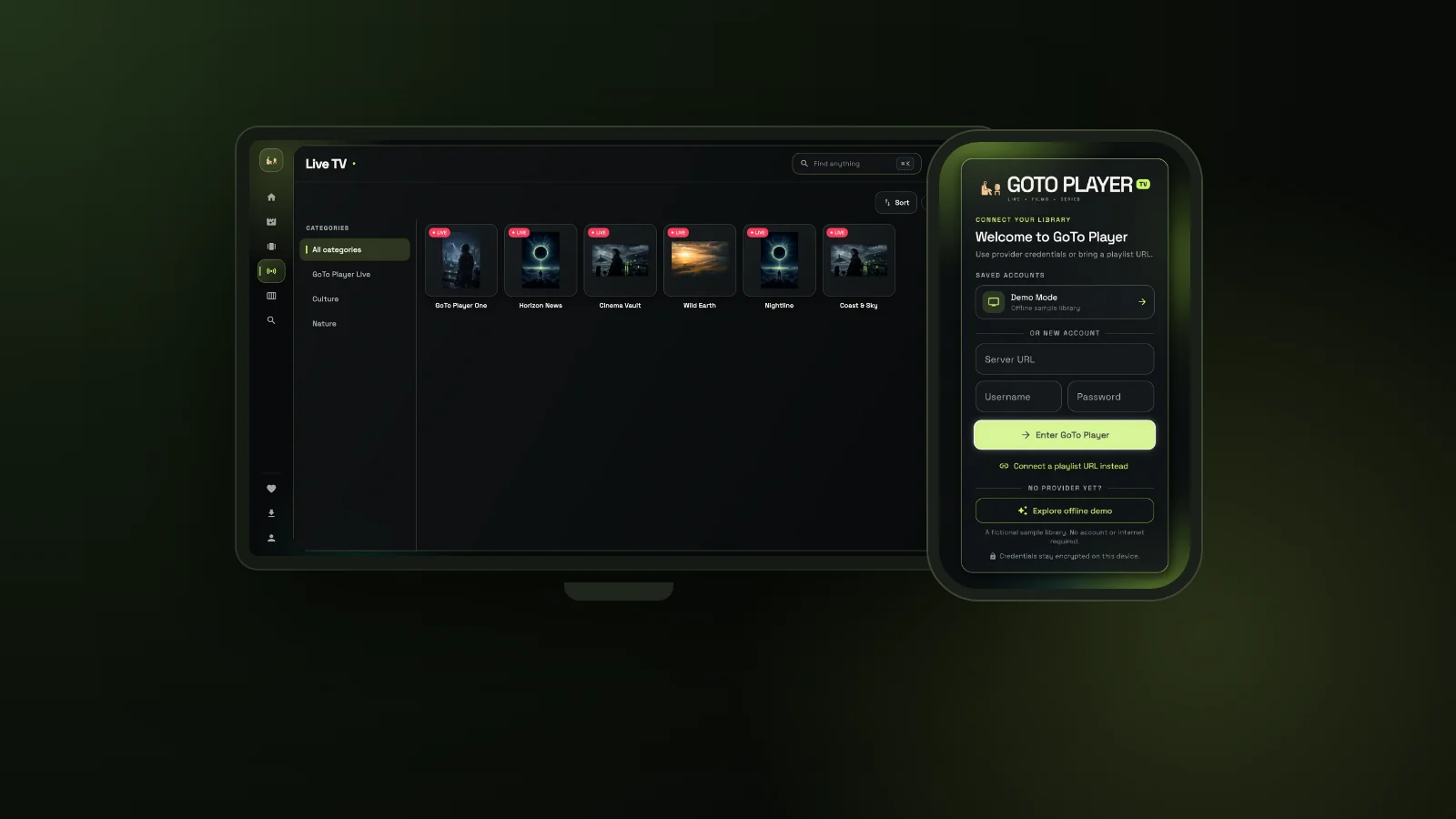 M3Uplaylist linkFreeno ads1129312Downloader code
On This Page
What Is an M3U Playlist?
Before you choose an M3U player, it helps to know what is inside the file you are about to open.
M3U is one of the oldest playlist formats on the web. An M3U file is plain text: a list of media addresses, one per line, that a player reads from top to bottom. It began with music players and internet radio, and today it is the most common way IPTV providers share a list of live channels and on-demand titles with their customers.
IPTV playlists use the extended version of the format. The file starts with the line #EXTM3U, and every entry has an #EXTINF line with its name, its group (the category you see in the app) and sometimes a logo, followed by the stream address on the next line.
M3U8 is the same idea saved as UTF-8 text, so names in every language display correctly. The .m3u8 extension is also used by HLS, the streaming method behind many live streams. You can read the history of the format on Wikipedia.
#EXTM3U
#EXTINF:-1 tvg-id="example.news" group-title="News",Example News
http://example.com/live/username/password/101.ts
#EXTINF:-1 group-title="Films",Example Film (2024)
http://example.com/movie/username/password/202.mp4
A tiny made-up example with placeholder names. Real playlists can hold thousands of entries, and you never need to edit them by hand: your M3U player reads them for you.
What Does an M3U Player Do?
The playlist is the menu. The M3U player is the TV set that makes it watchable.
A basic media player can play the entries of a playlist one by one. An IPTV-ready M3U player does much more: it groups thousands of entries into categories, separates live channels from films and series, lets you search the whole list, and remembers what you watched and where you stopped.
That is why the same playlist can feel slow and messy in one app and quick and tidy in another. In the living room, a good M3U player is also built for the TV remote, with big menus you can read from the sofa, not just a phone app stretched to fit a television.
Reads your playlist and sorts it into live TV, films and series.
Shows a TV guide when your source provides one.
Remembers favourites and where you stopped.
Plays the streams with audio and subtitle choices.
How to Play an M3U File or Link in GoTo Player
GoTo Player, our free M3U player, connects to your playlist in about a minute. Full details are in the GoTo Player guide.
- 1
Install GoTo Player: Microsoft Store on Windows, Downloader code 1129312 on Fire TV, Android TV and Google TV, or the APK on Android phones.
- 2
Open the app. The welcome screen asks for provider details or a playlist.
- 3
Tap “Connect a playlist URL instead” under the login fields.
- 4
Paste your M3U link exactly as your provider sent it, then confirm.
- 5
Wait for the first load. Live TV, films and series then appear in their own sections.
On a TV there is an easier way than typing a long link with the remote. The TV login screen shows a QR code: scan it with your phone, paste the M3U link on the phone keyboard, and it appears on the TV. Our IPTV player for Firestick guide shows that step with pictures.
GoTo Player connects to a playlist by its address (URL). Most providers send the M3U playlist as a link in their welcome email, which is the easiest way to add it. If you only have a downloaded file, ask your provider for the link version.
Want to look around before you add anything? Tap “Explore offline demo” on the welcome screen to try the M3U player with a fictional sample library. No account or internet connection is needed for the demo.
Your playlist link is stored encrypted on your own device and is sent only to the service you add. GoTo Player shows no ads and does not track what you watch.
M3U Link or Xtream Codes Login: Which Should You Use?
Most IPTV providers offer both. They reach the same service in two different ways.
Look closely at a typical IPTV M3U link and you will often find the same login inside it: an address ending in get.php?username=…&password=…. In that case the server address, username and password in the link are your Xtream-style login, and you can use either method in GoTo Player.
If your provider gives you both, try the login first: the TV guide usually loads with it automatically, and big libraries refresh faster. Keep the M3U link as a backup, or for other apps. Our Xtream player guide explains each login field, with the common mistakes.
Does an M3U Playlist Include a TV Guide?
Not always. The TV guide (EPG) is separate information about what is on now and next.
With a provider login, the guide usually loads automatically, together with live TV and on-demand titles. With an M3U link, whether you see a full guide depends on your provider’s playlist and source: some playlists point to a guide, others do not.
If channels play but the guide stays empty, check three things: that your provider offers a guide for those channels, that the time zone on your device is right, and that you refreshed the source after a change. When in doubt, use the provider login, which brings everything together in one step.
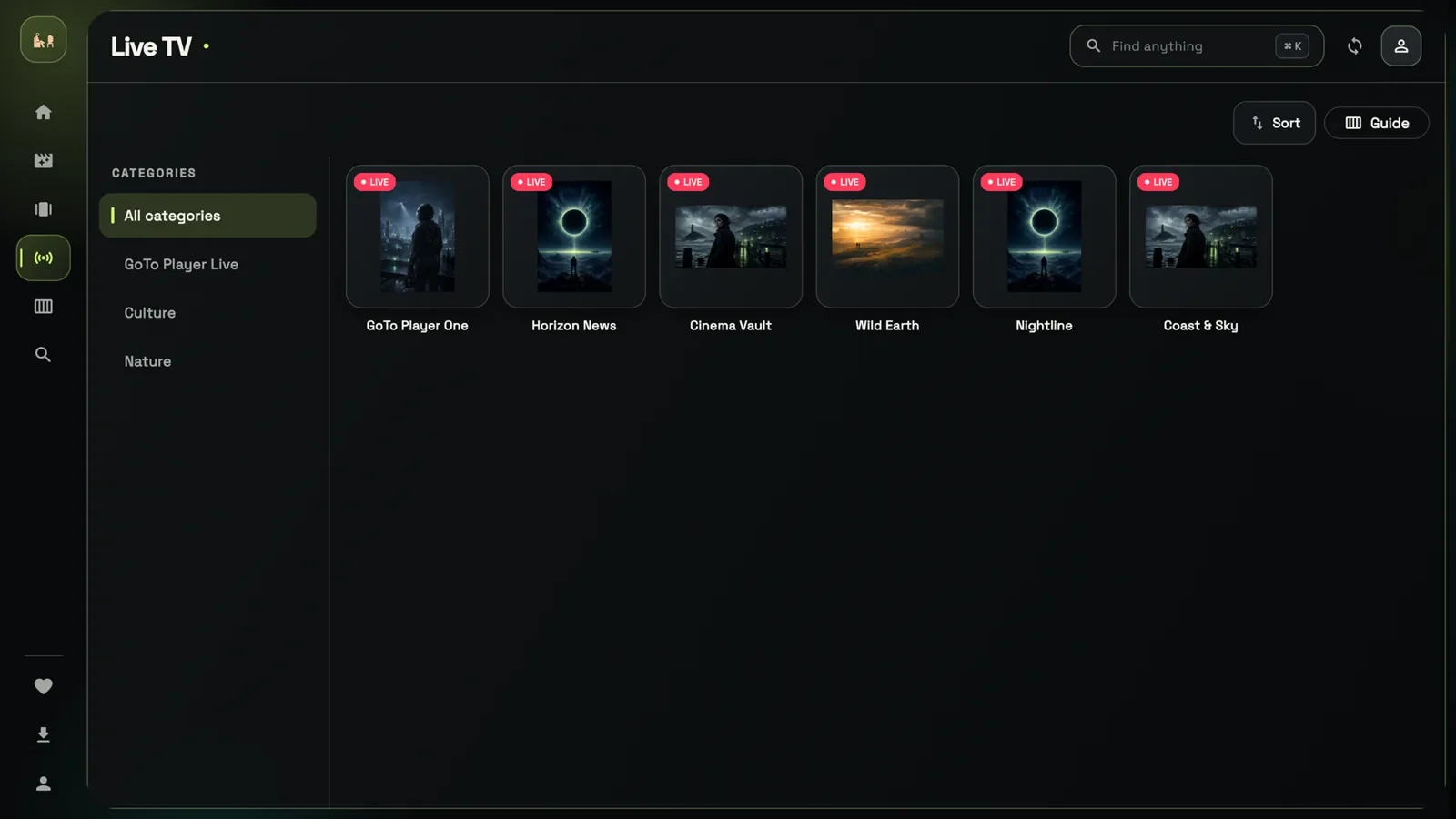
In GoTo Player, live channels are sorted by category, with Sort and Guide buttons at the top. The TV guide (EPG) shows what is on now and next, with programme guides from your source.
M3U Player for Every Device
The same playlist works on all your screens. Here is how to play it on each one:
M3U player for Windows
GoTo Player is free in the Microsoft Store for Windows 10 and 11. Our free IPTV player for Windows guide covers set-up and keyboard tips. For a quick test of one stream, VLC opens M3U files and links too.
M3U player for Android
Android phones and tablets running Android 7.0 or newer: download GoTo Player from gotoplayer.app/apk and allow the install when asked. Google Play is in closed testing; the public listing comes after Google’s test period.
Fire TV and Firestick
Install the free Downloader app, type 1129312 and install GoTo Player. Then add your M3U link, or type it on your phone with the QR code on the TV login screen.
Android TV and Google TV
Same code, 1129312. Our IPTV player for Android TV guide covers Google TV devices, Android TV sets and boxes, step by step.
iPhone and iPad
GoTo Player for iPhone and iPad is coming soon: version 1.0.0 is in Apple’s review. Until then, use the M3U player on another screen in your home.
Samsung, LG and Roku
These TVs cannot install Android apps. Plug a Fire TV or Google TV stick into a spare HDMI port and use the M3U player there.
From a Long Playlist to a Tidy Library
A playlist is just a list. A good M3U player turns it into something you enjoy from the sofa:
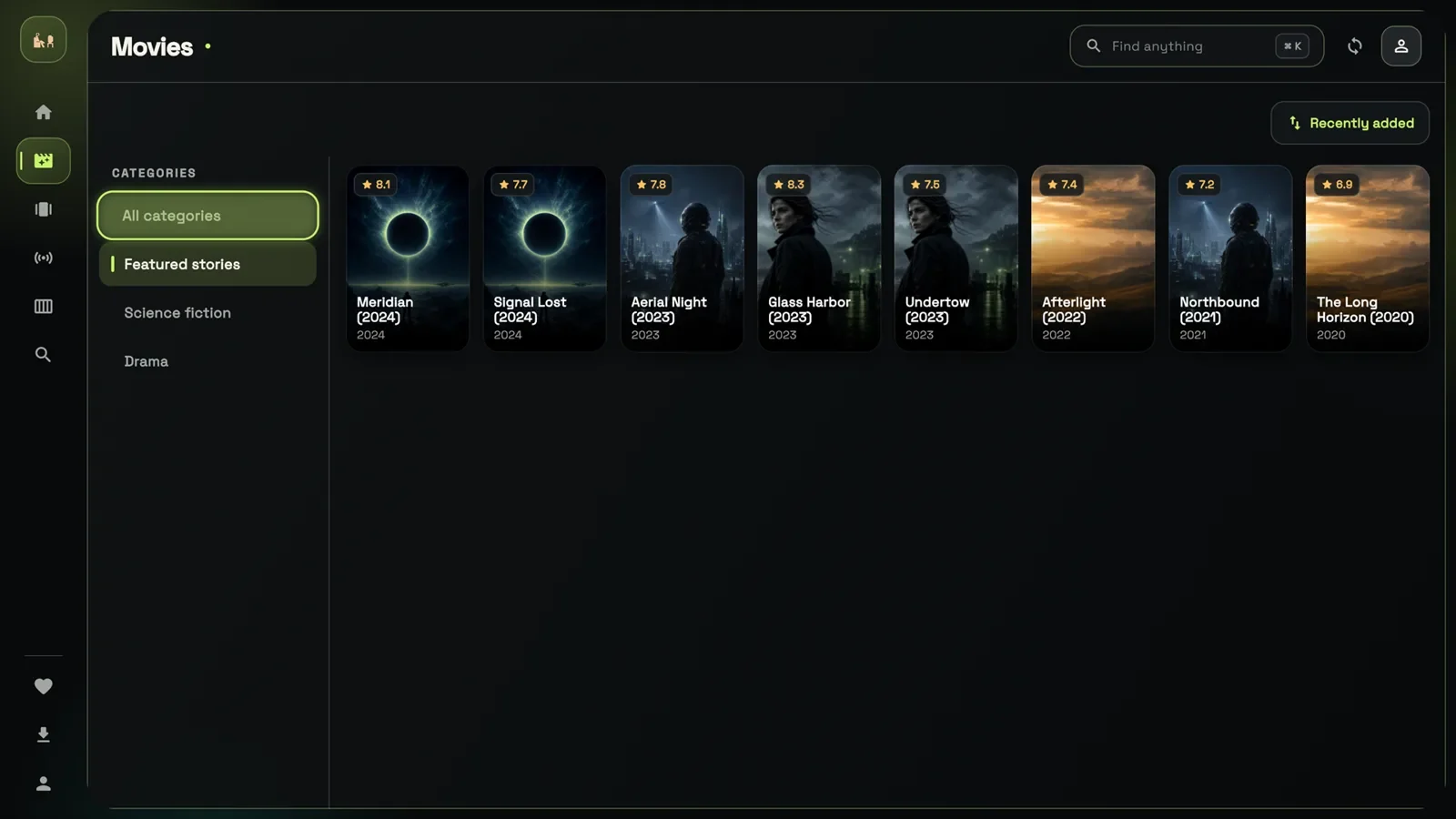
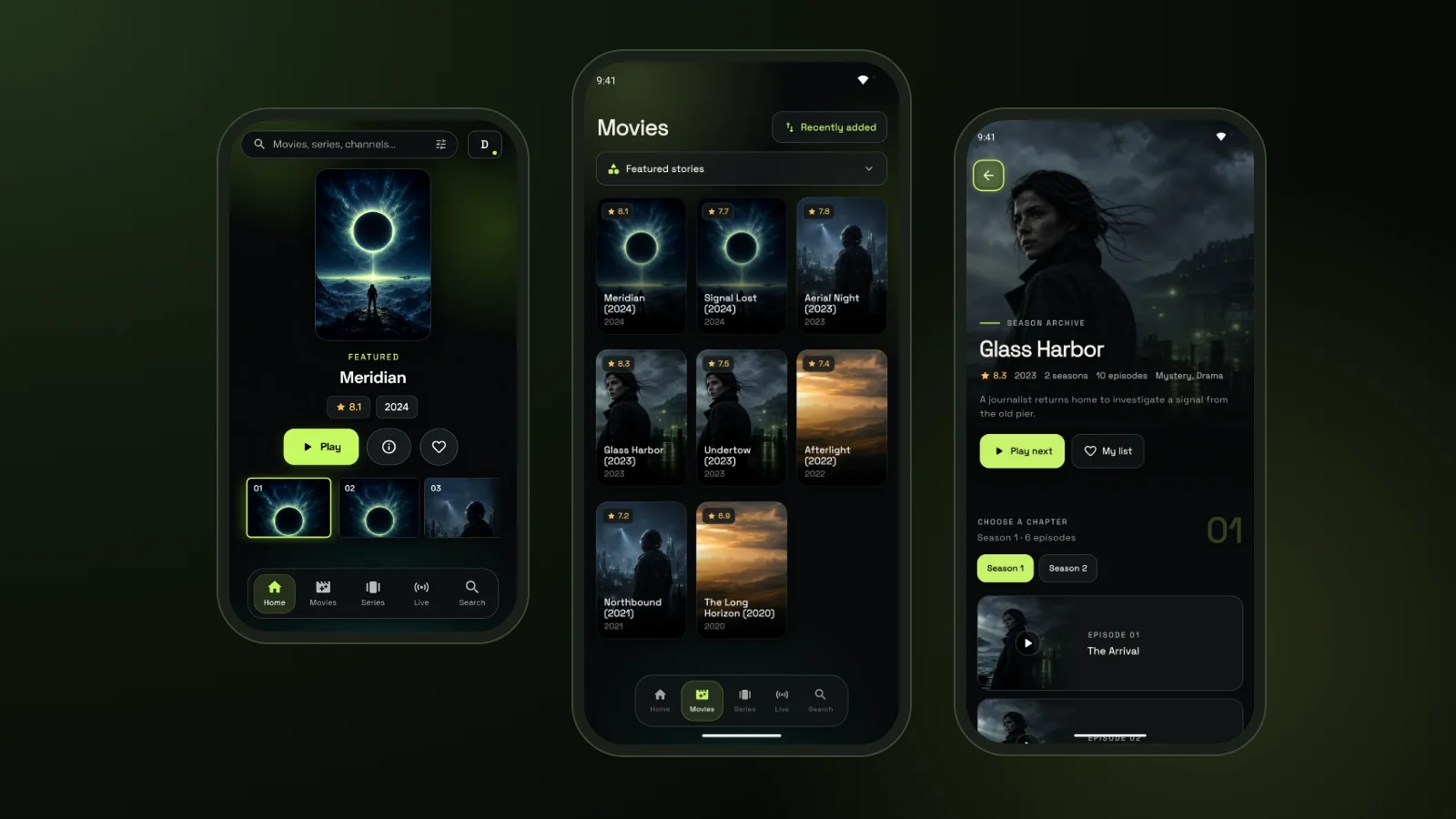
- Live TV, Movies and Series in separate sections, each with categories.
- Series with seasons and episodes, not a flat list of files.
- Continue Watching picks up films and episodes where you stopped.
- My List and favourites keep what you love close.
- Fast search across your whole library.
- Viewer profiles, each with its own list and history.
Playback has the extras you expect from a modern M3U player: several audio tracks and subtitles with size and sync controls, full-screen playback, picture-in-picture on Android, and offline downloads on Android phones, tablets and Windows (not on TVs or iPhone), where your content rights allow it.
GoTo Player: Our Free M3U Player With No Ads
GoTo Player is our recommended free player for GoToIPTV customers and for anyone with their own playlist.
It is free on every platform, shows no ads, and works with both M3U links and Xtream-style provider logins. Your logins are stored encrypted on your own device and are sent only to the service you add.
The direct-download Android app updates itself: when a new version is ready, it shows an “Update available” message and installs it in one tap. The Microsoft Store version updates like any other Windows app.
Read the full GoTo Player page for every feature, install method and update.
What Makes the Best Free M3U Player?
A free M3U player is easy to find; the best M3U player for your home is harder to spot. Check these six points before you install one:
- Really free: no adverts, no locked basics, no countdown.
- A trusted download: an app store, the developer’s own website or a published Downloader code.
- Handles big playlists without freezing, and refreshes them easily.
- Both login types: M3U links and Xtream-style provider logins.
- Built for the remote on TVs, with big, clear menus.
- Privacy: your login stays on your device, and nothing tracks what you watch.
GoTo Player was built to pass all six. For a wider comparison of apps for every device, read our best IPTV player guide.
Popular M3U Player Options Compared
An honest overview of well-known players. Features change, so check each app’s store page before you install:
Already using another app? Our TiviMate set-up and IPTV Smarters Pro guides show how to add the same M3U link there.
M3U Playlist Not Working? 7 Fixes
Most problems come from the link or the network, not from the M3U player. Work through these in order:
Still stuck? Login errors are covered in our “failed to authorize” guide, and buffering in our IPTV buffering fixes. Check your speed on Speedtest: about 10 Mbps per screen for HD. For the app itself, email [email protected].
Use Only Playlists From Your Own Provider
An M3U player is only as safe as the playlist you give it.
Lists shared publicly on forums, video sites or social media are often unlicensed, stop working within days, and can point to unsafe addresses. Use the M3U link from the provider you pay, and keep it private, because it usually contains your username and password.
The same goes for the app. Install your M3U player only from an app store, the developer’s own website or a published Downloader code, never as a modified copy from an APK mirror site.
- Never share your M3U link: it usually contains your login.
- Install players only from trusted sources.
- Avoid modified copies of apps.
- If a link stops working, ask your provider for a new one.
Use Your M3U Player With GoToIPTV
GoTo Player is a player only. If you need a source, a GoToIPTV subscription provides it, and GoTo Player plays it.
GoToIPTV customers get their login details by email and can see them in My Account. Use the provider login in GoTo Player, or ask our support team in the chat if your player needs an M3U link instead.
New to all this? Start with what IPTV is and how it works, then choose a plan for your country.
GoTo Player Guides
Every guide for our free IPTV player, device by device:
M3U Player FAQ
What is an M3U player?
An M3U player is an app that opens an M3U playlist, a text list of stream addresses, and plays what is inside. An IPTV-ready M3U player also sorts the list into live TV, films and series, shows a TV guide when your source has one, and remembers what you watched.
What is the best free M3U player?
The best free M3U player is really free, shows no ads, handles big playlists and is easy to use with a TV remote. GoTo Player, our recommended free M3U player, does all of that on Fire TV, Android TV, Google TV, Android phones and Windows. VLC is a good free M3U player for a quick test on a computer.
How do I play an M3U file on Windows?
Install GoTo Player free from the Microsoft Store, open it, choose “Connect a playlist URL instead” and paste your M3U link from your provider. For a quick test of one stream, you can also open the file or link in VLC.
How do I open an M3U link on Android or Firestick?
On Fire TV, Android TV or Google TV, install GoTo Player with Downloader code 1129312; on an Android phone or tablet, use gotoplayer.app/apk. Then choose “Connect a playlist URL instead” and paste the link. On a TV you can scan the QR code on the login screen and type the link on your phone.
What is the difference between M3U and M3U8?
Both are playlist formats. M3U8 is the UTF-8 version, so names in every language show correctly. The .m3u8 extension is also used by HLS live streams. A good M3U player opens either kind of IPTV playlist.
Can VLC play M3U playlists?
Yes. VLC can open an M3U file or link and play its entries one by one. It is handy for testing a single stream, but it does not organise a big IPTV playlist into live TV, films and series the way an IPTV app does.
Why is my M3U playlist not working?
Usually the link has expired, was pasted with a typo or an extra space, or the provider changed the address. Check that your plan is active, paste the link again exactly as it was sent, and ask your provider for a fresh link if it still fails.
Is M3U legal?
Yes. M3U is just a text format, used by music players, radio stations and TV services. What matters is the content: only play playlists for streams you have the rights to watch, such as your own paid subscription.
Does an M3U playlist include a TV guide?
Not always. The TV guide is separate information about what is on now and next. With a provider login the guide usually loads automatically; with an M3U link it depends on your provider’s playlist and source.
Is an M3U link the same as Xtream Codes?
No, but they are often connected. An M3U link is one playlist address; Xtream Codes are a server URL, a username and a password. Many M3U links contain that same username and password, so you can use either method in GoTo Player.
Is it safe to use an M3U player?
Yes, if you install the M3U player from a trusted source (an app store, the developer’s own website or a published Downloader code) and only add playlists from your own provider. Keep your link private, because it usually contains your login.
How to play M3U file links on a Smart TV?
If your TV runs Android TV or Google TV, install GoTo Player with Downloader code 1129312 and paste your link. Samsung, LG and Roku TVs cannot install Android apps: plug a Fire TV or Google TV stick into a spare HDMI port and use the M3U player there.
Play Your M3U Playlist Now
Install GoTo Player, tap “Connect a playlist URL instead”, paste your link and start watching on the screen you already own. Free, with no ads.
